Public or Private Bookmarks and Collections

Public or Private Bookmarks and Collections feature lets you define whether bookmarks and collections are visible to all or only to certain users.

Key Term:
  • Bookmark: a self-updating bookmark that saves the results of a search.
Description:
  • Public bookmarks are intended for all users of the system.
  • Only the user who set a bookmark as private can access that bookmark.
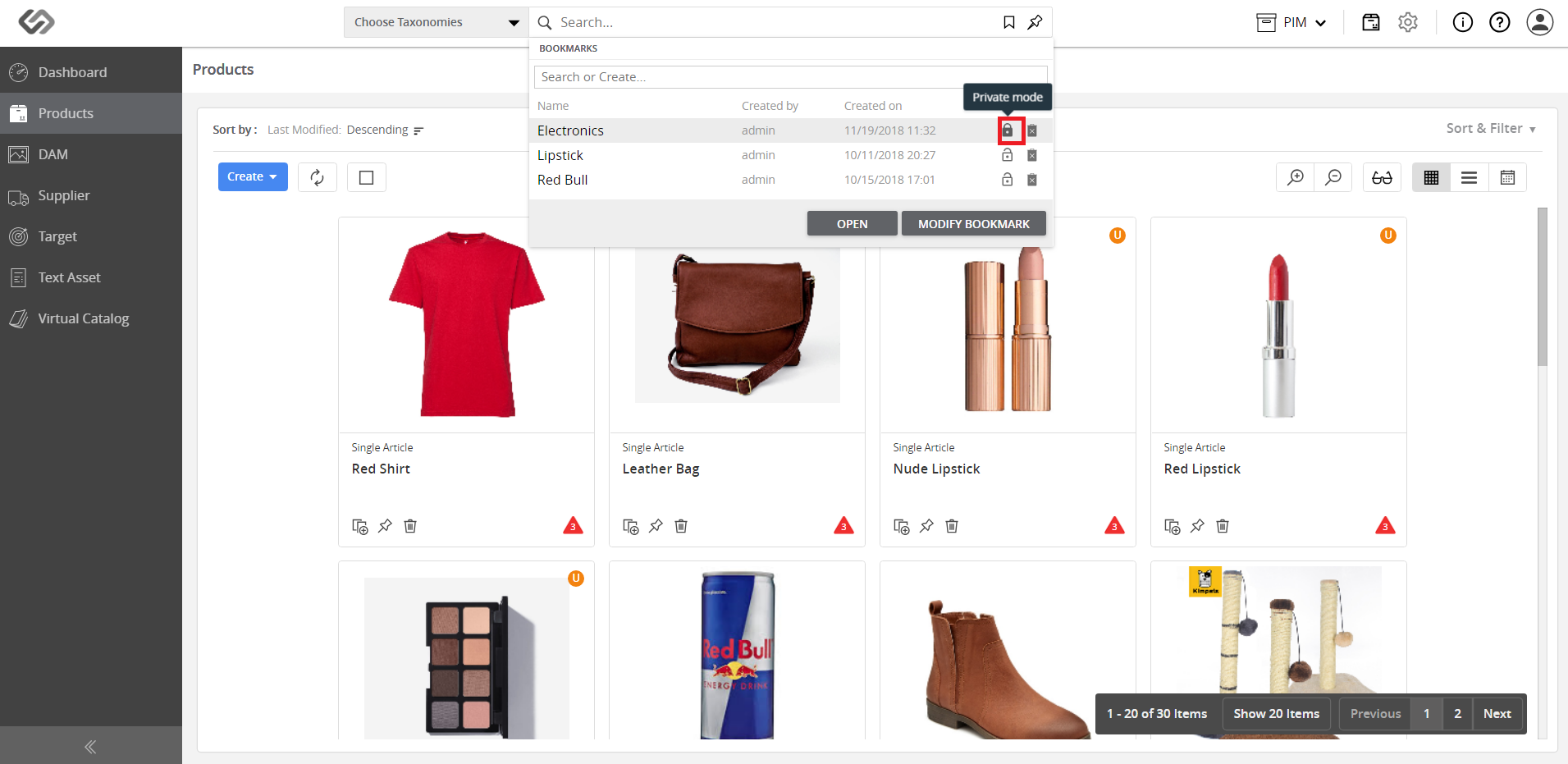
  • A locked icon indicates that a bookmark is a private one.
Related topics:
Application:
  • Use a private bookmark for securing access to a personal product watchlist.

  • Share your product watchlist by using a public bookmark.

  • Example:

    Suppose the marketing team of a company has created a bookmark for a trial - they can make the bookmark as a Private bookmark because they don’t want to show their bookmark to the other users of the system. On the other hand, if they want to share the bookmark with other users, they can set the bookmark as a Public bookmark.

How-to: Public or Private Bookmarks and Collections

To define a bookmark (or collection) to either Public or Private, follow these steps:

Bookmarks: Setting a Public Bookmark


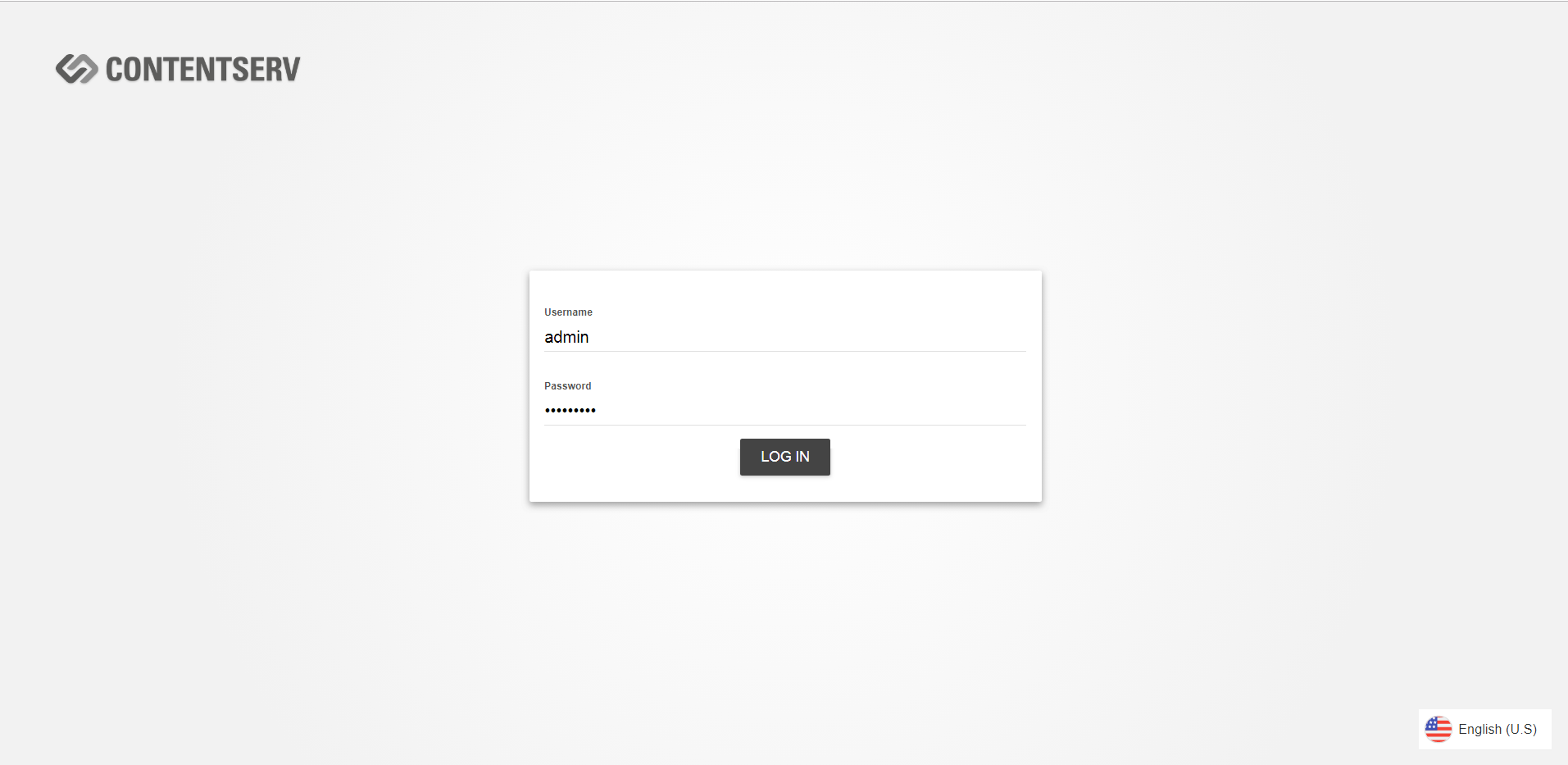
  • Log in as admin.
../../../../../_images/pxp_bookmarksandcollections_loginasadmin.PNG


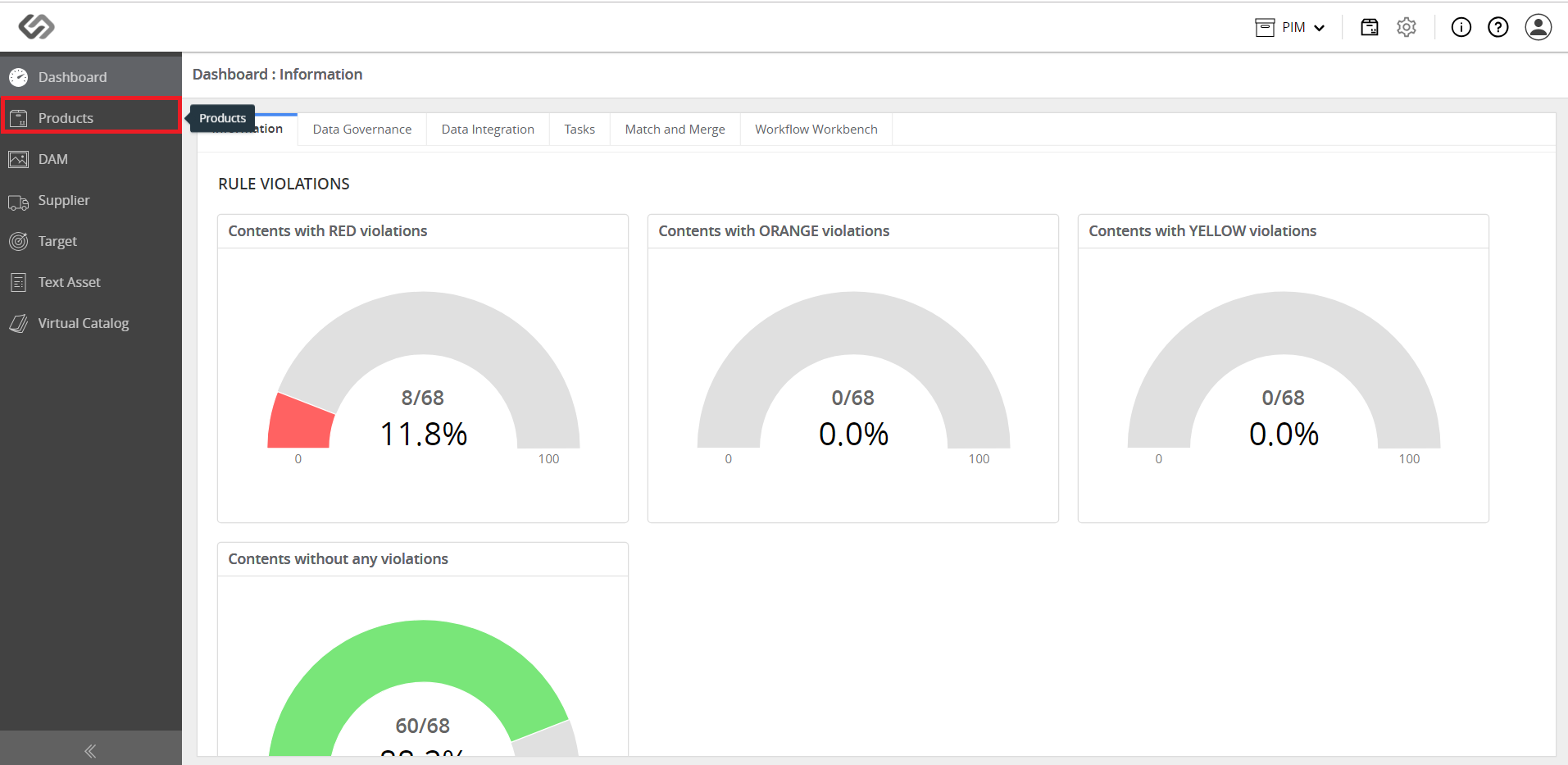
  • Go to Products.
../../../../../_images/pxp_bookmarksandcollections_gotoproducts.PNG


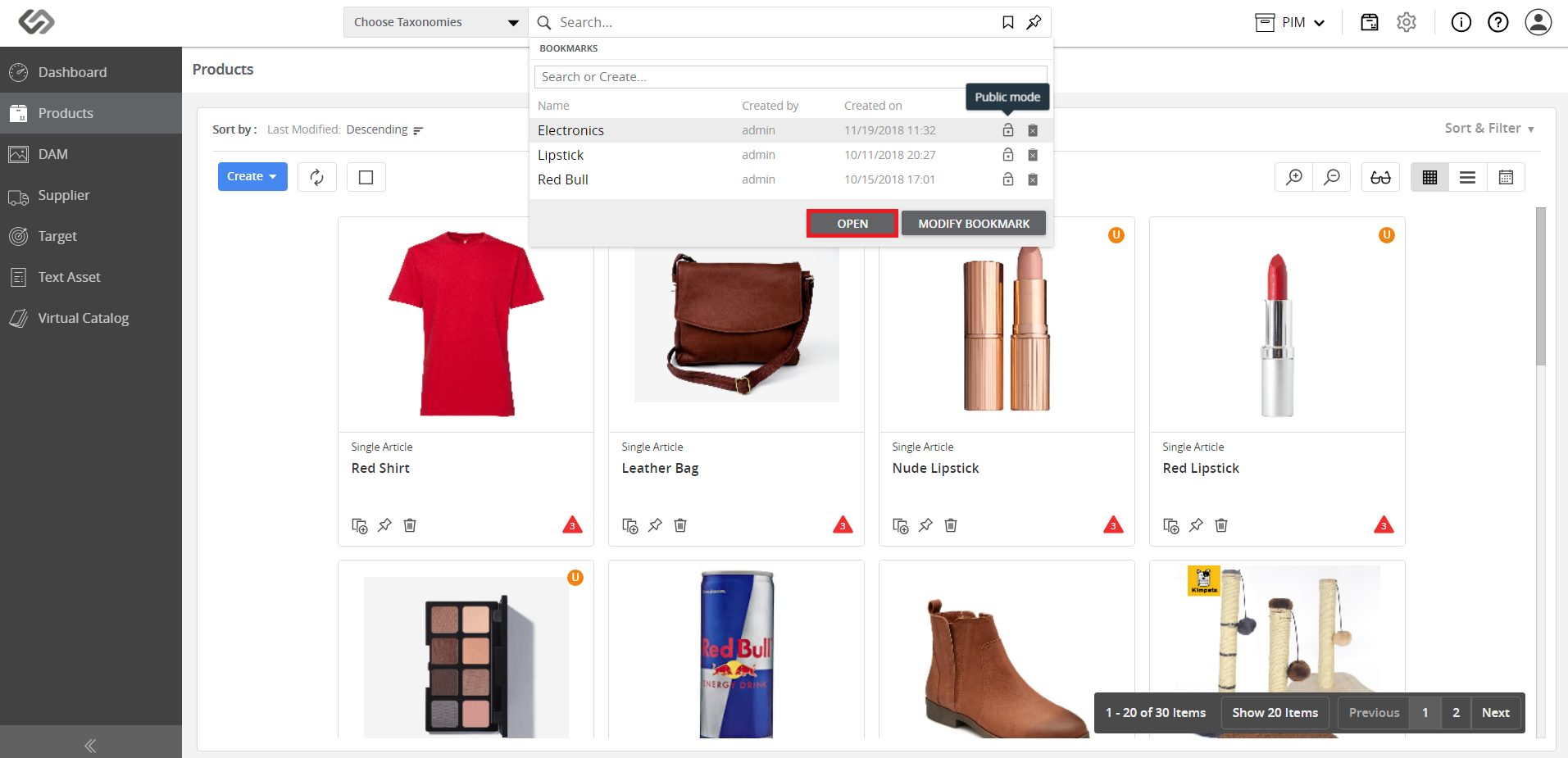
  • Click on the Bookmarks icon and go to the desired bookmark.
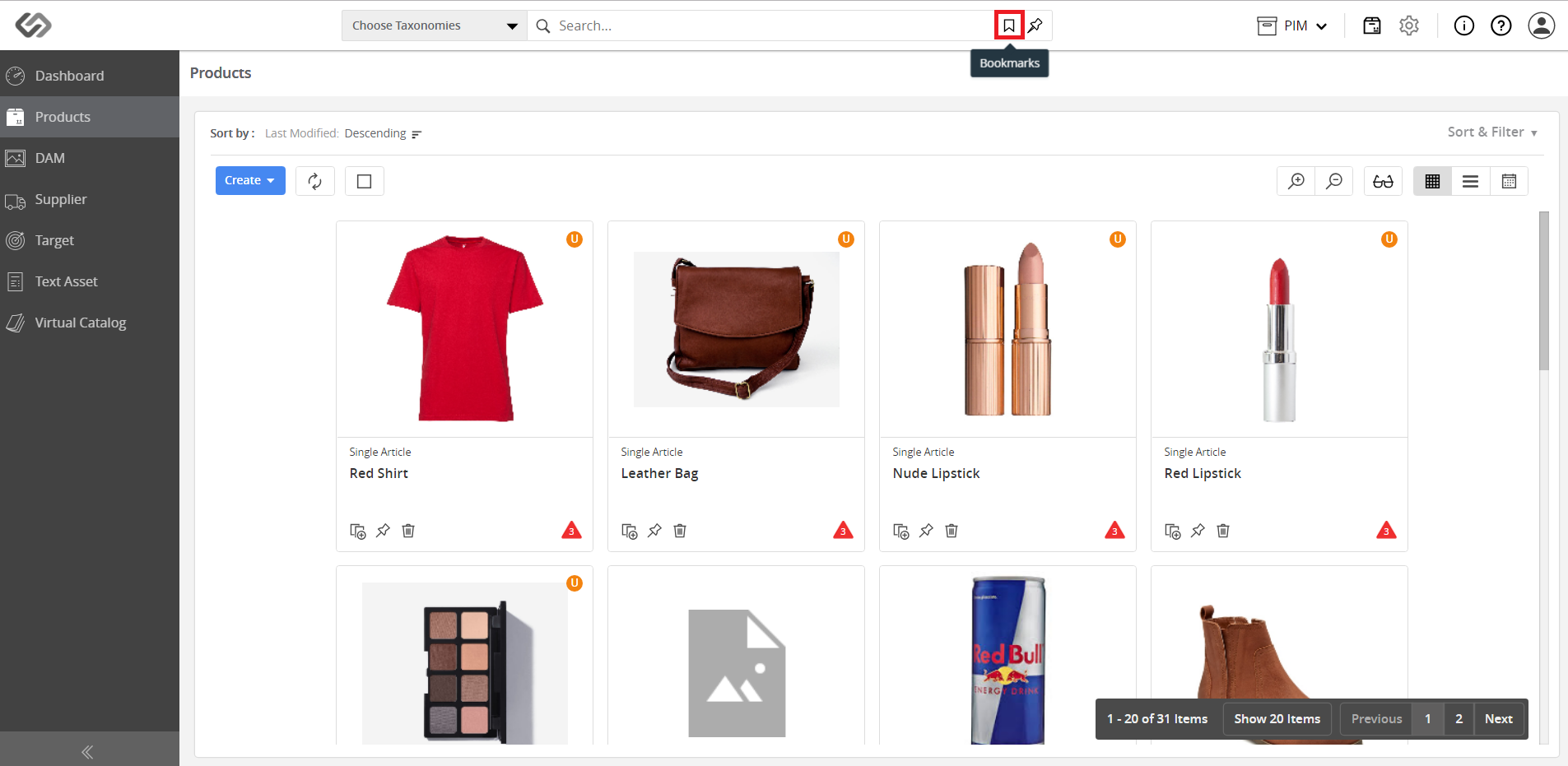
../../../../../_images/pxp_bookmarksandcollections_clickbookmarksicon.PNG

../../../../../_images/pxp_bookmarksandcollections_gotobookmark.PNG


  • The default setting of a bookmark is Public. Keep this setting to make a public bookmark.
../../../../../_images/pxp_bookmarksandcollections_publicbookmark.PNG


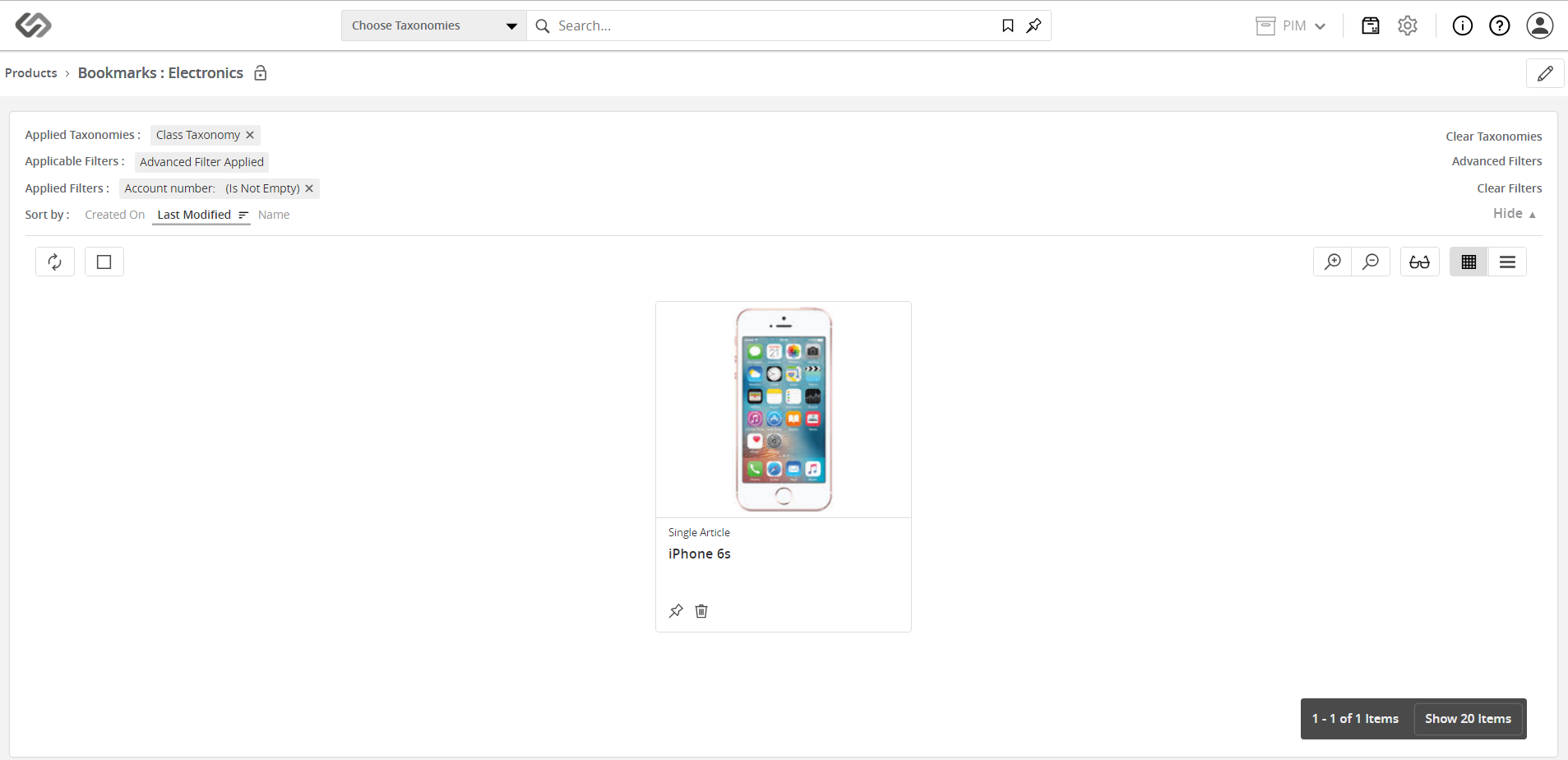
  • Once done, the bookmark can be viewed by all users.
../../../../../_images/pxp_bookmarksandcollections_viewpublicbookmark.PNG

Contentserv line

Bookmarks: Setting a Private Bookmark


  • Log in as admin.
../../../../../_images/pxp_bookmarksandcollections_loginasadmin.PNG


  • Go to Products.
../../../../../_images/pxp_bookmarksandcollections_gotoproducts.PNG


  • Click on the Bookmarks icon and go to the desired bookmark.
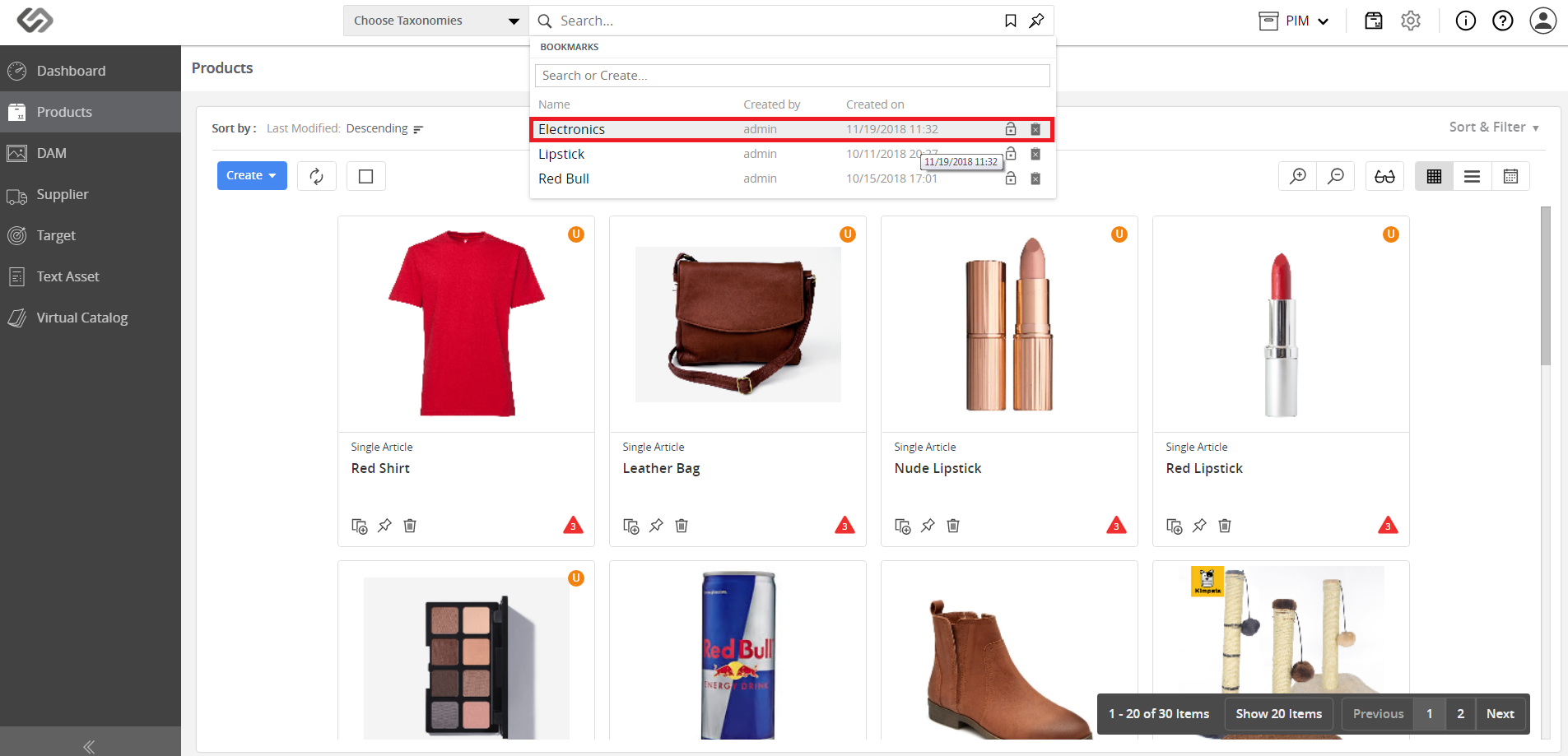
../../../../../_images/pxp_bookmarksandcollections_clickbookmarksicon.PNG

../../../../../_images/pxp_bookmarksandcollections_gotobookmark.PNG


  • Click on the Lock icon to set the bookmark as Private.
../../../../../_images/pxp_bookmarksandcollections_privatebookmark.PNG


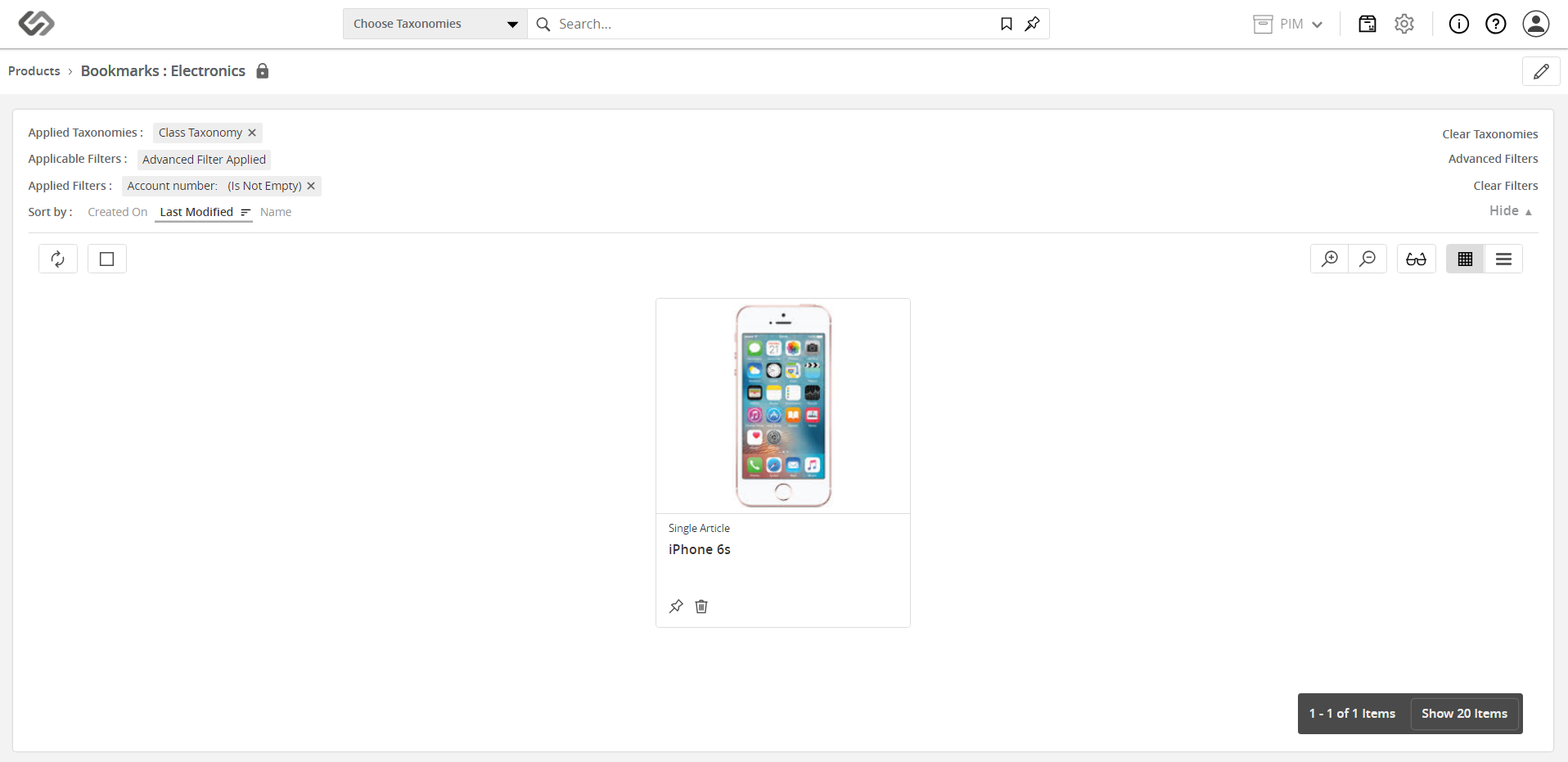
  • Once done, only certain users can view the bookmark.
../../../../../_images/pxp_bookmarksandcollections_viewprivatebookmark.PNG

As seen on the image above, the bookmark cannot be viewed by the seller as it is restricted to the admin.


Contentserv line

Collections: Setting a Public Collection


  • Log in as admin.
../../../../../_images/pxp_bookmarksandcollections_loginasadmin.PNG


  • Go to Products.
../../../../../_images/pxp_bookmarksandcollections_gotoproducts.PNG


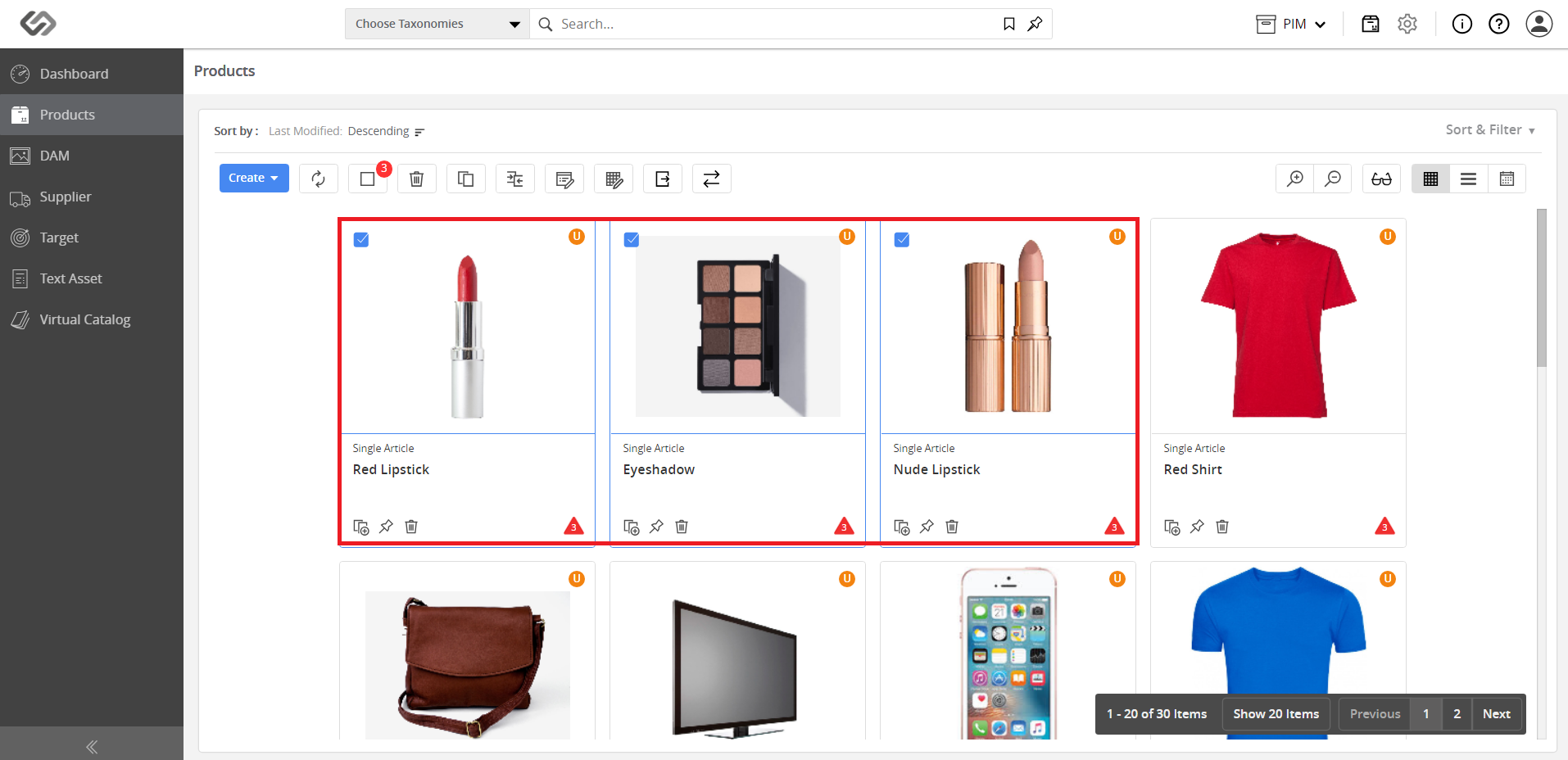
  • Select the products or assets that will be included in the collection.
../../../../../_images/pxp_bookmarksandcollections_selectproducts.PNG


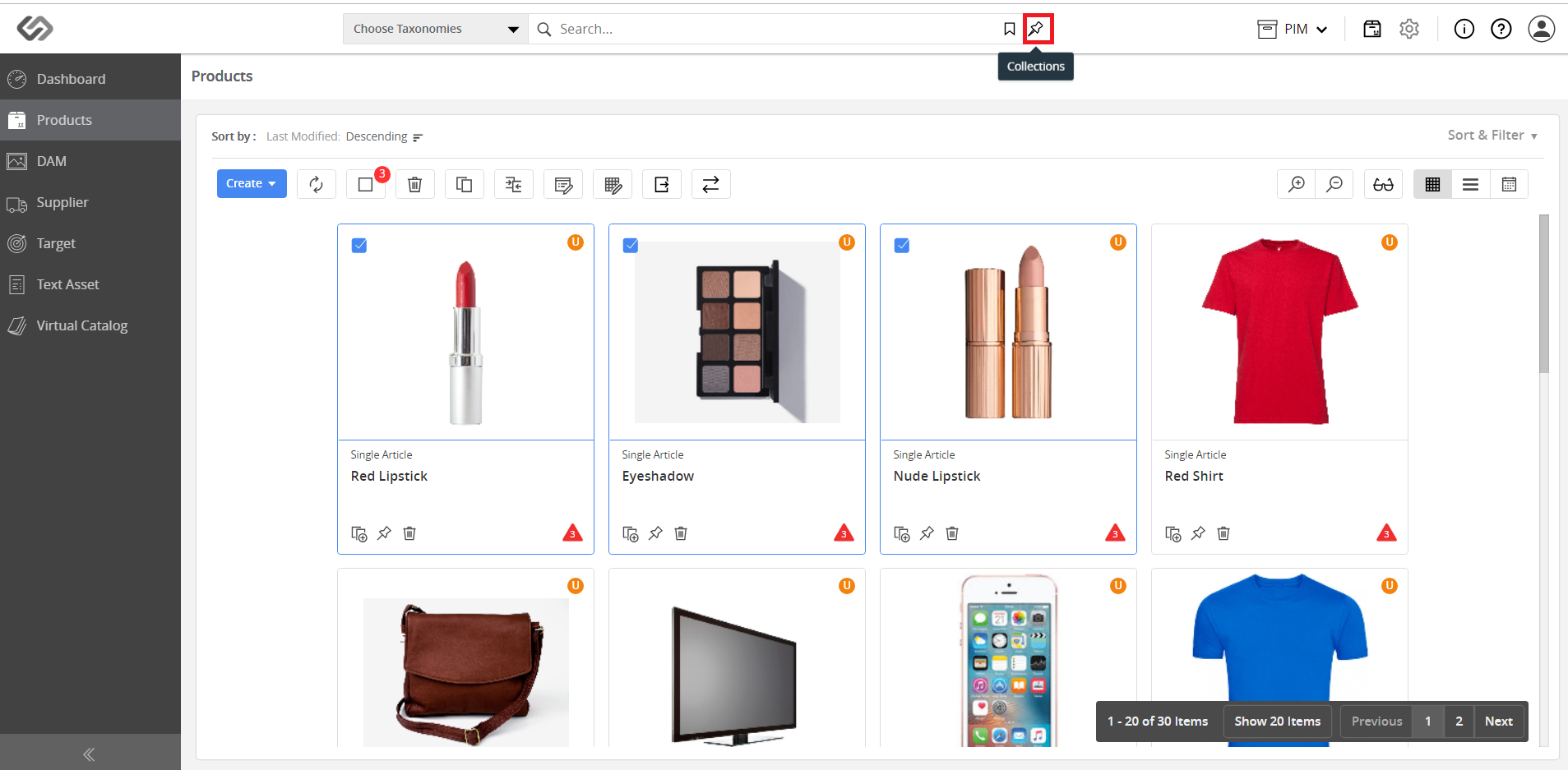
  • Click on the Collections icon.
../../../../../_images/pxp_bookmarksandcollections_clickcollectionsicon.PNG


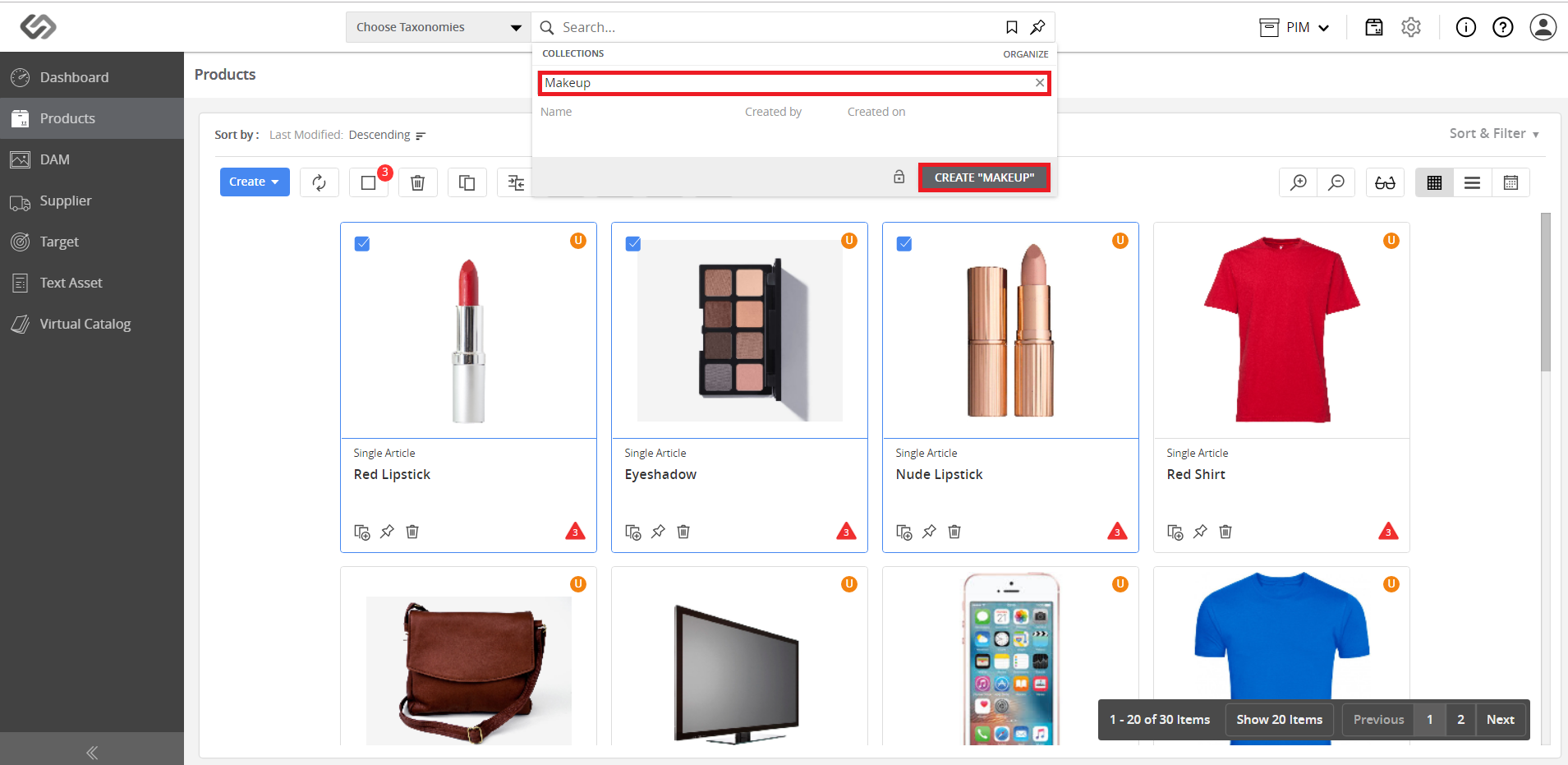
  • Enter the name of the collection and click on the Create button.
../../../../../_images/pxp_bookmarksandcollections_enternameofcollection.PNG


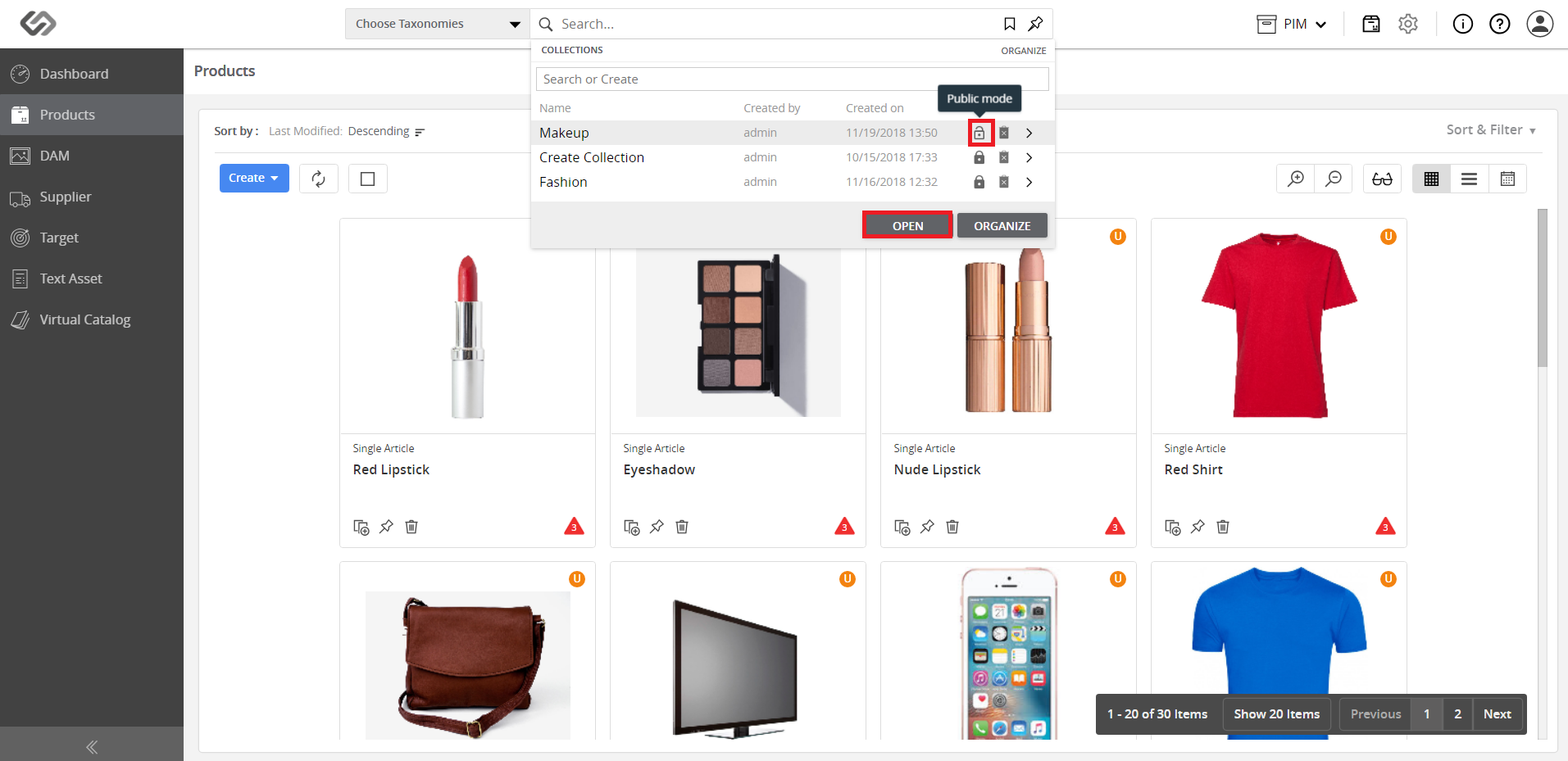
  • The default setting of a collection is Public. Keep this setting for a public collection.
../../../../../_images/pxp_bookmarksandcollections_publiccollection.PNG


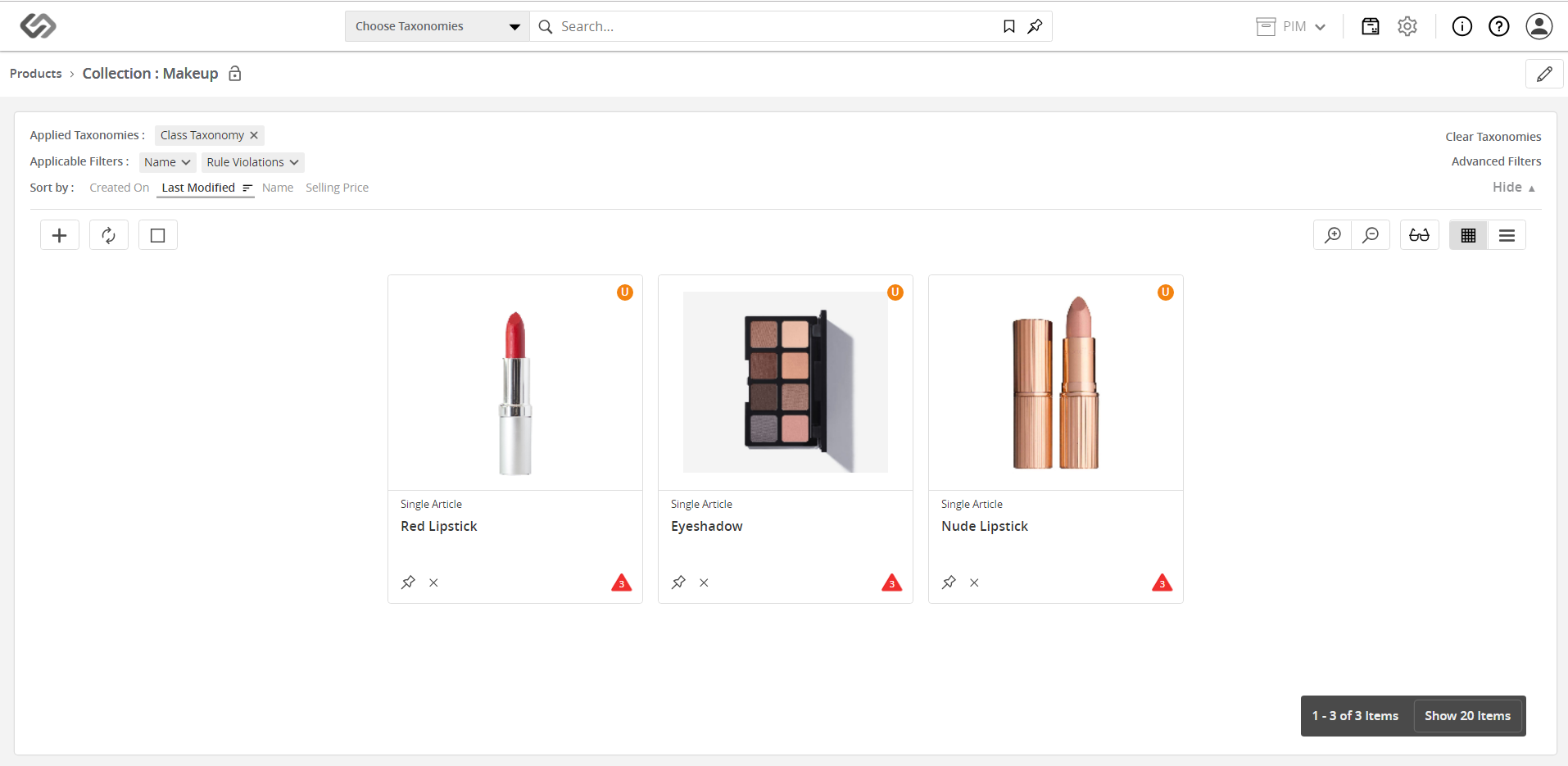
  • Once done, the collection can be viewed by all users.
../../../../../_images/pxp_bookmarksandcollections_viewpubliccollection.PNG

Contentserv line

Collections: Setting a Private Collection


  • Go to Products.
../../../../../_images/pxp_bookmarksandcollections_gotoproducts.PNG


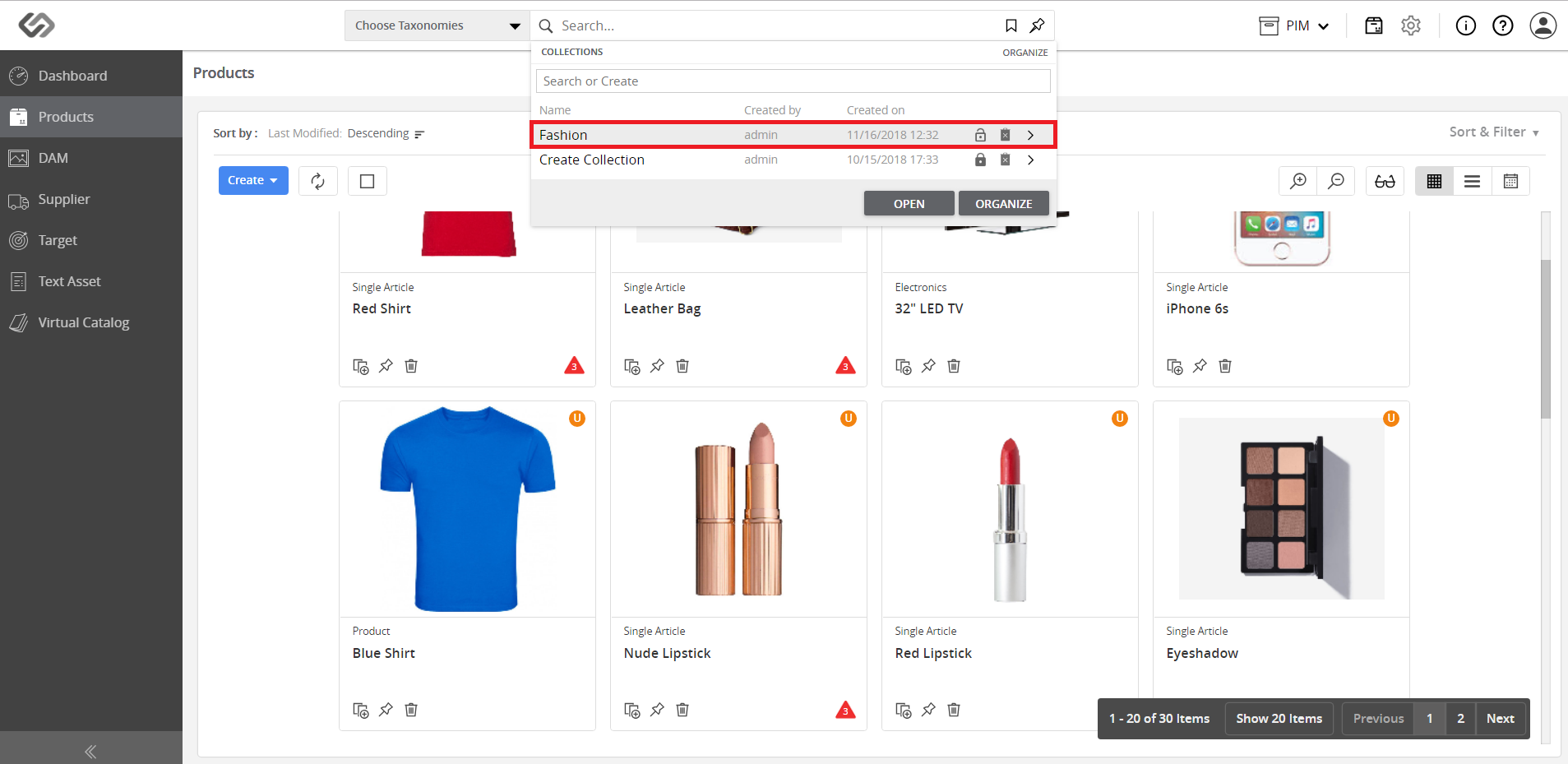
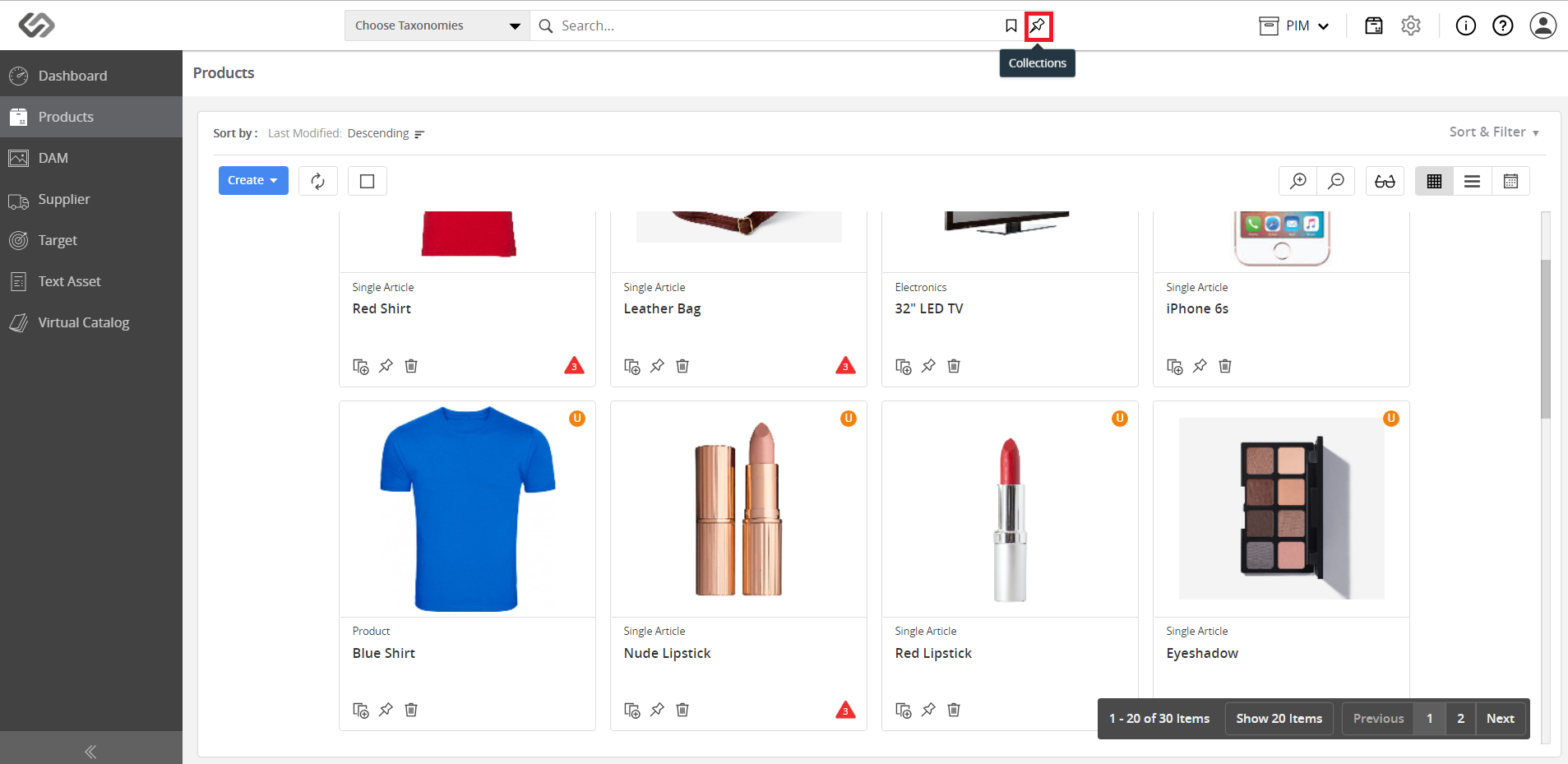
  • Click on the Collections icon and go to the desired collection.
../../../../../_images/pxp_bookmarksandcollections_clickcollectionsicon2.PNG

../../../../../_images/pxp_bookmarksandcollections_gotocollection.PNG

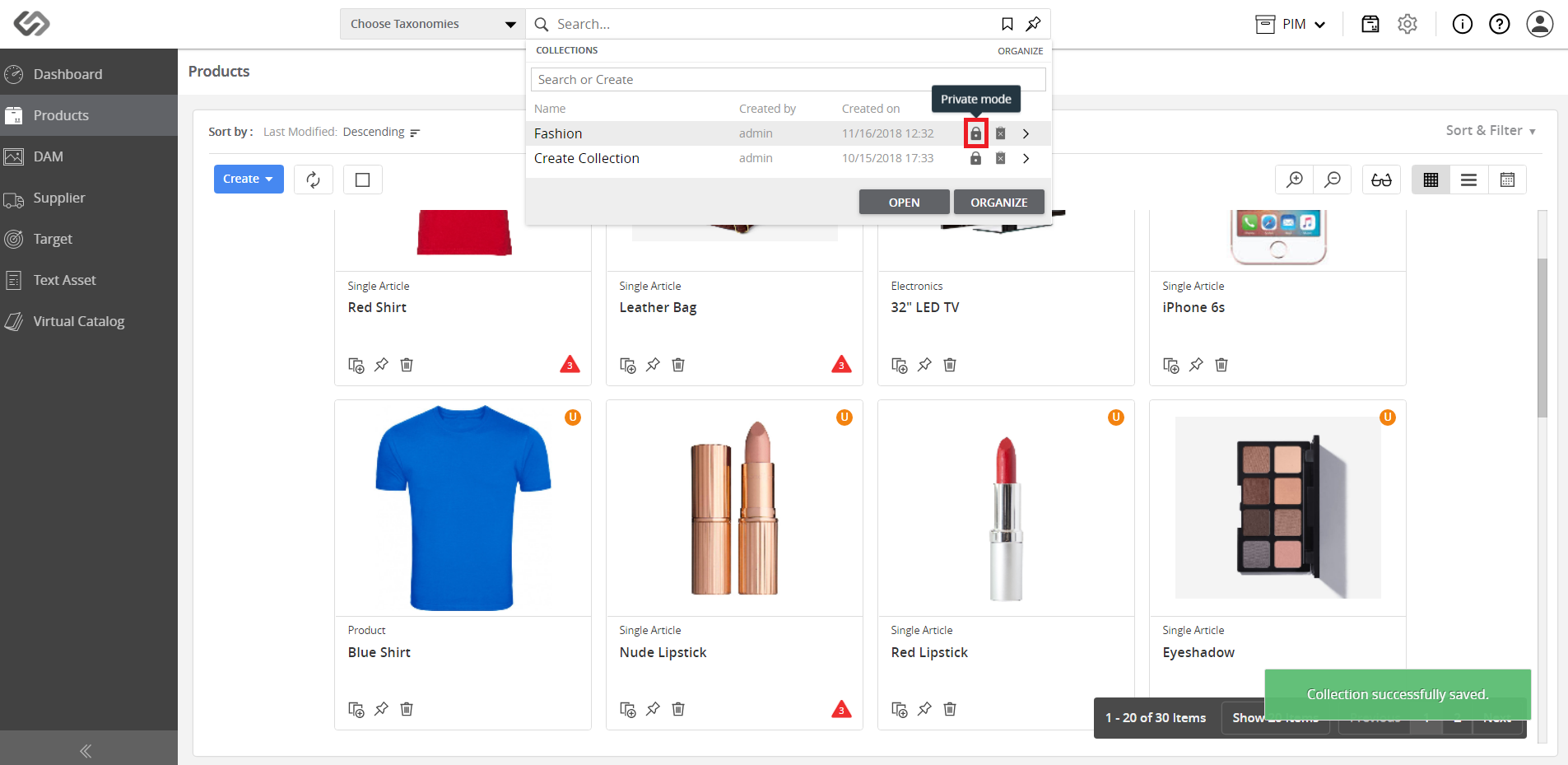
  • Click on the Lock icon to set the collection as Private.
../../../../../_images/pxp_bookmarksandcollections_privatecollection.PNG


  • Once done, only certain users can view the collection.
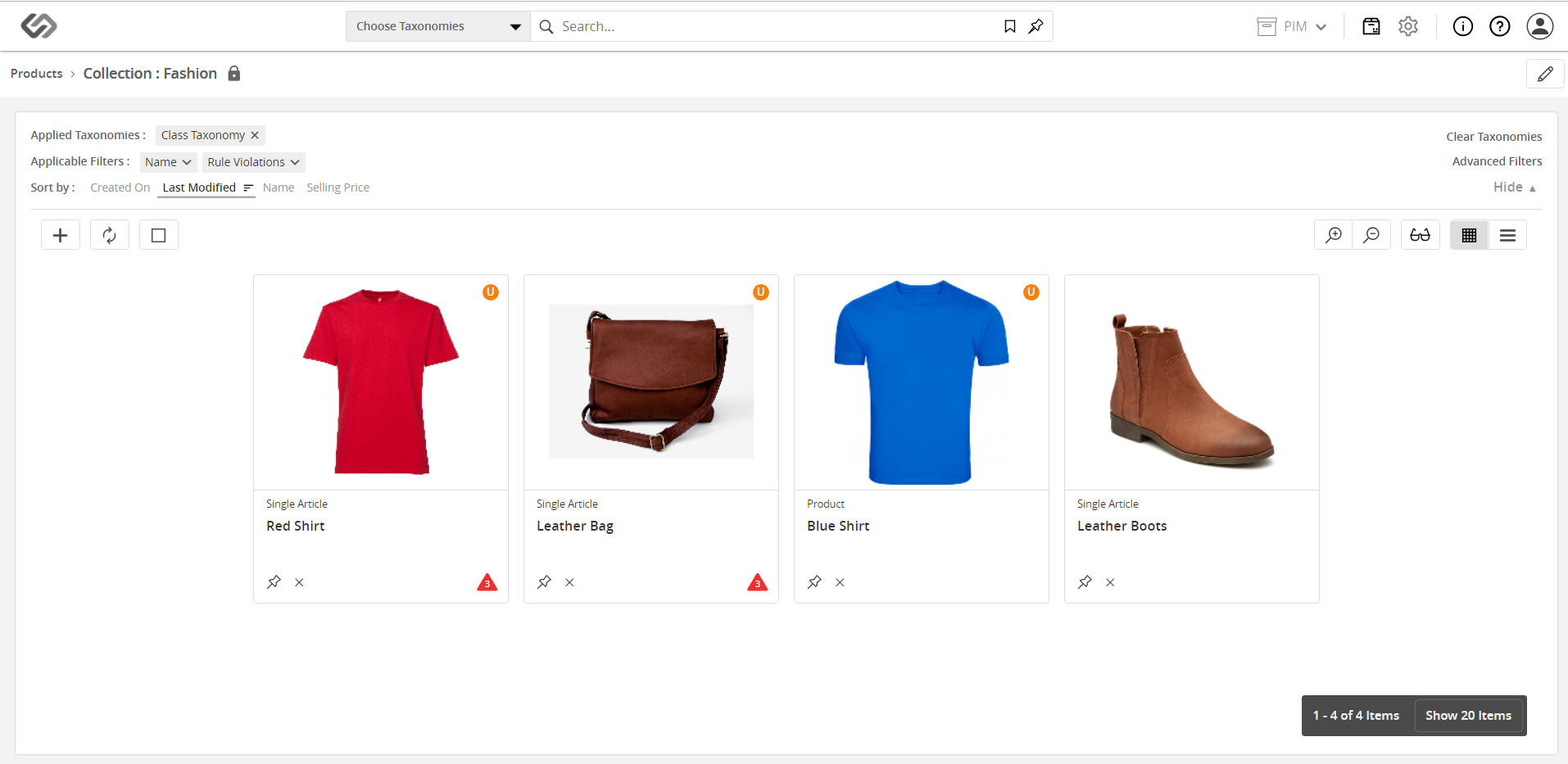
../../../../../_images/pxp_bookmarksandcollections_viewprivatecollection1.PNG

As seen on the images above, the collection cannot be viewed by the seller as it is restricted to the admin.


Contentserv line