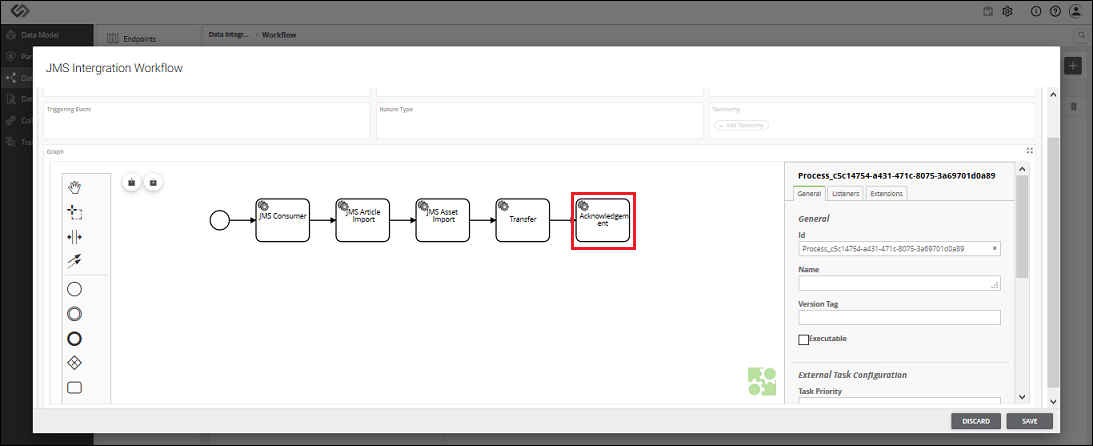
Add Acknowledgement Component
To add an Acknowledgement Component, follow the steps below:
- The Acknowledgement component is used to acknowledge to the consumer after receiving the message from the consumer. To add the Acknowledgement component, select the last notation in the workflow and click on Task notation.
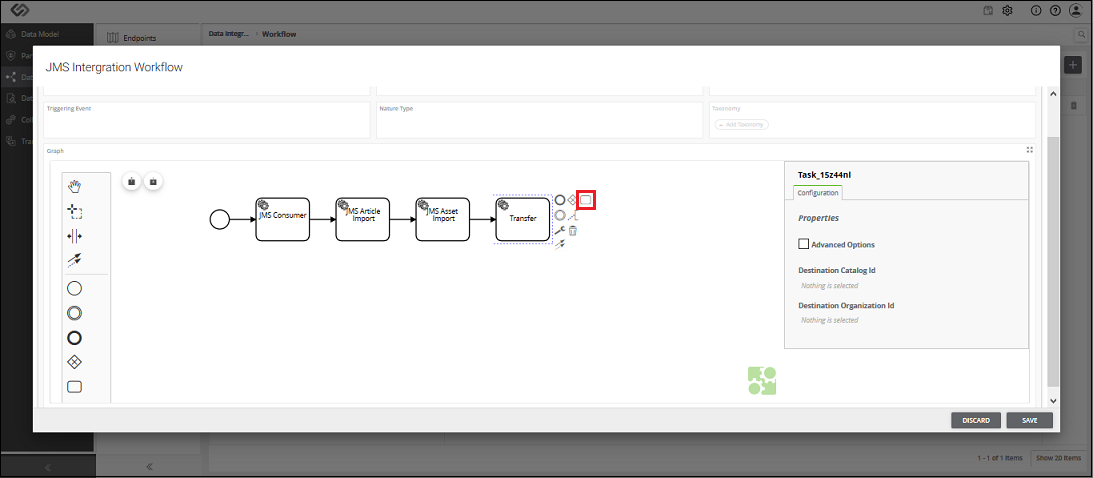
- When you click on the Task notation, it gets added in the flow.
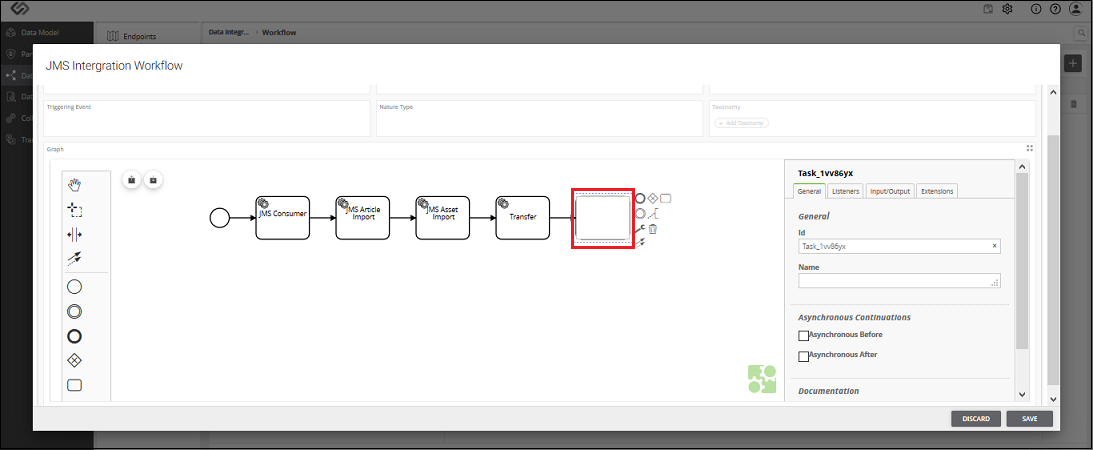
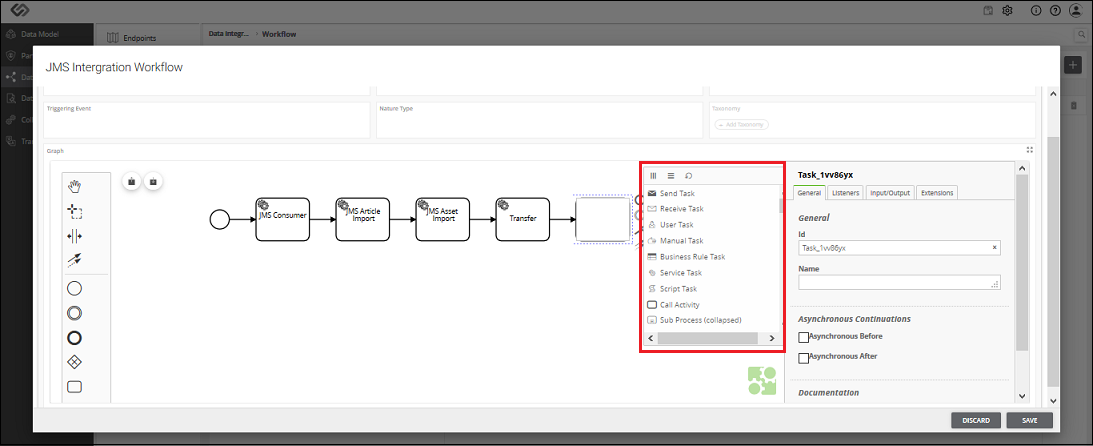
- Click on the Change type icon and select the component.
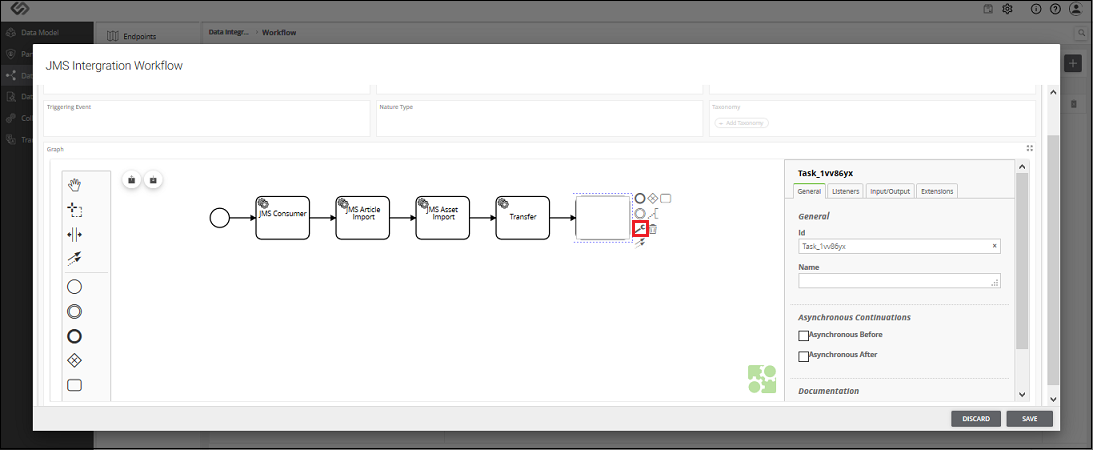
- As soon as you click on the Change type icon, a pop-up window appears containing the types of components.
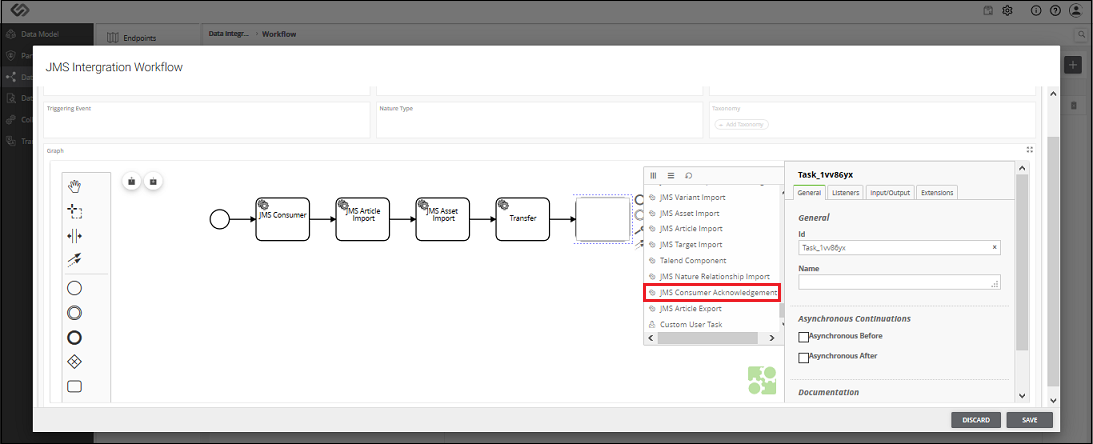
- Select the JMS Consumer Acknowledgement component from the list.
- Enter the name for the component.