Add End Event and Mark Executable
To add an End Event and Mark Executable, follow the steps below:
- Once you add all the components in the workflow, you need to end the workflow using the End Event. For this, select the last component and click on the End Event notation.
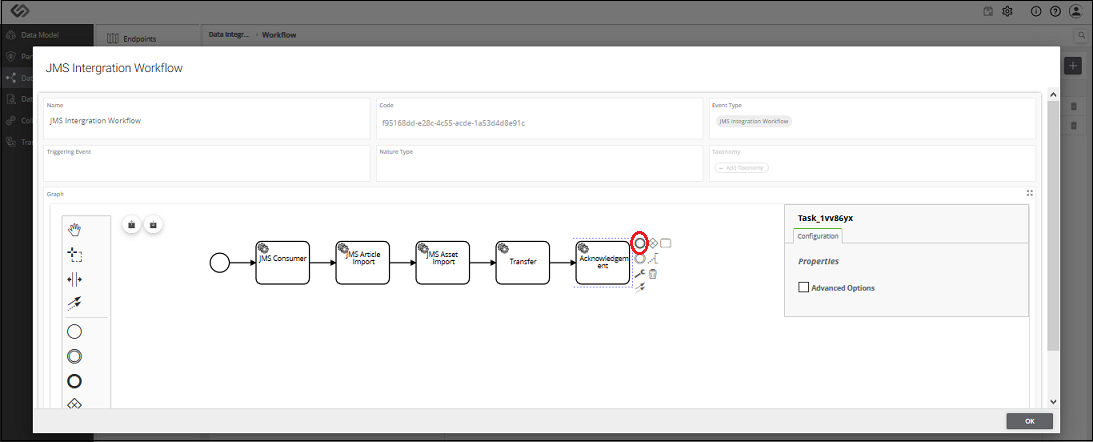
- When you click on the End Event notation, it gets added in the flow.

- Once you added all the components and defined the workflow, select the Executable option. It is necessary to trigger the process.

Note: You can add different components like JMS Supplier Import, JMS Relationship Import, JMS Variant depending on your requirements. The workflow for these components will be the same as that of JMS Article Import and JMS Asset Import as described in the sections Add JMS Article Import and Add JMS Asset Import.
