Sort By

The Sort By feature allows a user to view products and assets according to a specific attribute sort order.

Key Term:
  • Attribute: a data field which describes a product, can also use ‘property’.
Description:
  • The Sort By feature allows the use of filters to sort products in ascending or descending order.
  • Click the Sort By buttons at the top of the catalog to use this feature.
Related topics:
Application:
  • A user can sort the products in the desired order, either ascending or descending.

  • The feature gives the ease to search for a product by arranging it by the user’s desired order.

  • Example:

    If a user wants to arrange products from the highest to the lowest price or to arrange the products alphabetically, the Sort By feature can be used.

How-to: Sort By

To do a sort by, follow these steps:


  • Log in and go to Pproducts.
../../../../../../_images/pxp_parametricsearch_login.PNG


  • Click on the Sort and Filter button. The menu selection will expand.
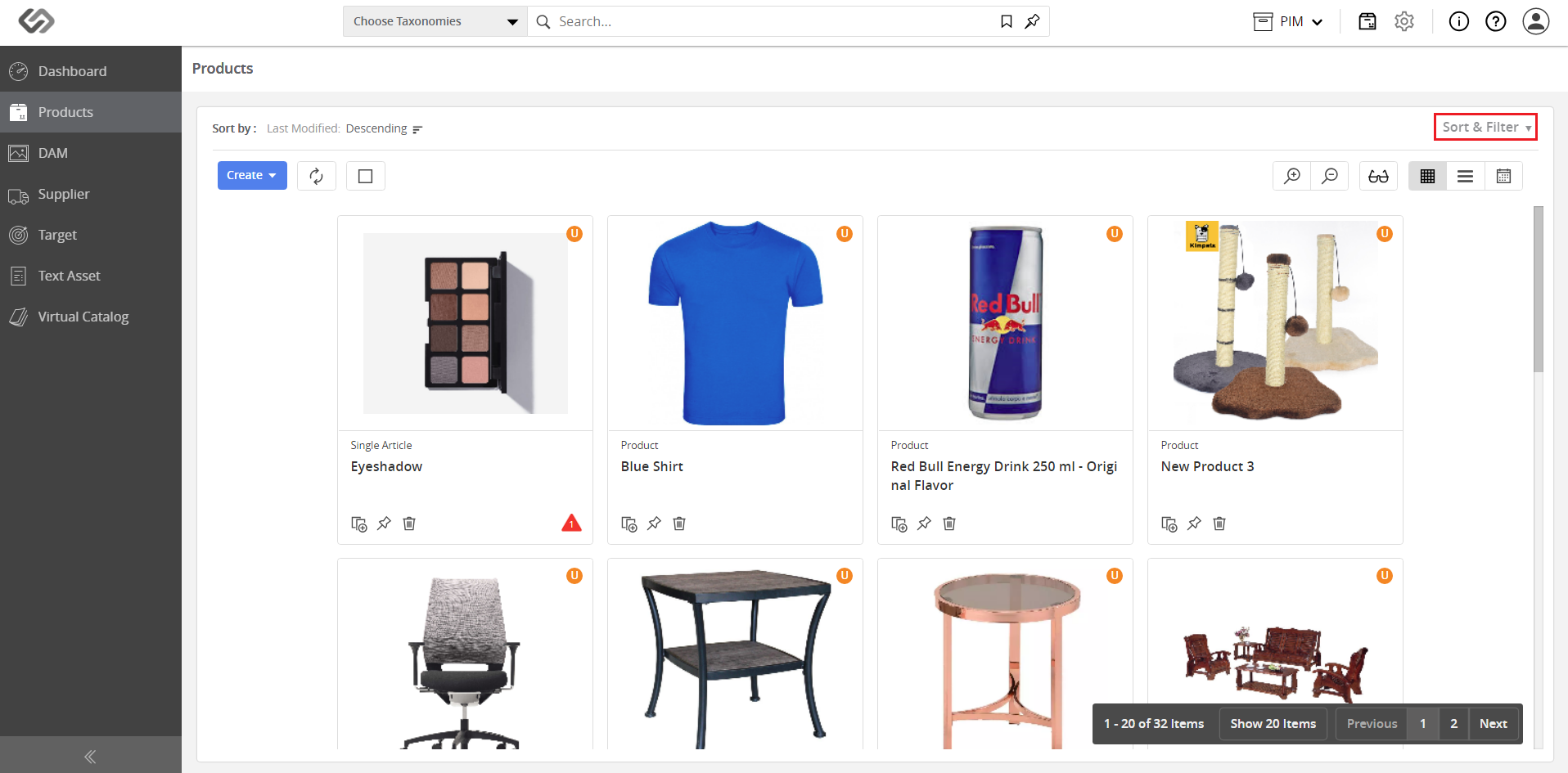
../../../../../../_images/pxp_sortby_clickthesortandfilter.PNG


  • View the attributes that you can use to sort the products.
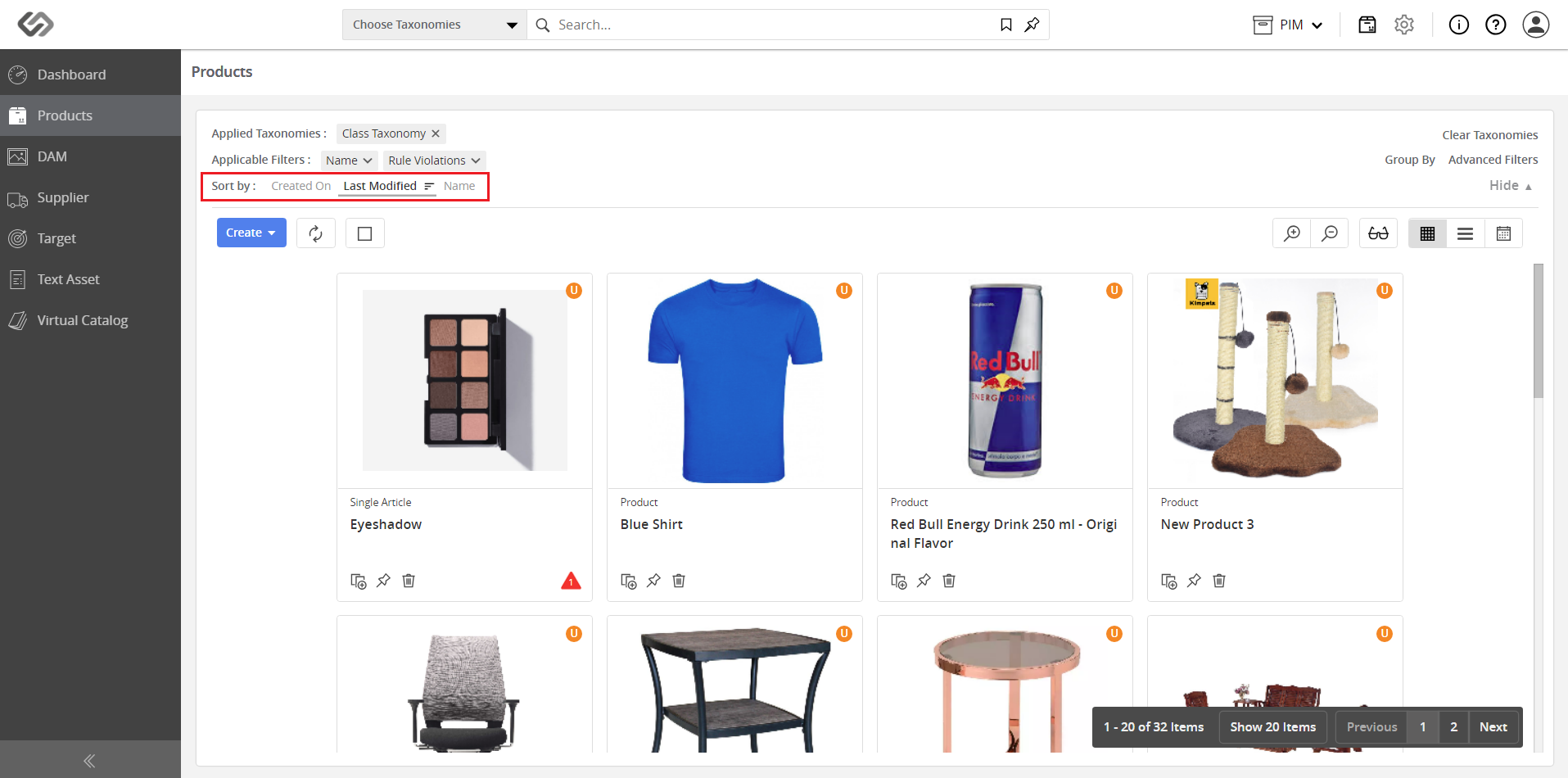
../../../../../../_images/pxp_sortby_viewattribute.PNG


  • Click on the desired attribute to select the sorting order.
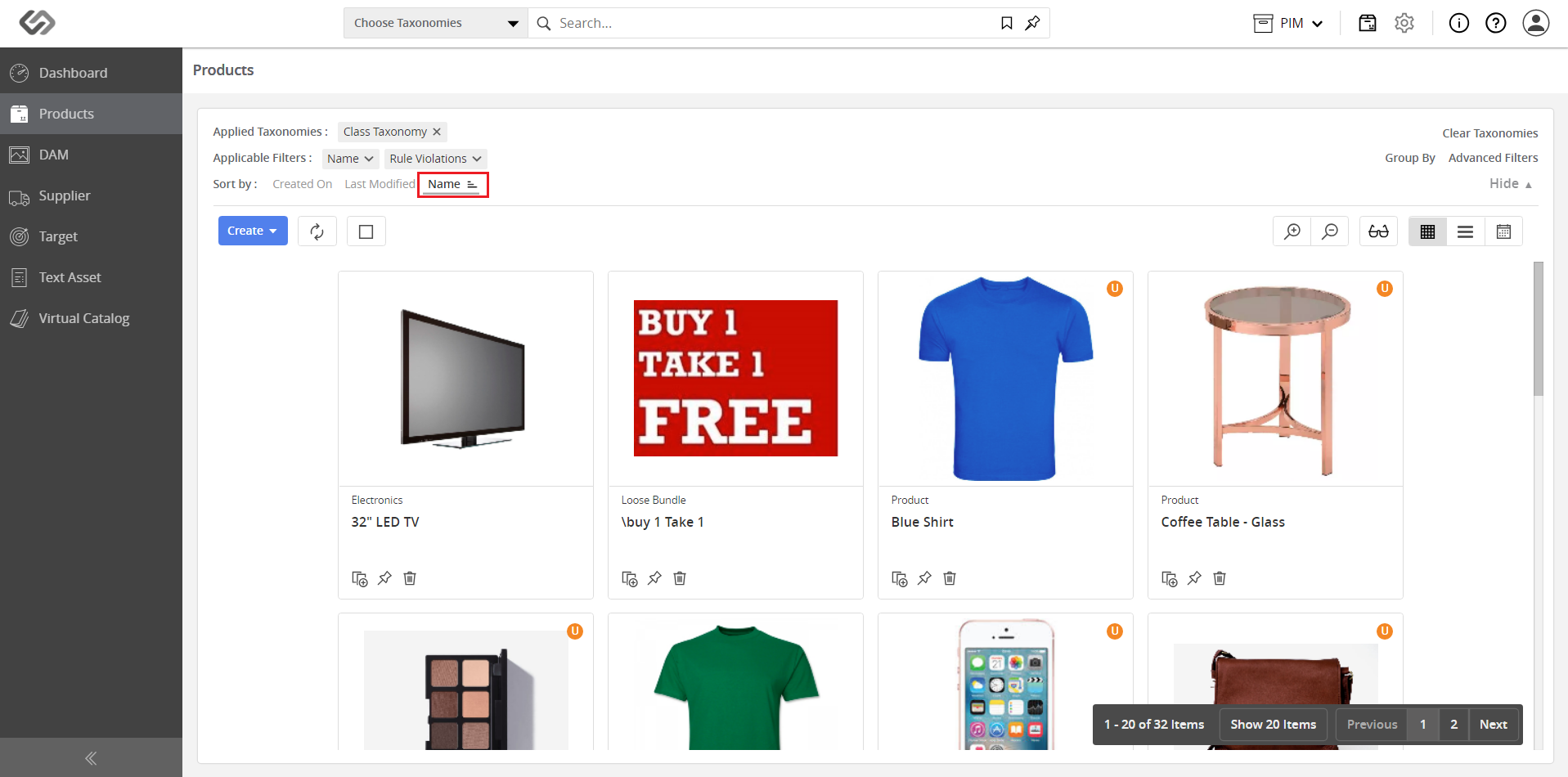
../../../../../../_images/pxp_sortby_clickattribute.PNG


Examples:


  • Below is Name in ascending order (A to Z).
../../../../../../_images/pxp_sortby_ascendingorder.PNG


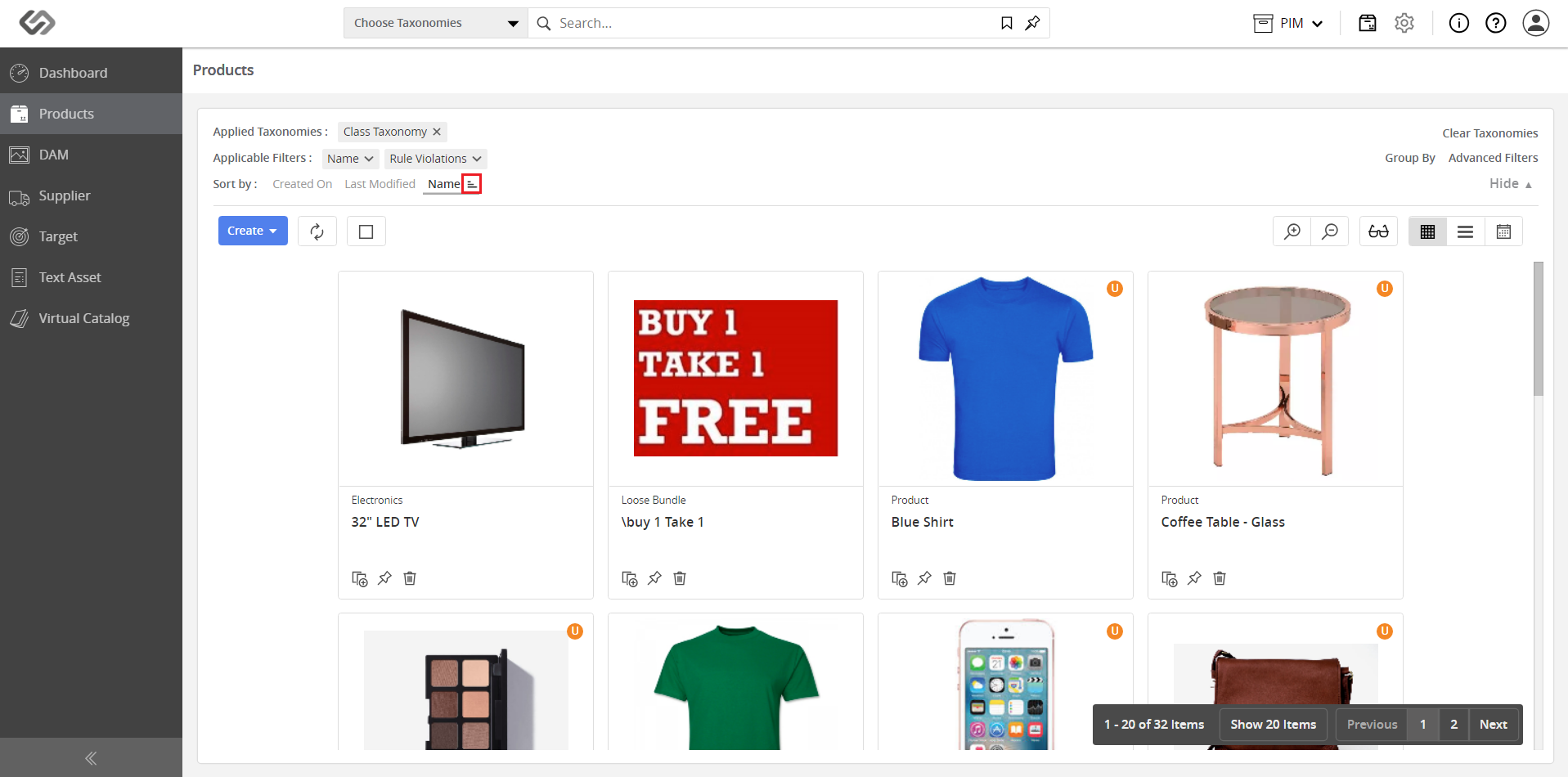
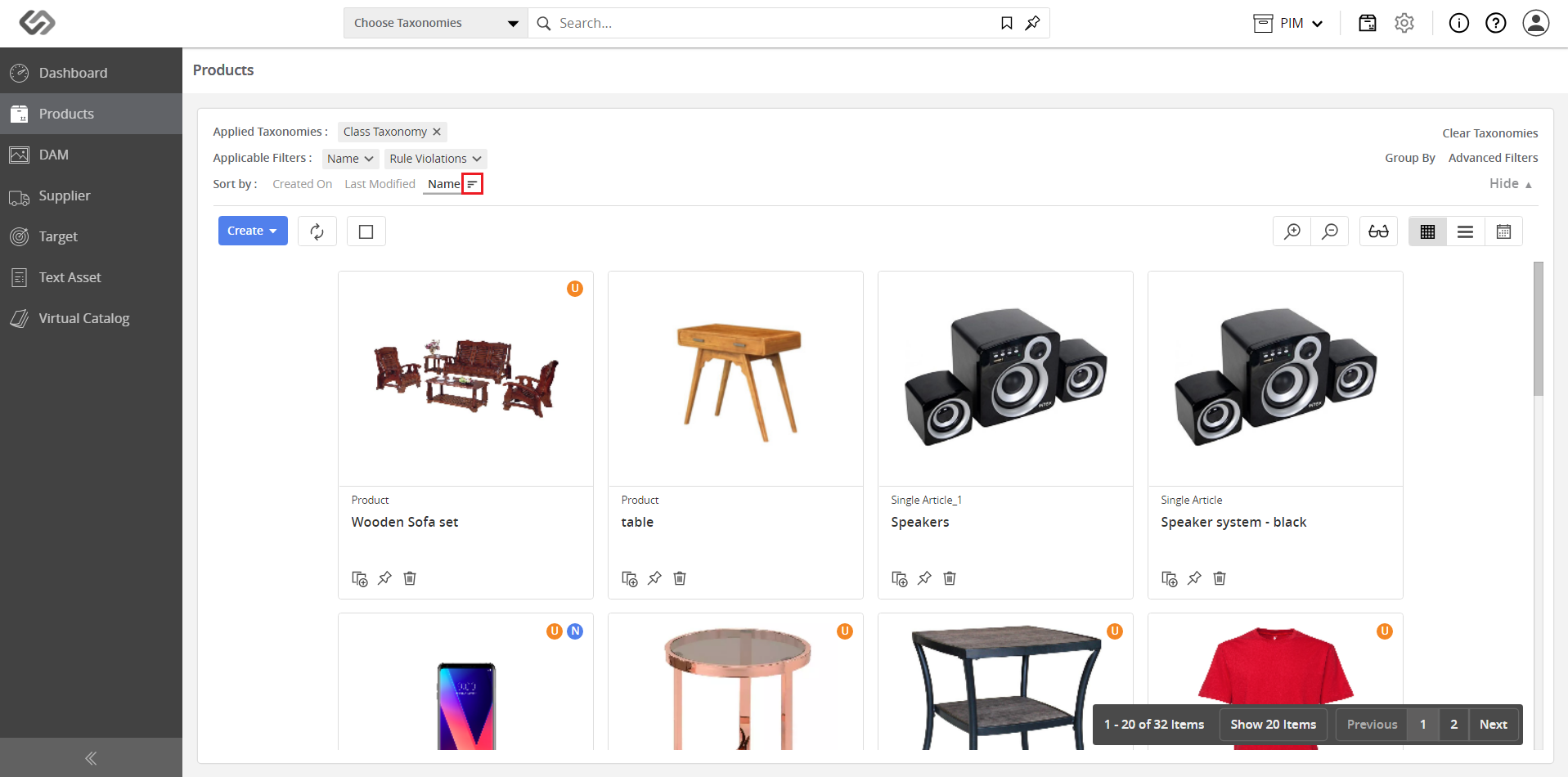
  • Below is Name in descending order (Z to A). Click this icon to toggle between ascending or descending sort order.
../../../../../../_images/pxp_sortby_descendingorder.PNG


Contentserv line
