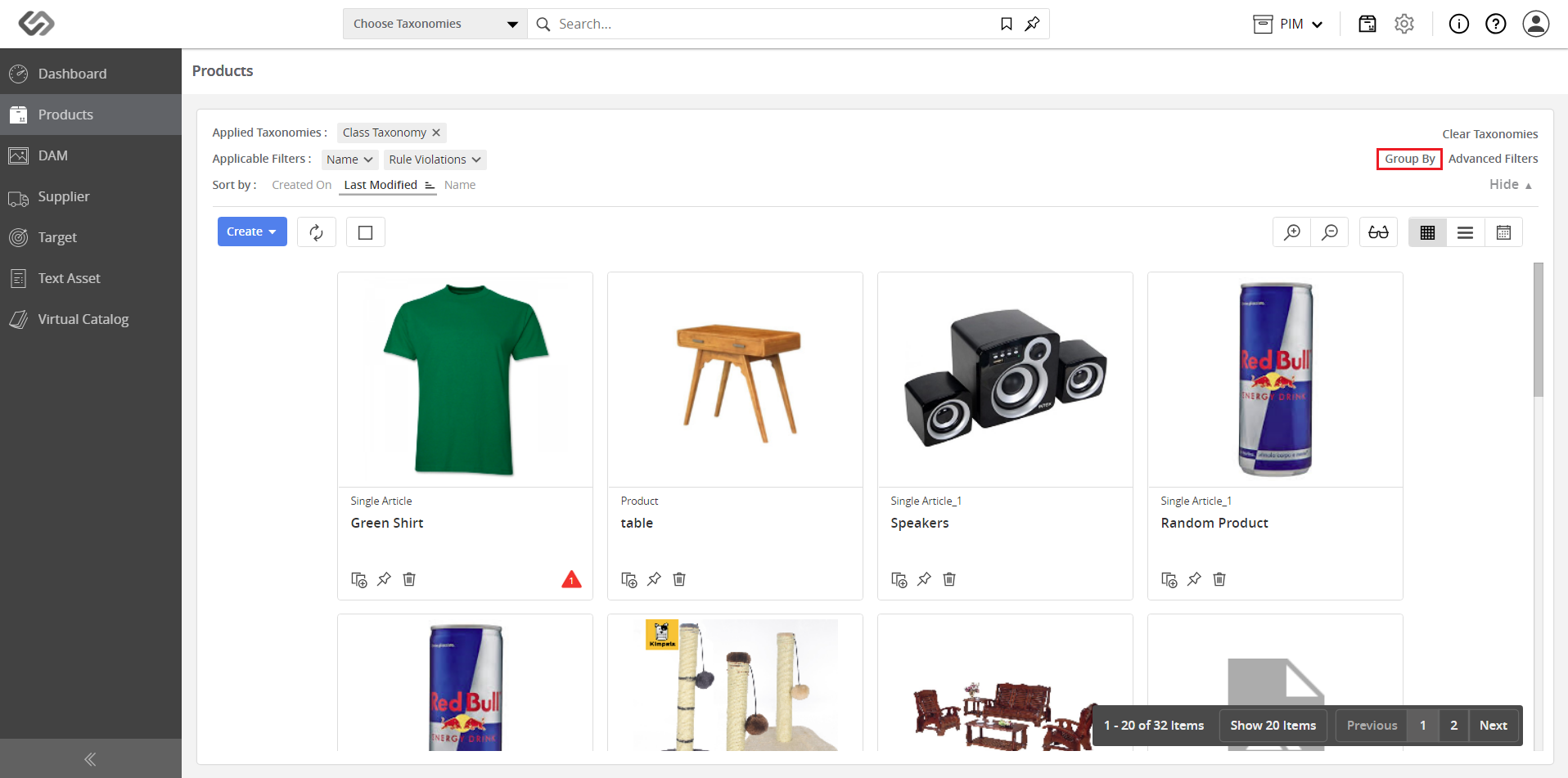
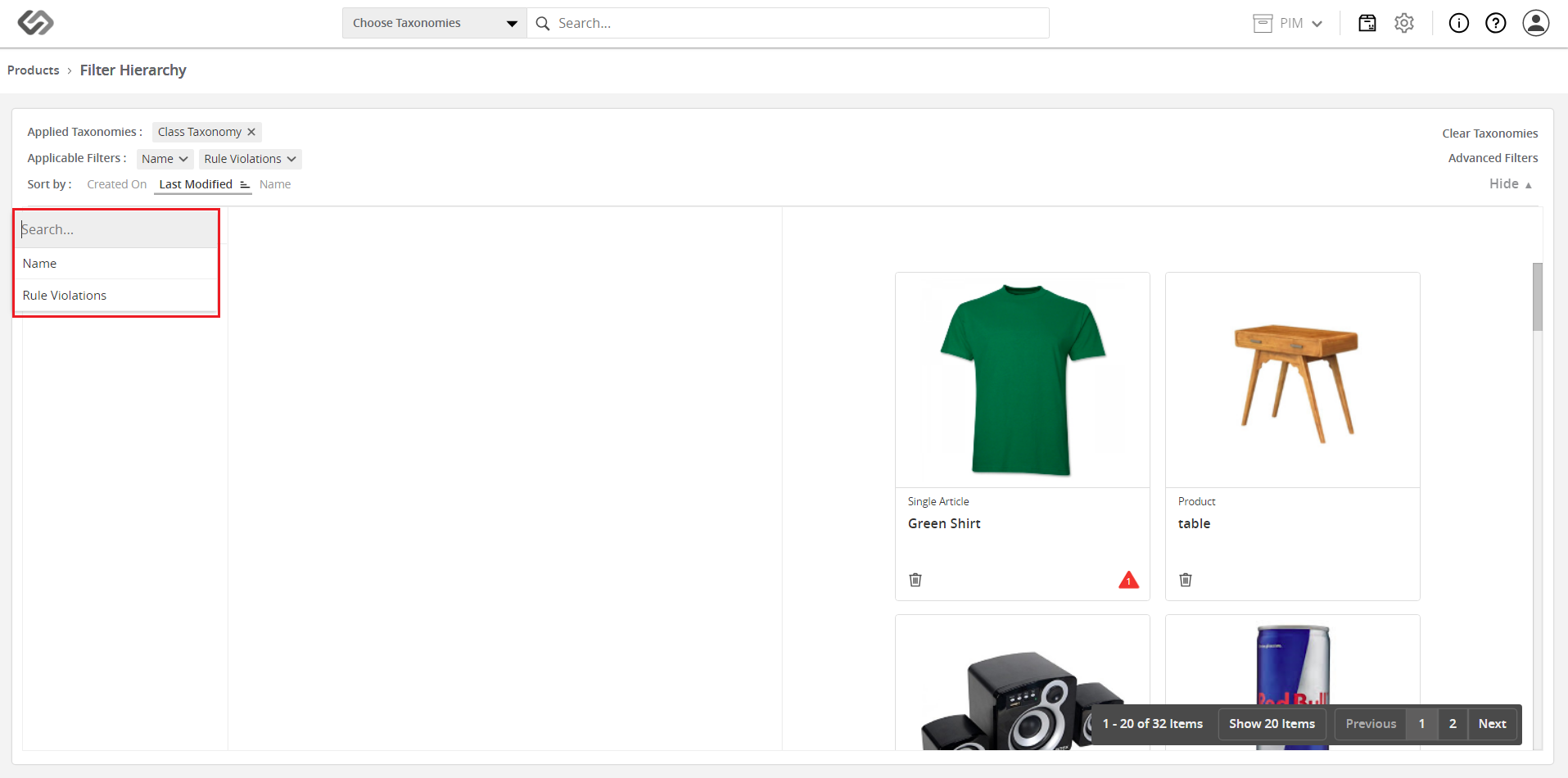
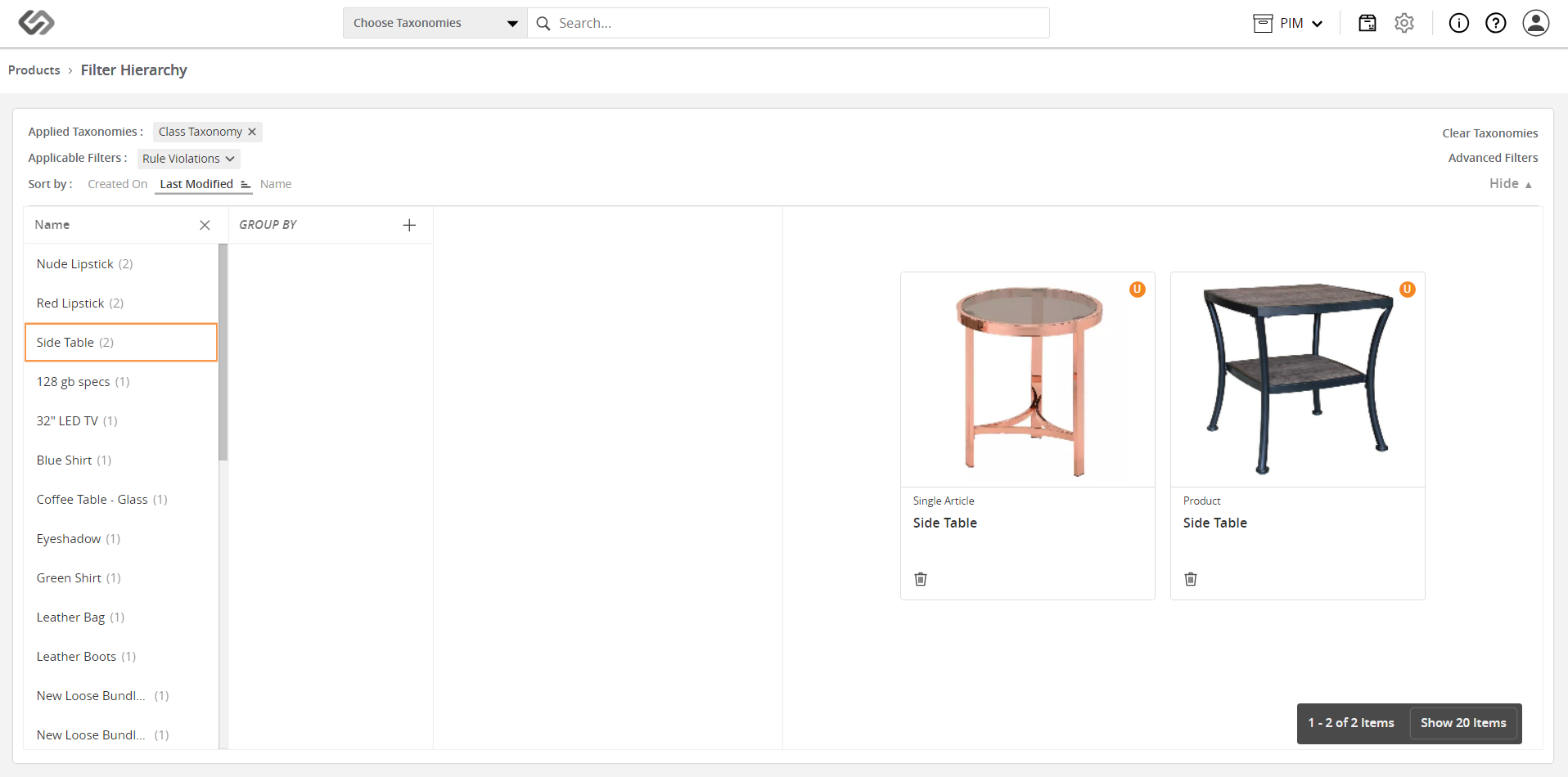
Group By

The Group By feature allows a user to view a group of objects in the system by specifying an attribute or property.

Key Term:
  • Attribute: a data field which describes a product, can also use ‘property’.
Description:
  • The feature provides a user the functionality to view a grouping of products with the desired sequence of attributes and tags (filterable).
  • Group By allows the user to make groups according to Tags and Attributes.
Related topics:
Application:
  • The feature provides a user the functionality to view a grouping of products with the desired property or also, a sequence of attributes and tags (filterable).

  • The feature allows a user to specify the sequence of grouping attributes.

  • Example:

    If a user wants to view a group of products that is related to a particular Color, the Group By feature may be used.

How-to: Group By

To do this feature, follow these steps:


  • Log in and go to Products.
../../../../../../_images/pxp_parametricsearch_login.PNG


  • Click on the Sort & Filter button. Once clicked, it will expand the selection.
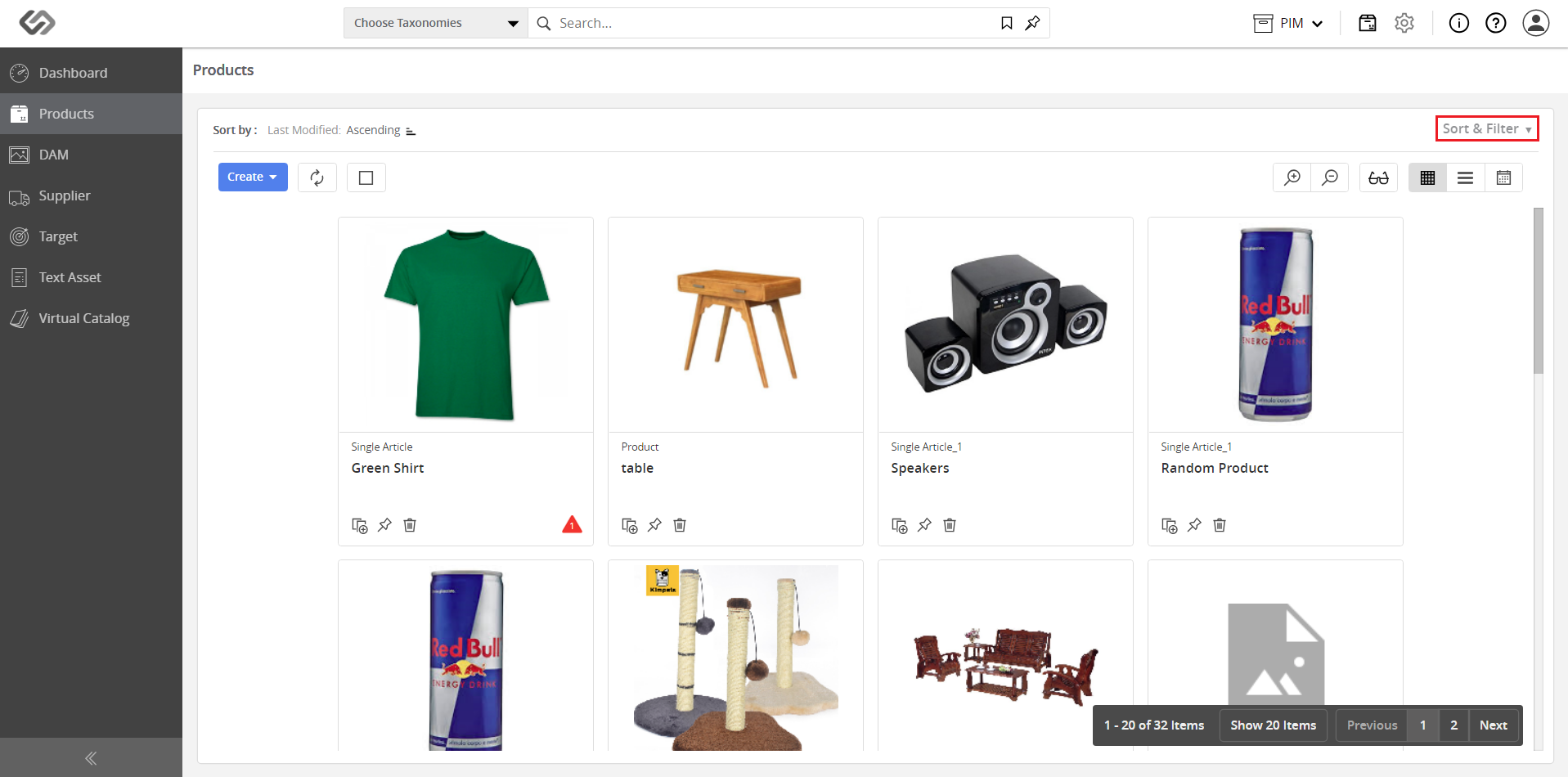
../../../../../../_images/pxp_groupby_clicksortandfilter.PNG


  • Click on the Group By button.
../../../../../../_images/pxp_groupby_clickthegroupby.PNG


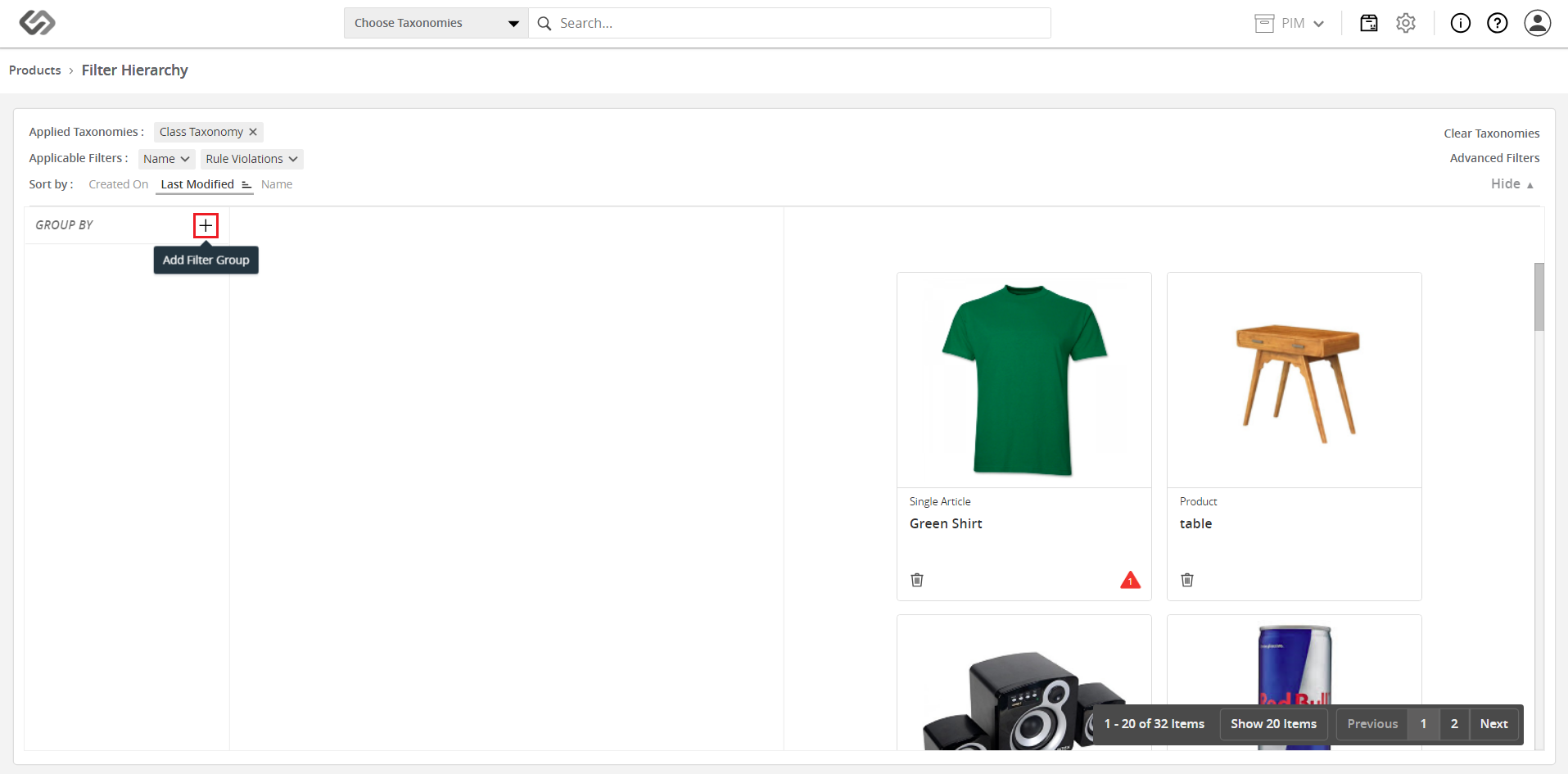
  • Click on the ‘+’ icon to add the properties of a grouping. A list of all the filterable properties will be shown.
../../../../../../_images/pxp_groupby_clicktheicontoaddproperties.PNG

../../../../../../_images/pxp_groupby_clicktheicontoaddproperties2.PNG


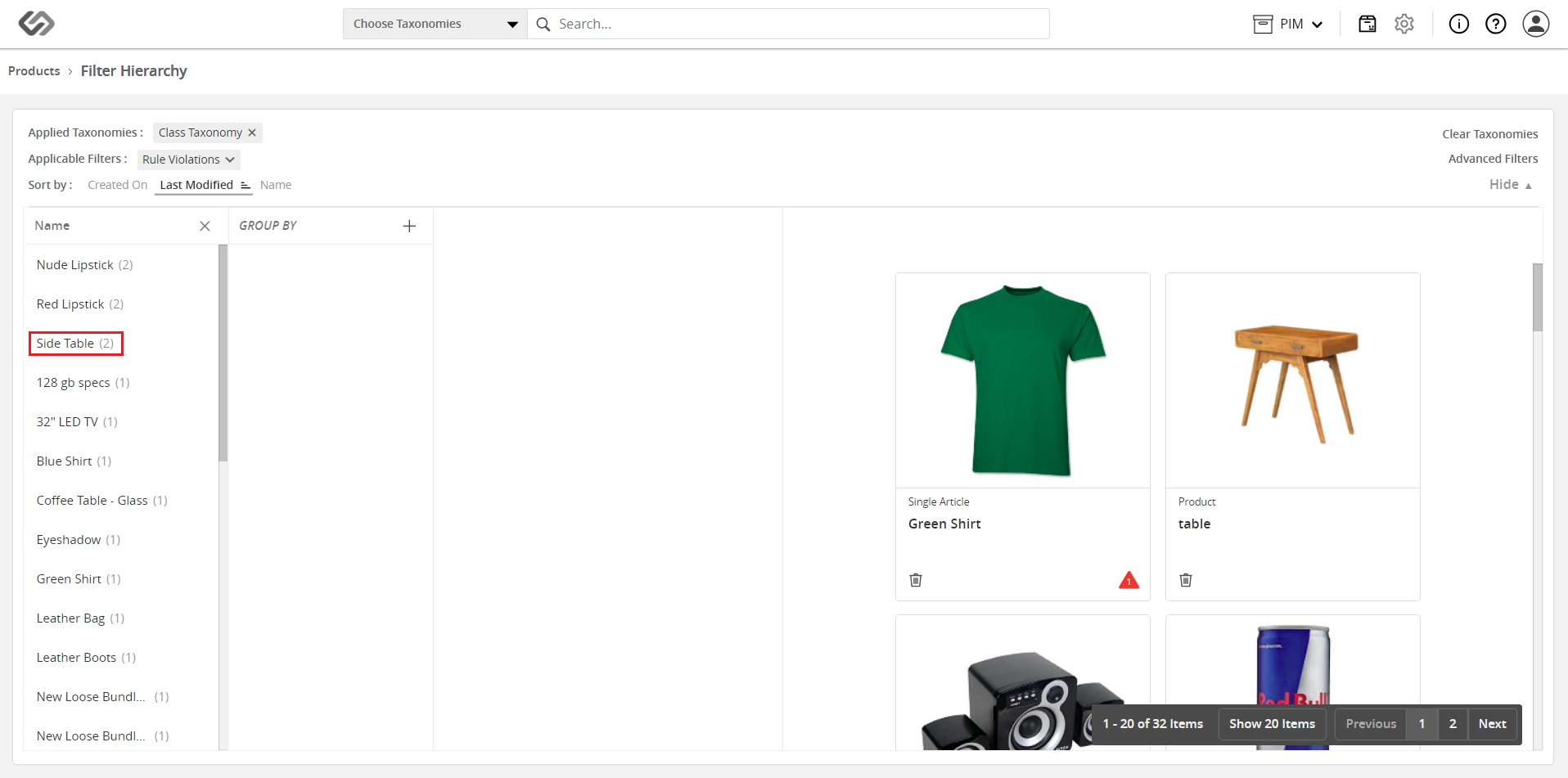
  • Select the property/properties to be used. A list of values will be displayed along with the number of products.
../../../../../../_images/pxp_groupby_selecttheproperty.PNG

../../../../../../_images/pxp_groupby_selecttheproperty2.PNG


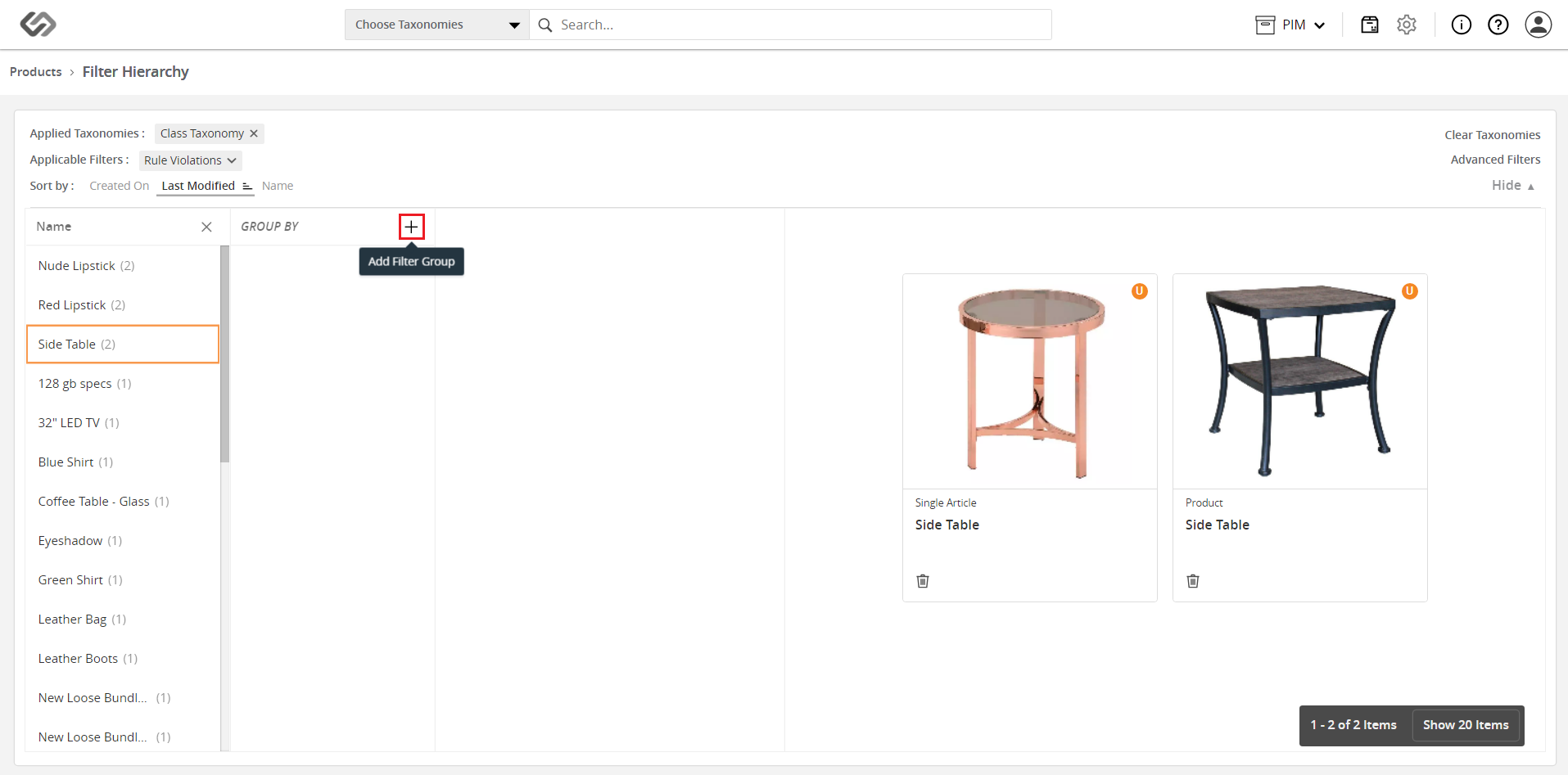
  • To add another level for the grouping, click on the ‘+’ icon.
../../../../../../_images/pxp_groupby_toaddanotherlevel.PNG


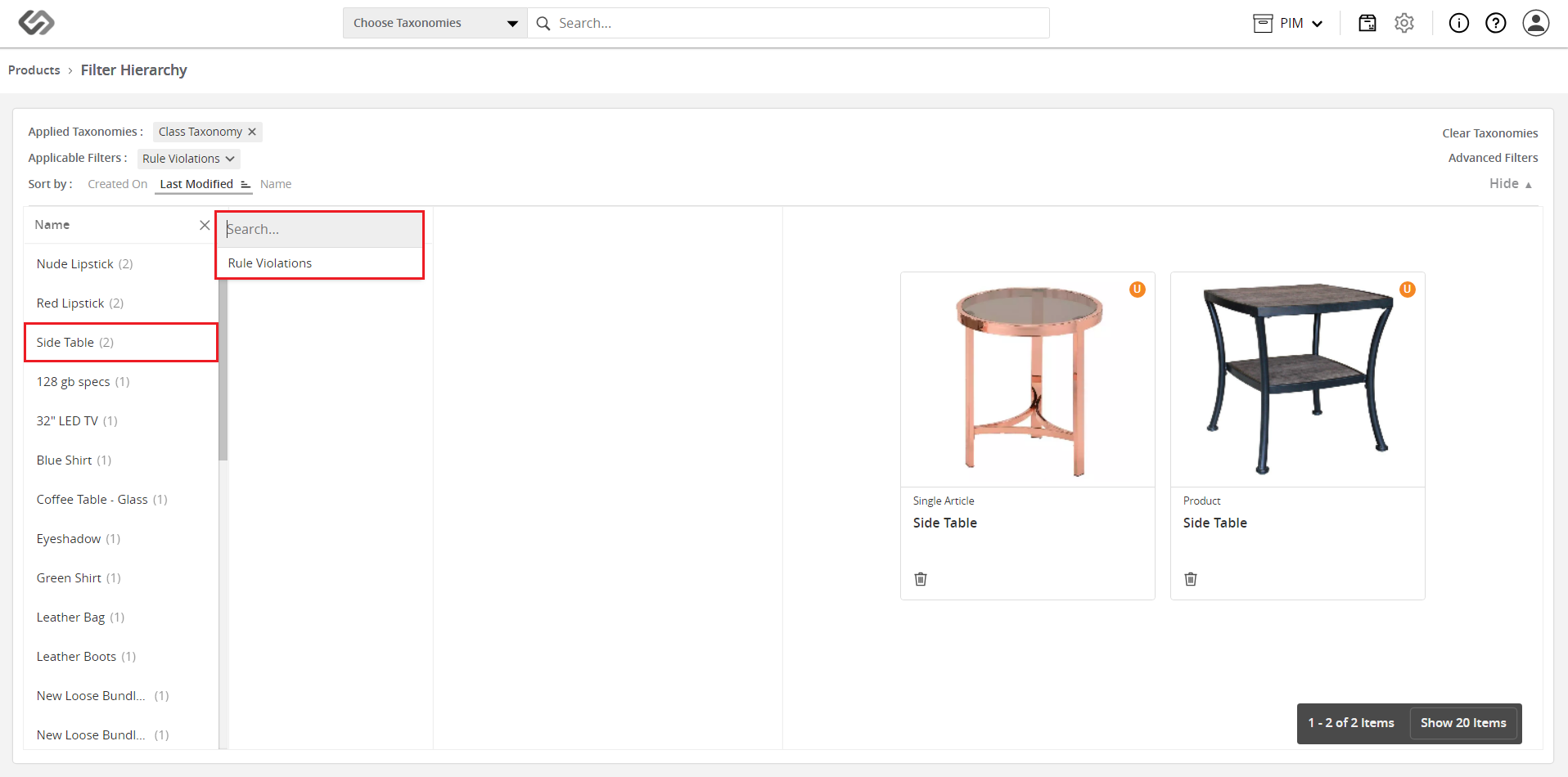
  • Similarly, on the list that will appear, select the appropriate property. Select a subtag to have a more refined grouping.
../../../../../../_images/pxp_groupby_similarlyonthelist1.PNG


Contentserv line