Manage Outbound Endpoints

Manage Outbound Endpoint is an admin feature that manages Outbound Endpoints on the Partner Engagement Platform so that the endpoint can be used for exporting data.

Key Term:
  • Endpoint: is a gateway that describes the system, processes and mapping to be used when onboarding or offboarding the products to and from the system.
Description:
  • Outbound Endpoint allows users to make a data endpoint where the data would be transferred from the system to an export functionality, example, an Excel file.
  • In Outbound Endpoint, an endpoint can have only one process.
Related topics:
Application:
  • To create data endpoints, administrator decides on the process that would be offboarded.

  • Example:

    Organization A sells electronics. If a user from Organization A wants to transfer product data from the system to the sheet, the user can make an endpoint and selects that endpoint at the time of offboard.

How-to: Manage Outbound Endpoints

To do this, follow these steps:


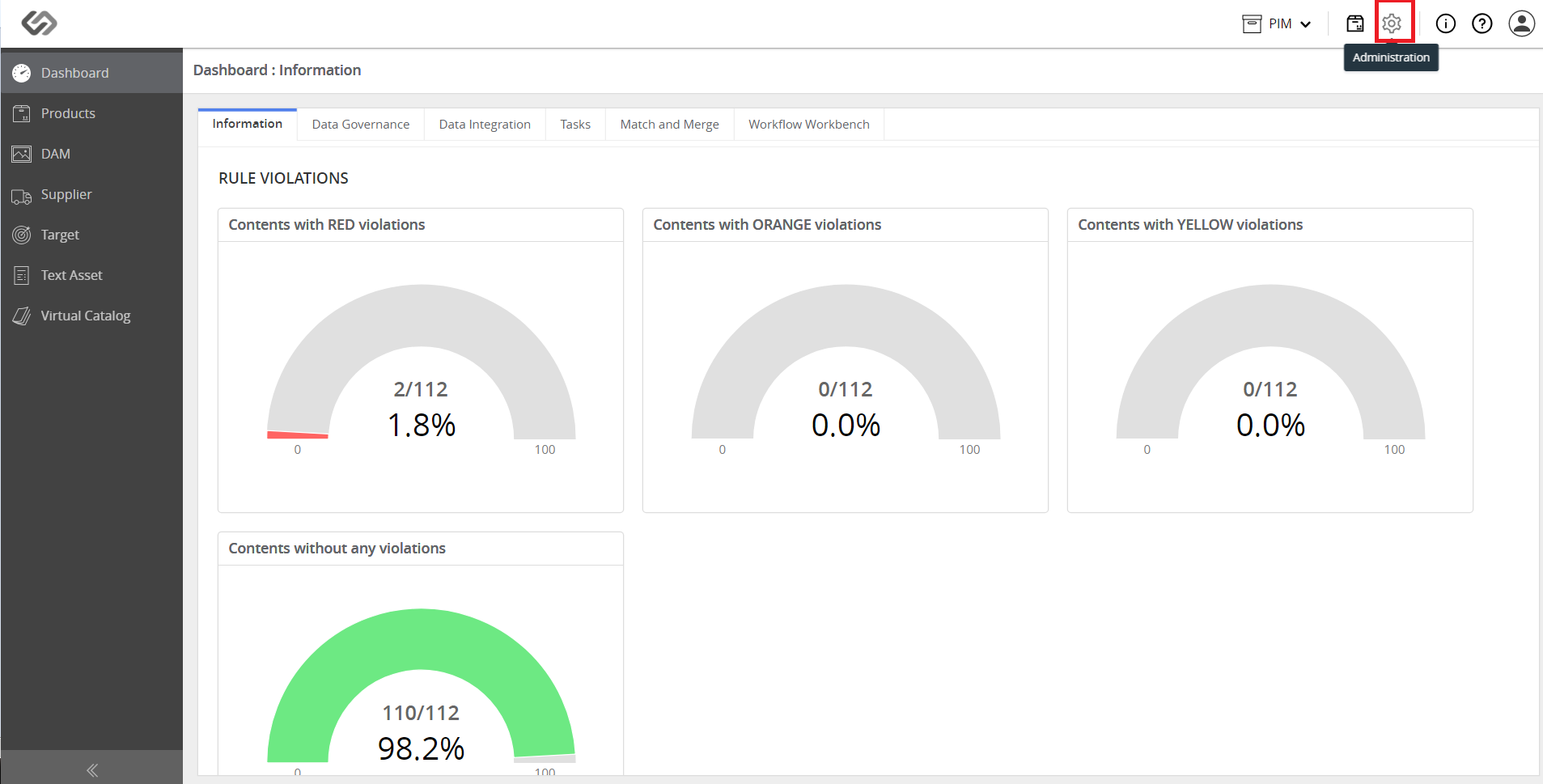
  • Click Administration.
../../../../../_images/pxp_manageoutboundendpoints_clickadministration.PNG


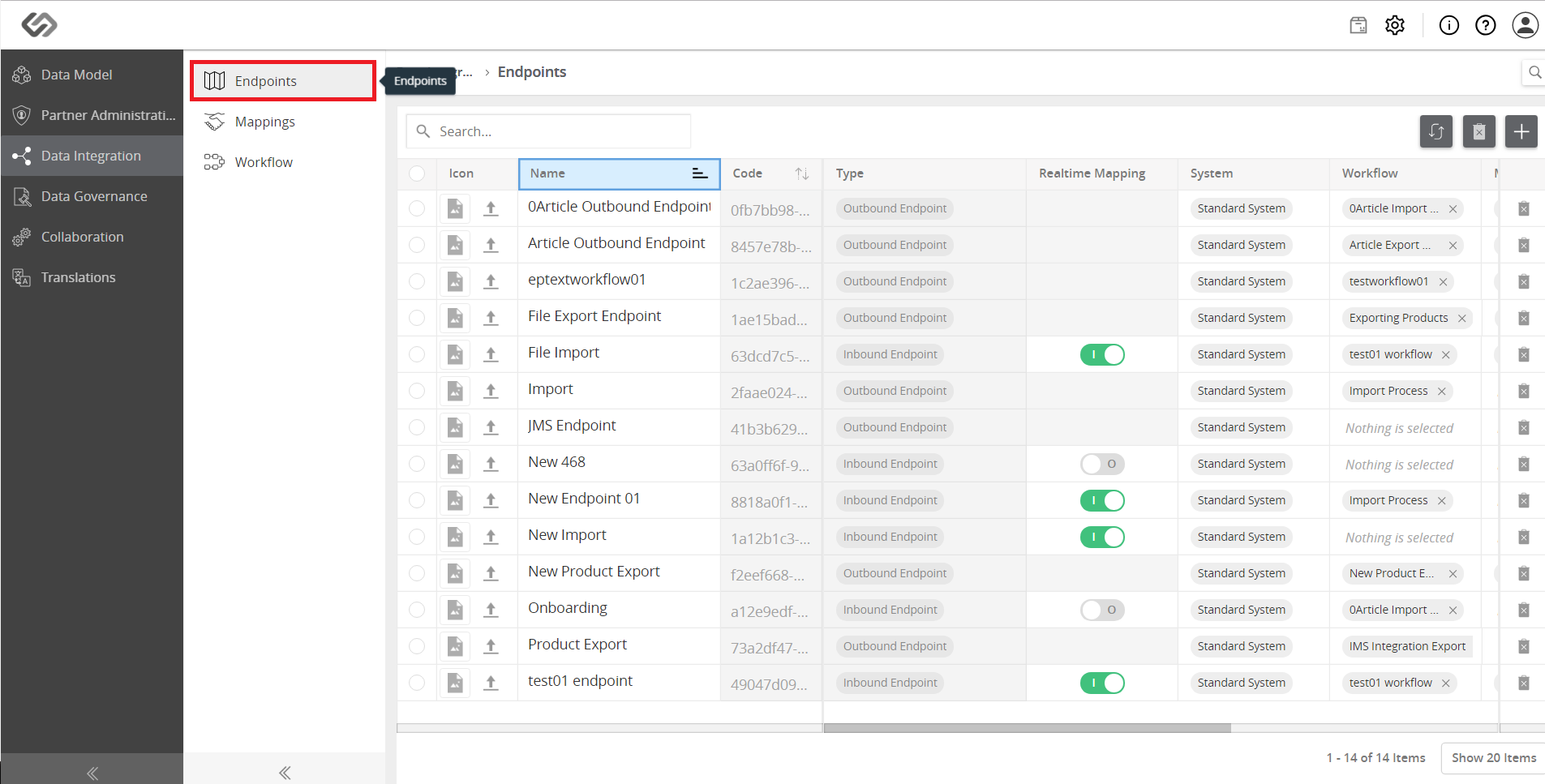
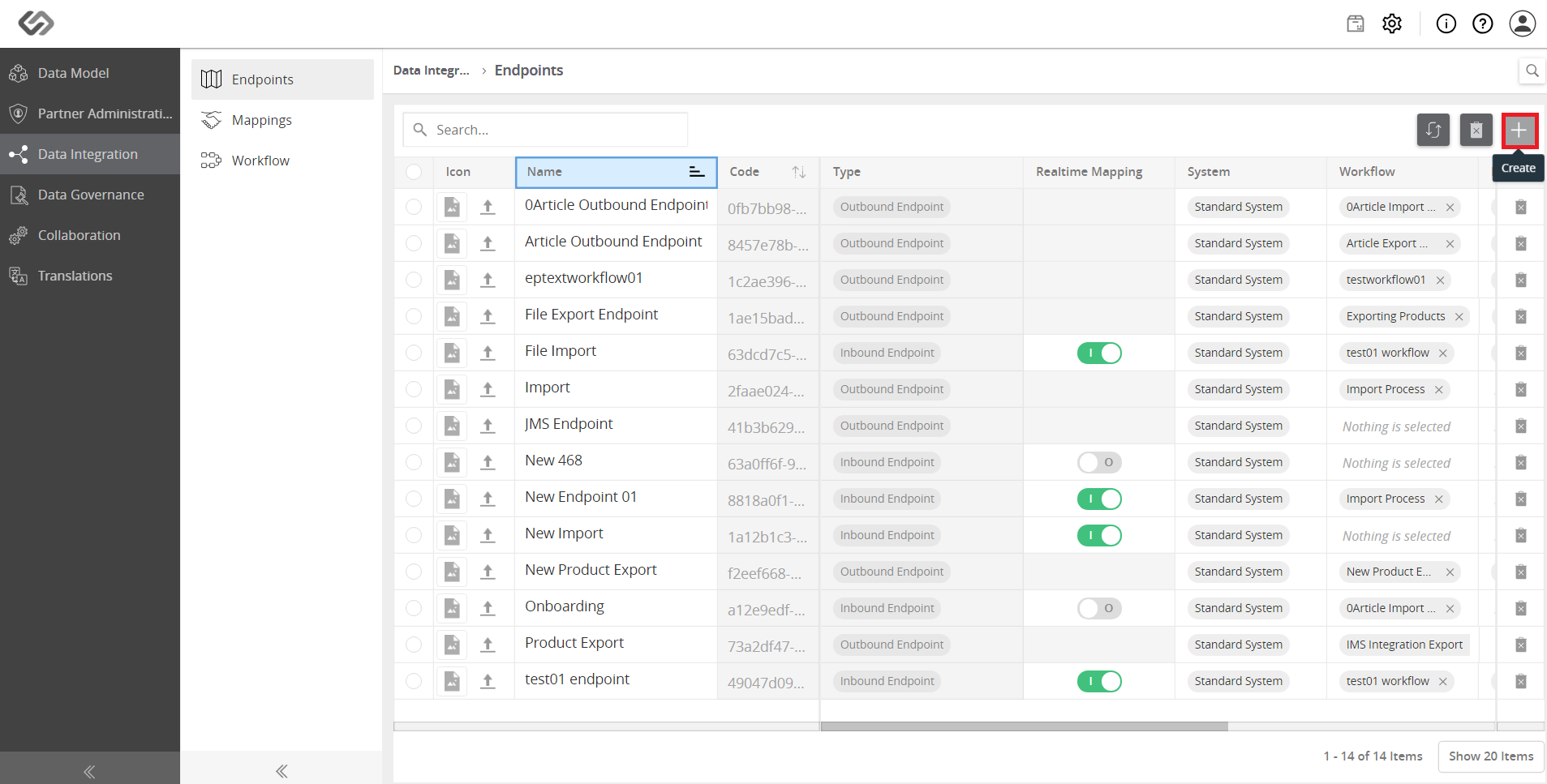
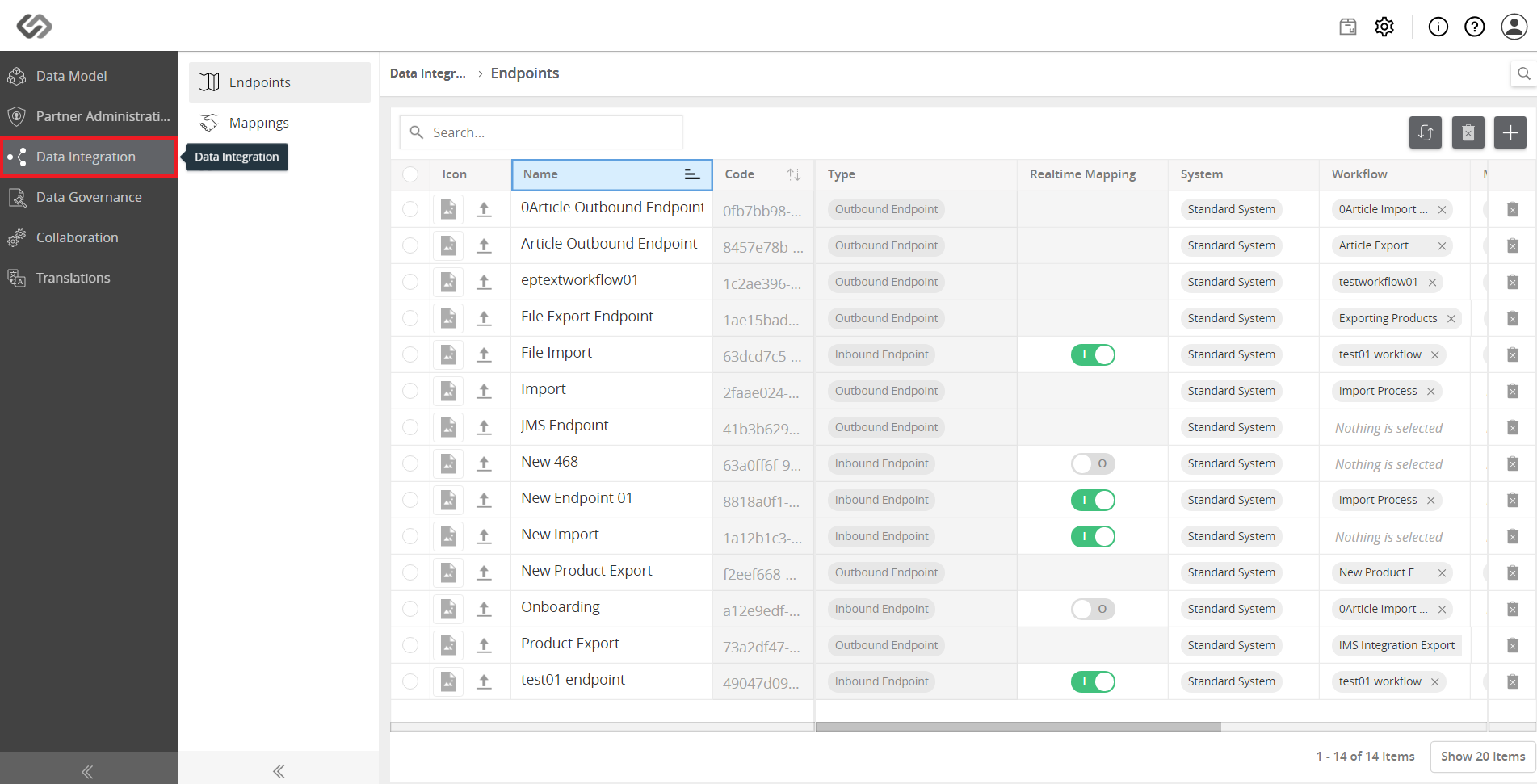
  • Click Data integration and click on Endpoints on the left. To create an endpoint, click on the ‘+’ icon on the right side of the window.
../../../../../_images/pxp_manageoutboundendpoints_clickdataintegrationtab.PNG


../../../../../_images/pxp_manageoutboundendpoints_clickdataintegrationtab2.PNG


../../../../../_images/pxp_manageoutboundendpoints_clickdataintegrationtab3.PNG


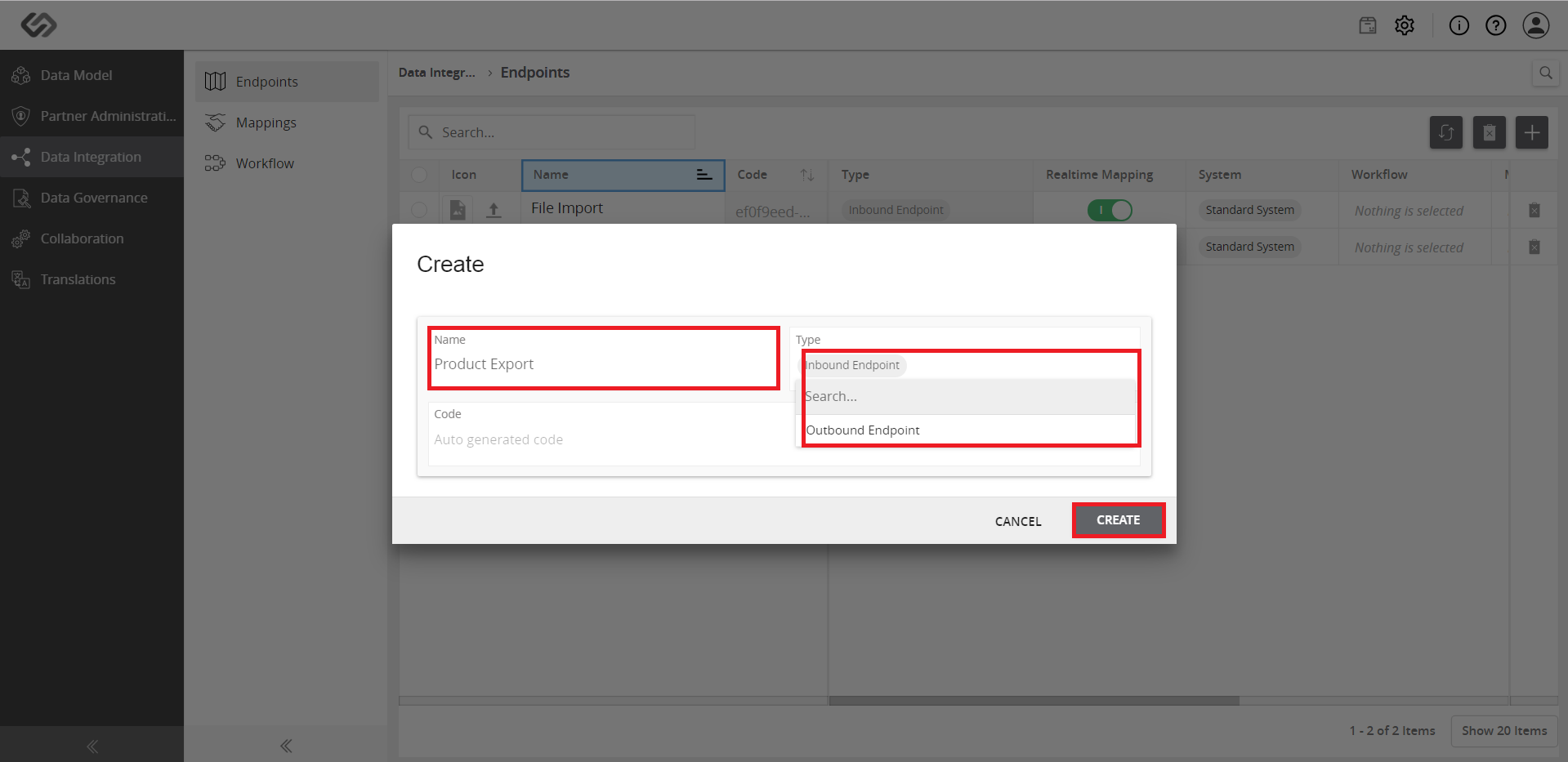
  • Fill-in the details (Name, code, type of Endpoint) and select the outbound endpoint. Click on the Create button to create an endpoint.
../../../../../_images/pxp_manageoutboundendpoints_fillindetails.PNG


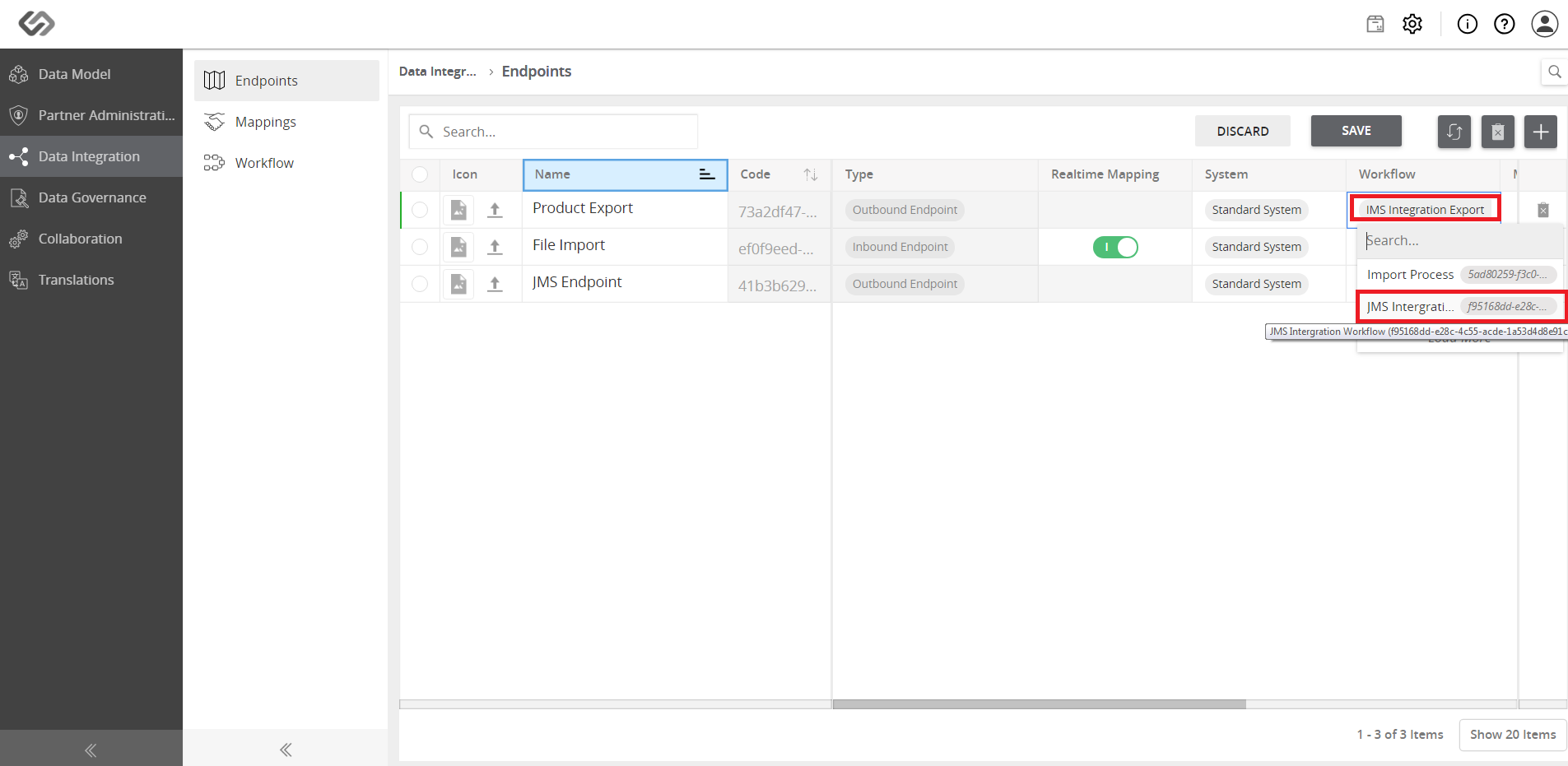
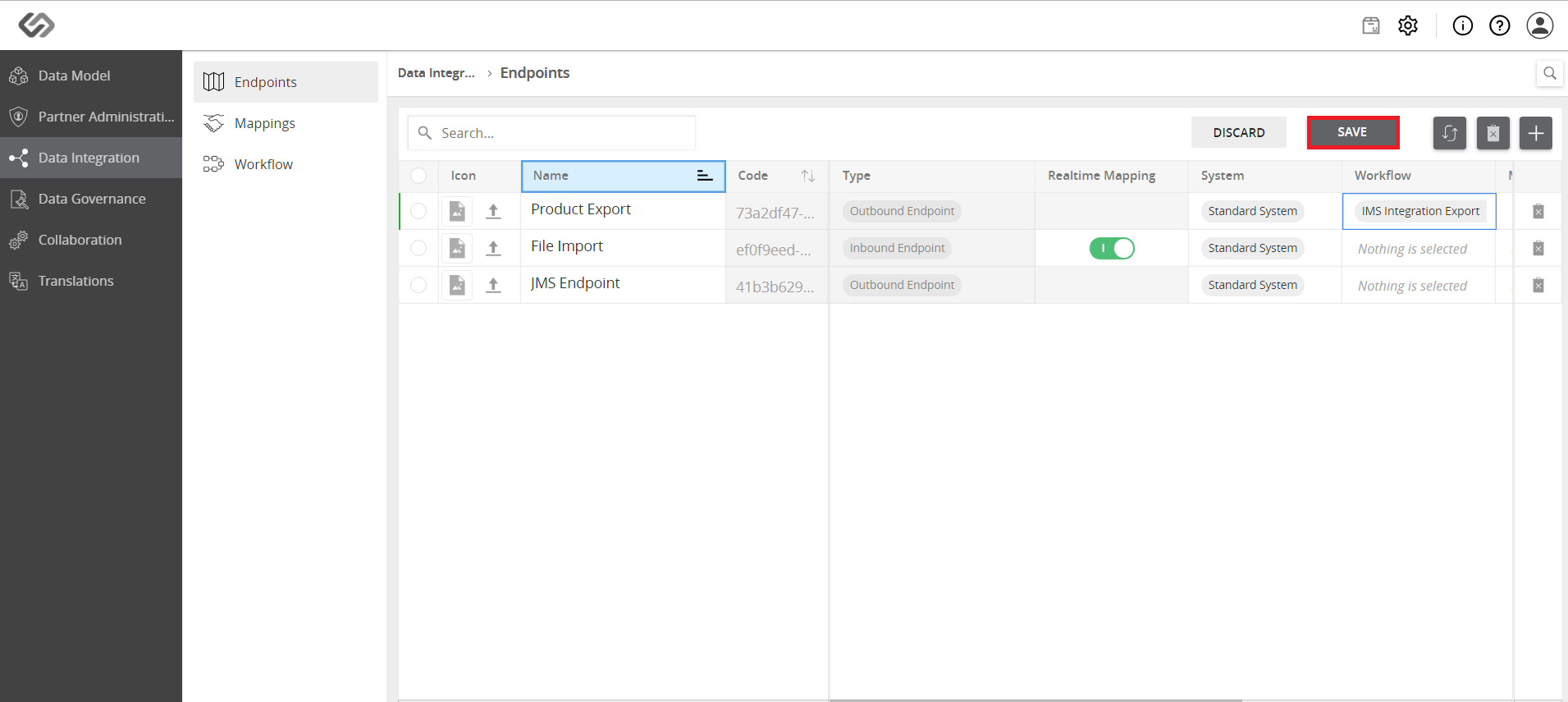
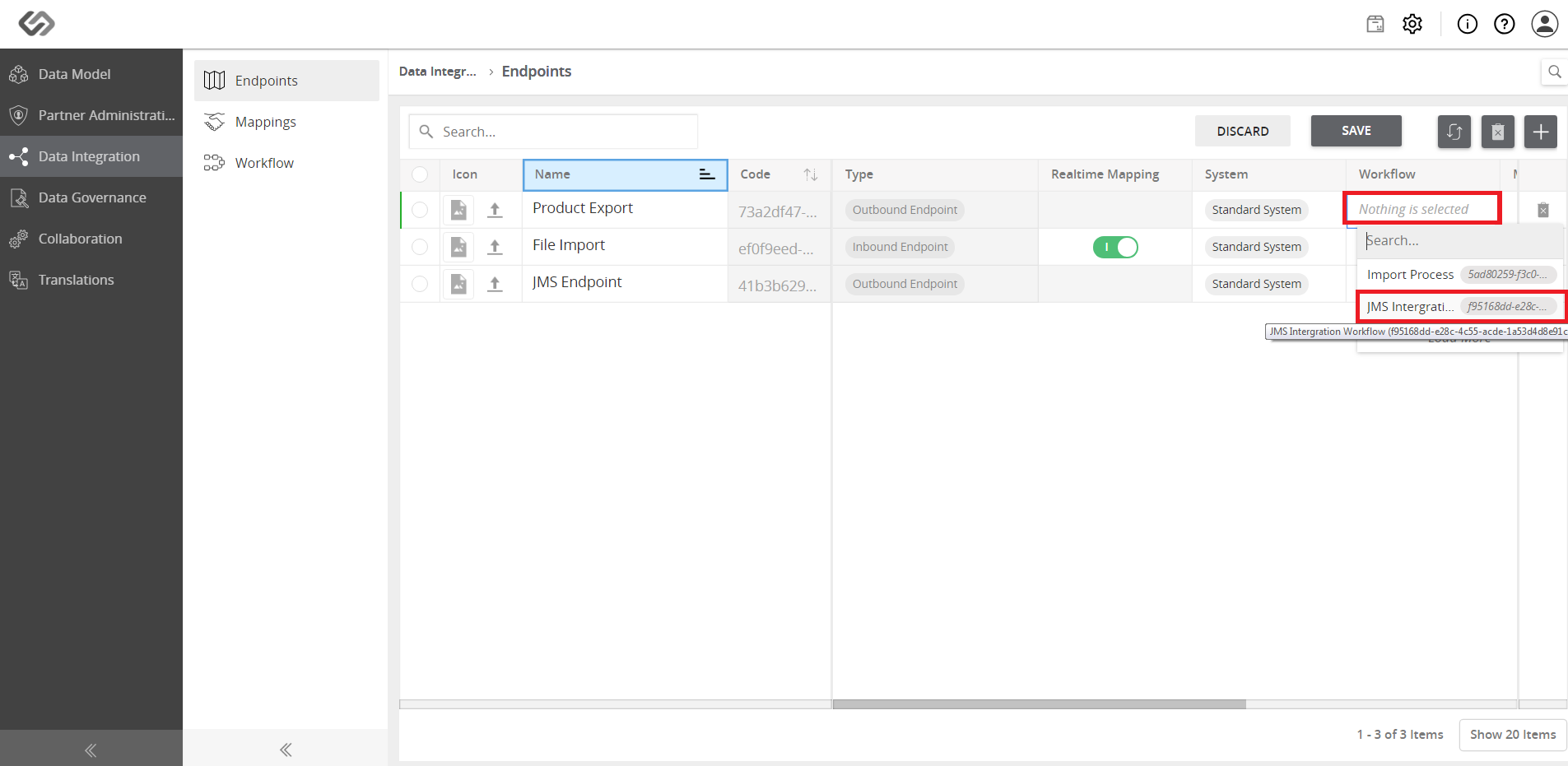
  • Select the process in the endpoint for offboarding data.
../../../../../_images/pxp_manageoutboundendpoints_selectprocessinendpoint.PNG


../../../../../_images/pxp_manageoutboundendpoints_selectprocessinendpoint2.PNG


../../../../../_images/pxp_manageoutboundendpoints_selectprocessinendpoint3.PNG


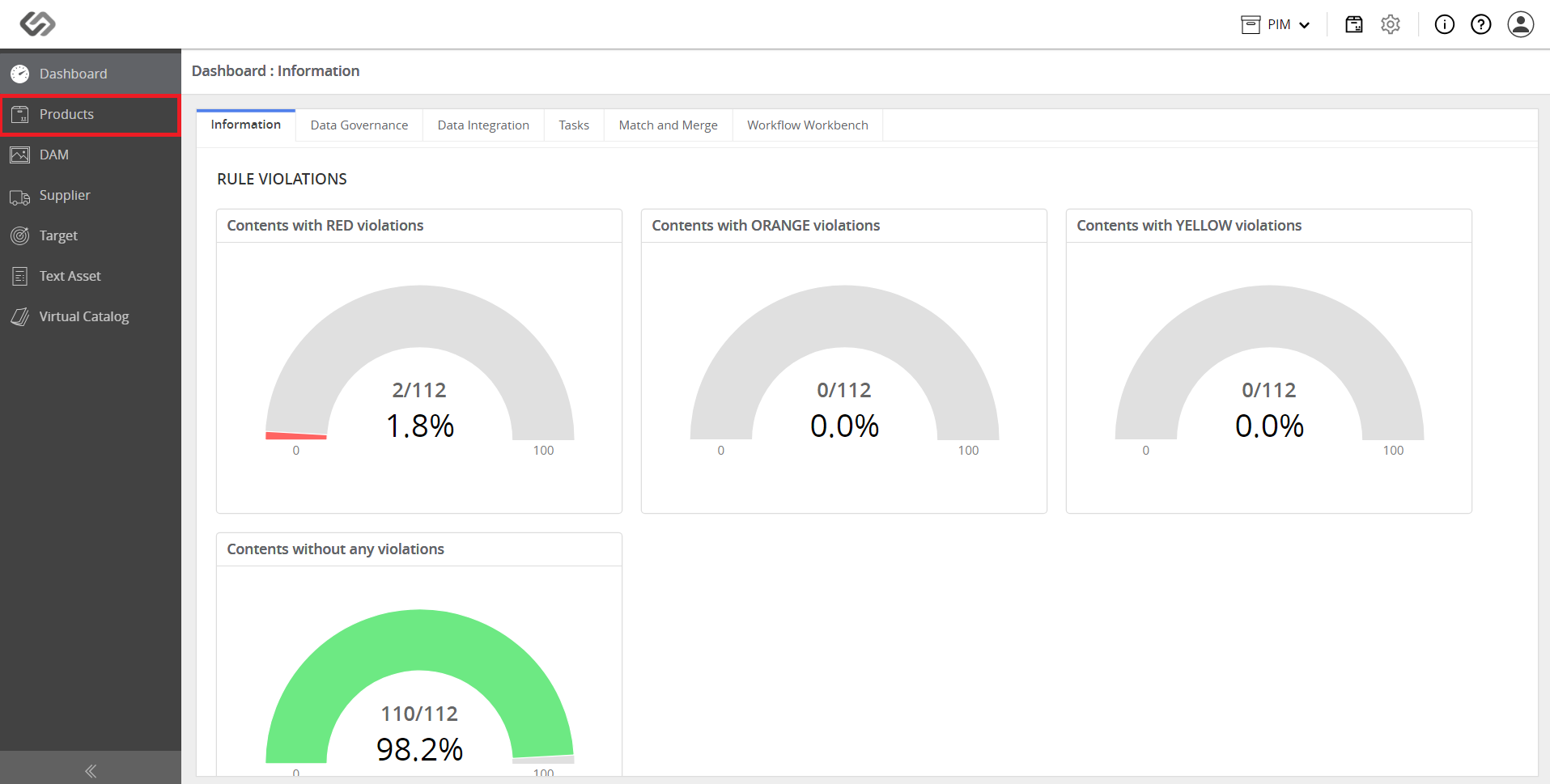
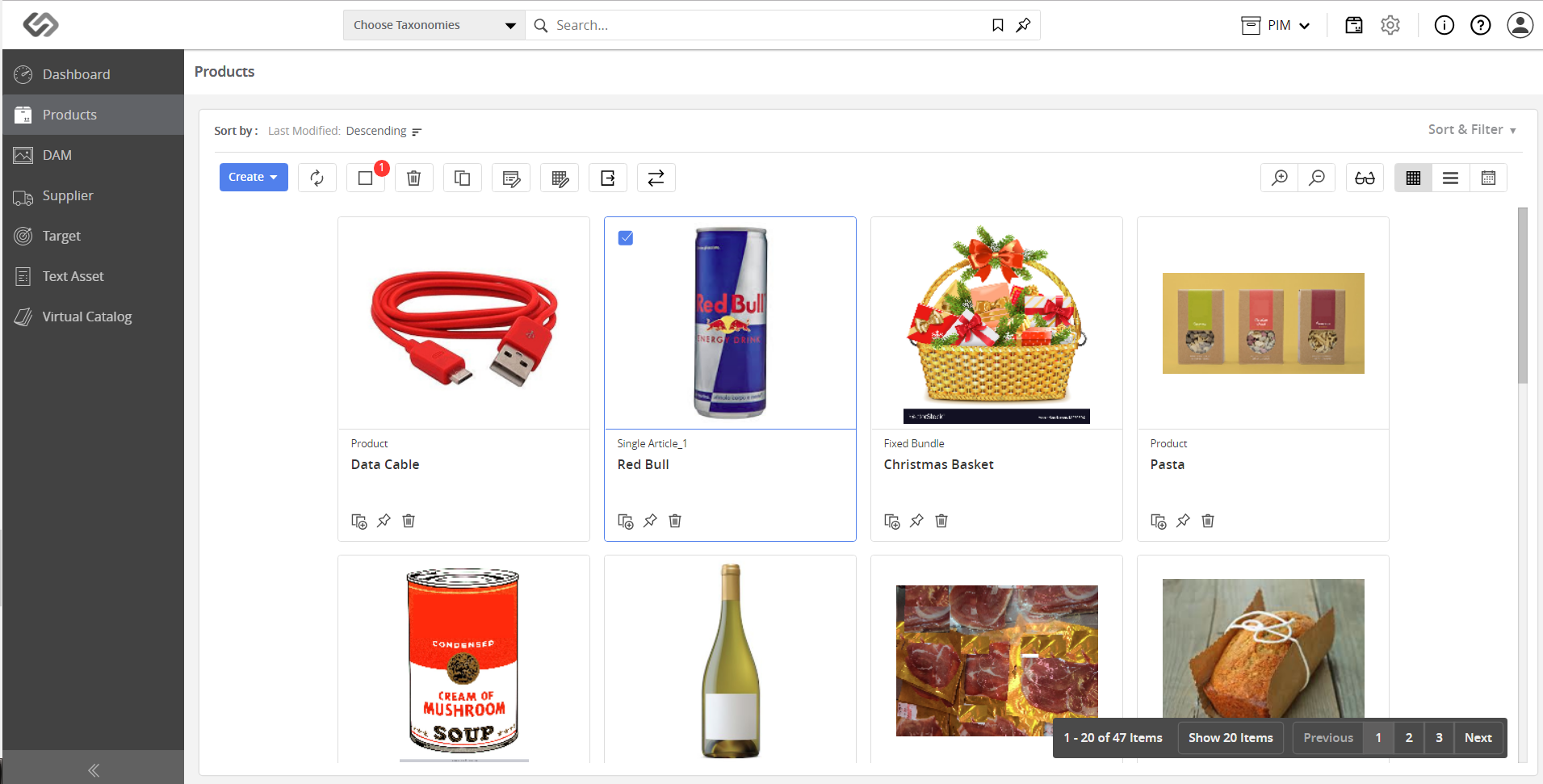
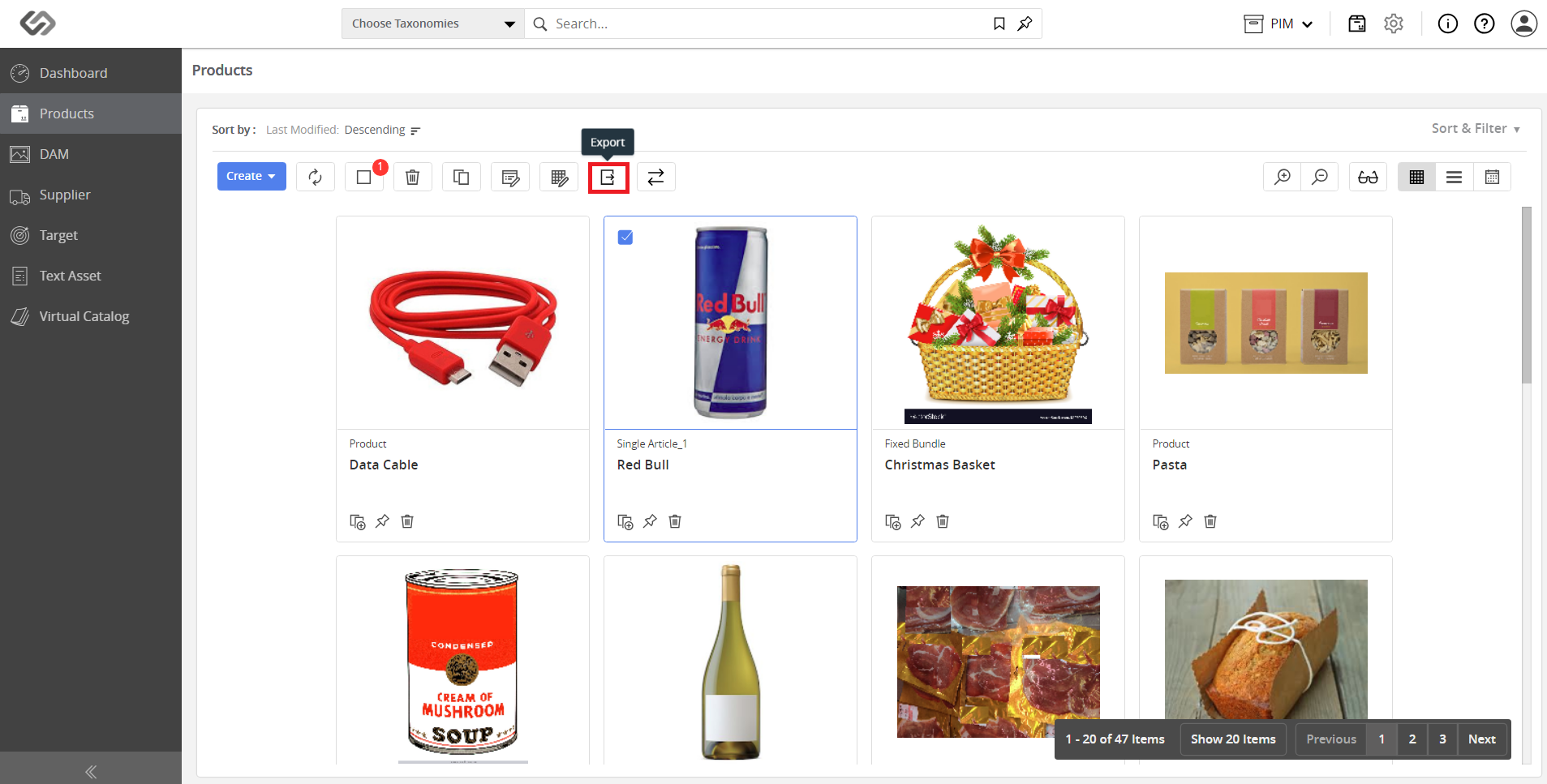
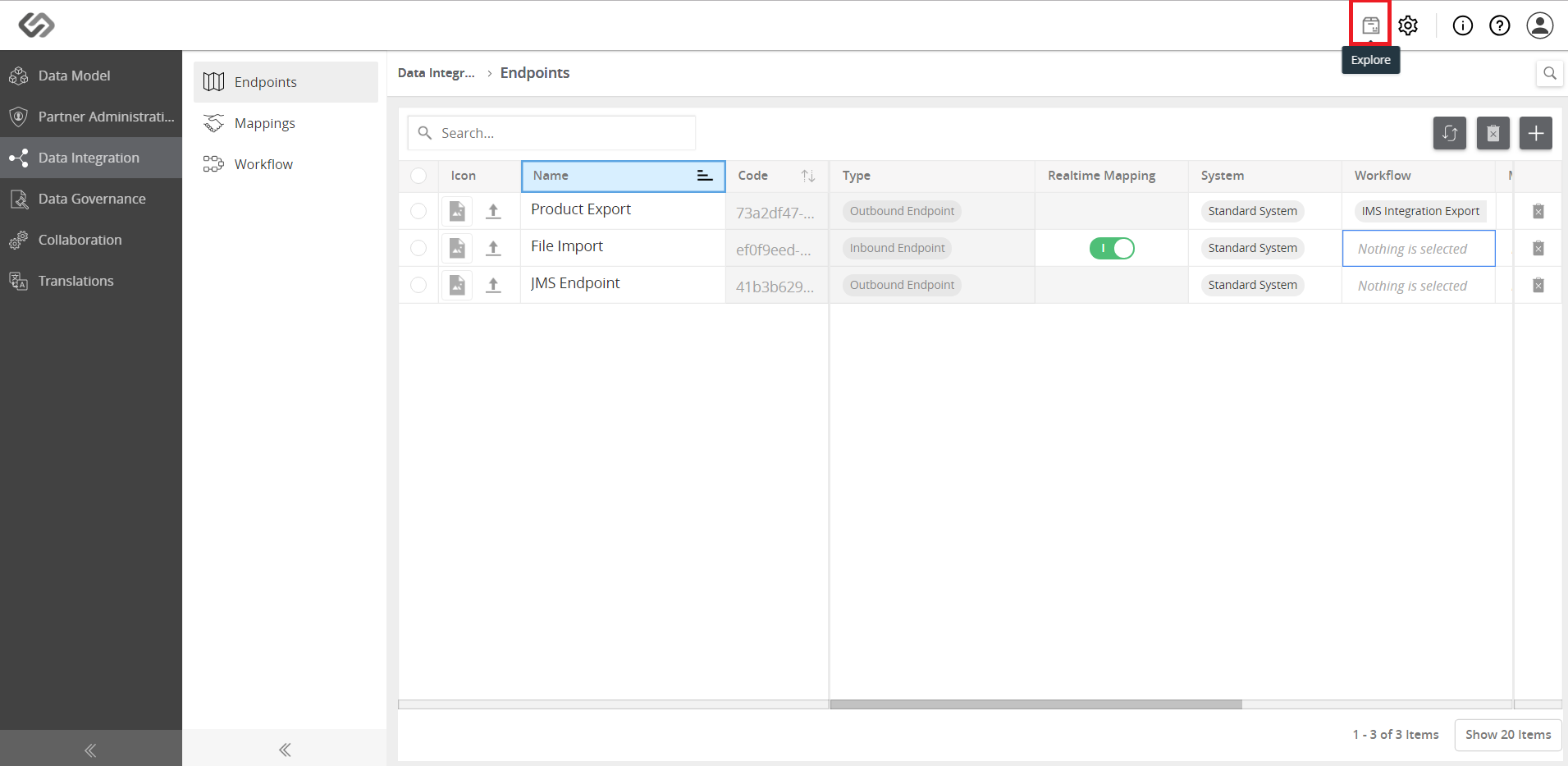
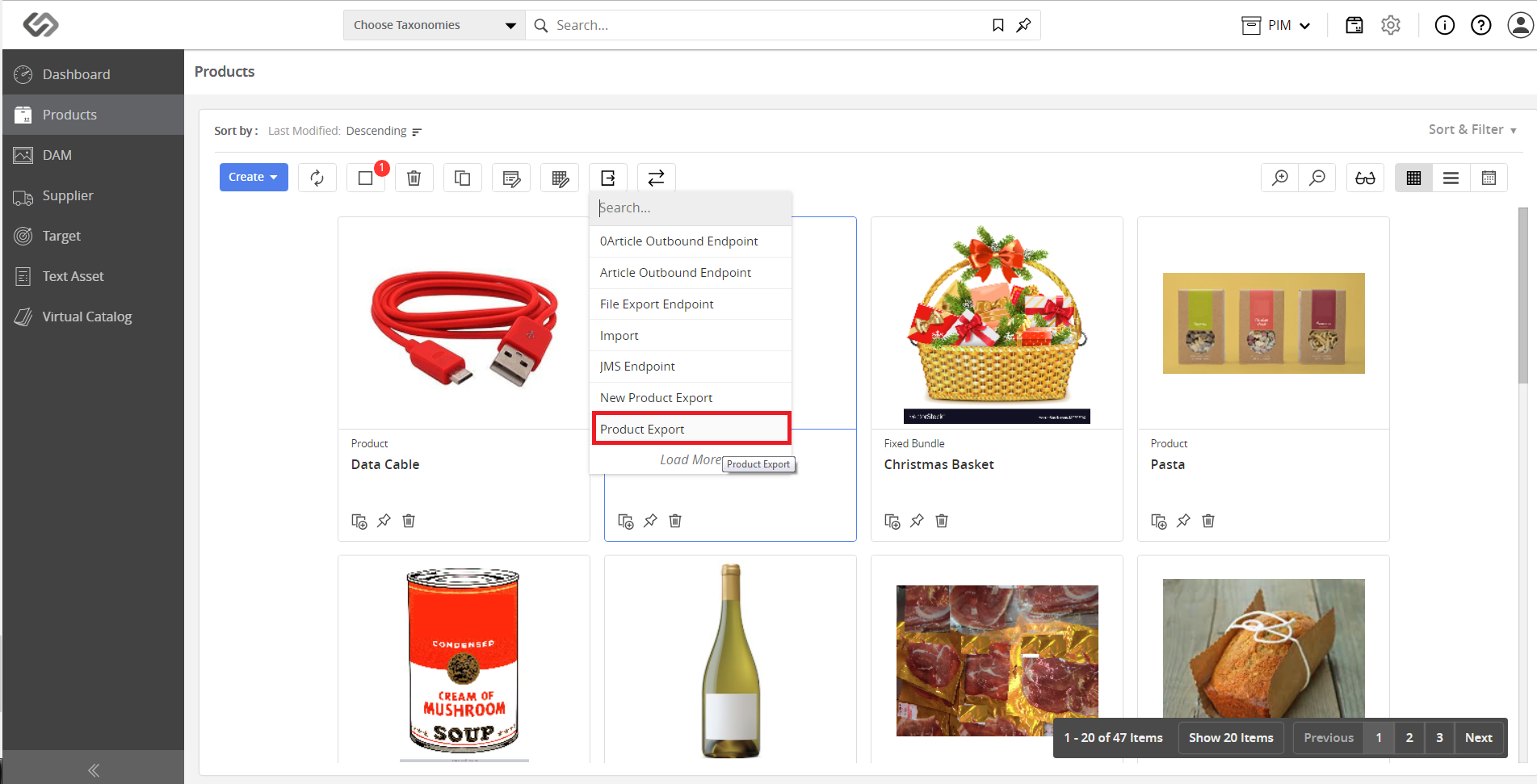
  • Click to the Explore icon then go to Products. Select the articles to be exported using the export button.
../../../../../_images/pxp_manageoutboundendpoints_gotoexplore.PNG


../../../../../_images/pxp_manageoutboundendpoints_gotoexplore2.PNG


../../../../../_images/pxp_manageoutboundendpoints_gotoexplore3.PNG


../../../../../_images/pxp_manageoutboundendpoints_gotoexplore4.PNG


  • Next, select the endpoint from which data has to be offboarded.
../../../../../_images/pxp_manageoutboundendpoints_nextselectendpoint.PNG


Contentserv line