Remedy Quality Issues

Remedy Quality Issues is a data governance feature that edits records with incorrect data or data with non-conforming quality so as to improve the quality profile of a product.

Key Term:
  • Class: a class defines the base configuration for products.
Description:
  • An administrator can improve Accuracy and Quality of Data by restricting the properties of Attributes, Tags, and Classes entered.
Related topics:
Application:
  • The feature can create Data Quality Rules.

  • Example:

    Organization A sells Electronics and each product has a unique GTIN. An admin can set up a rule stating that the GTIN should be 13 digits long.

How-to: Remedy Quality Issues

To remedy quality issues, follow these steps:


  • Log in and click on the Administration icon.
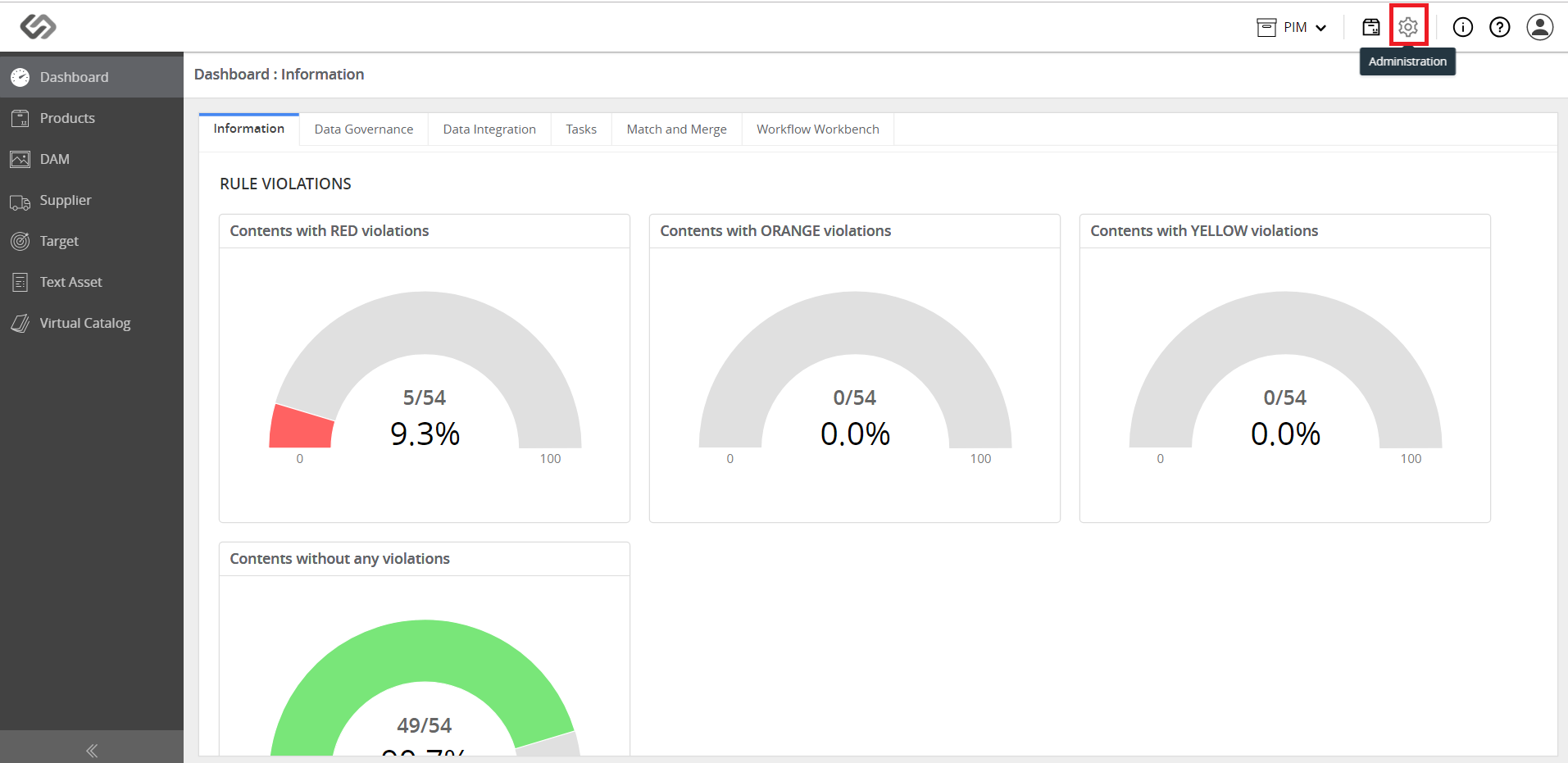
../../../../../_images/pxp_remedyqualityissues_login.PNG


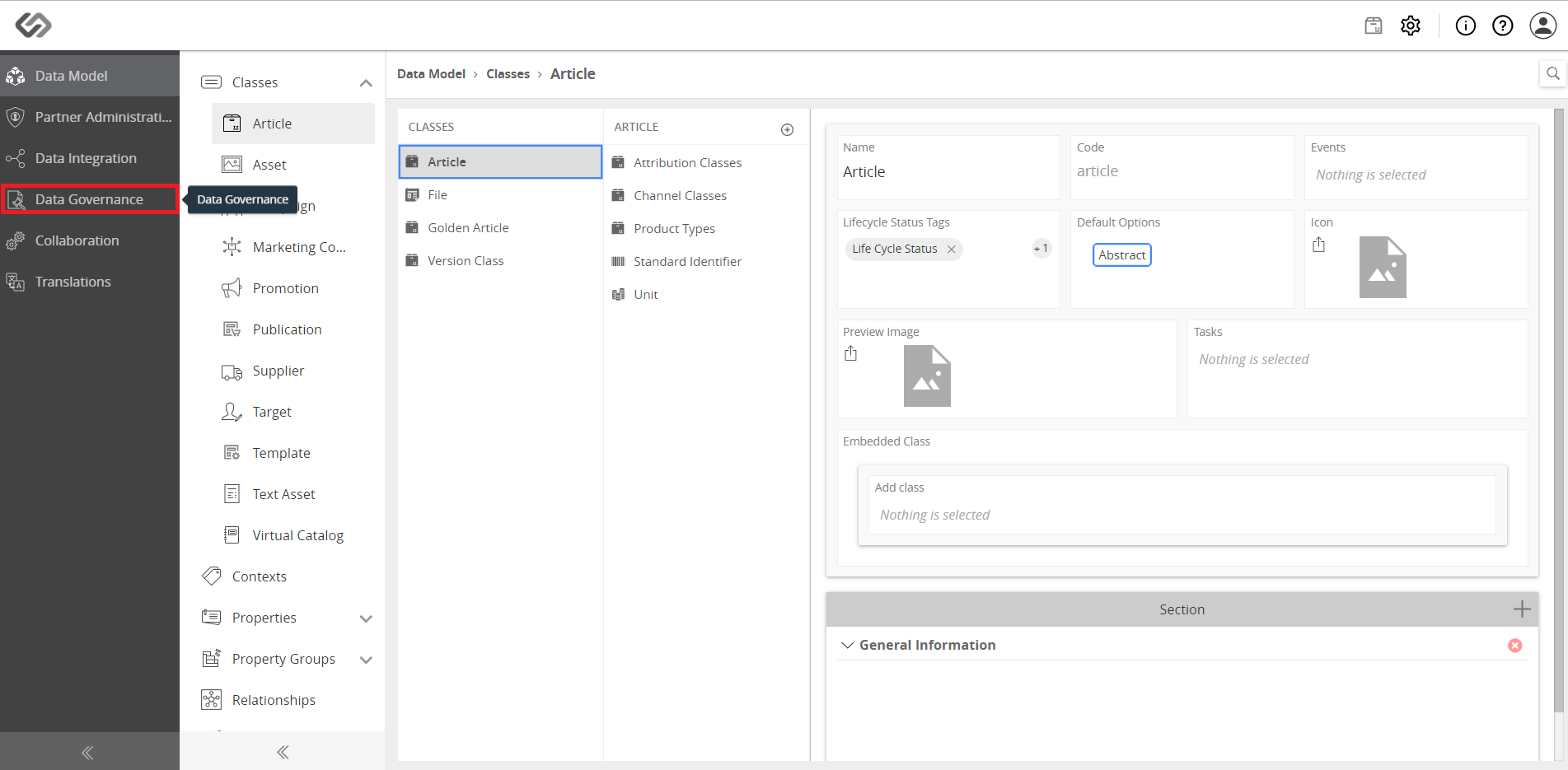
  • Click on Data Governance.
../../../../../_images/pxp_remedyqualityissues_clickdatagovernance.PNG


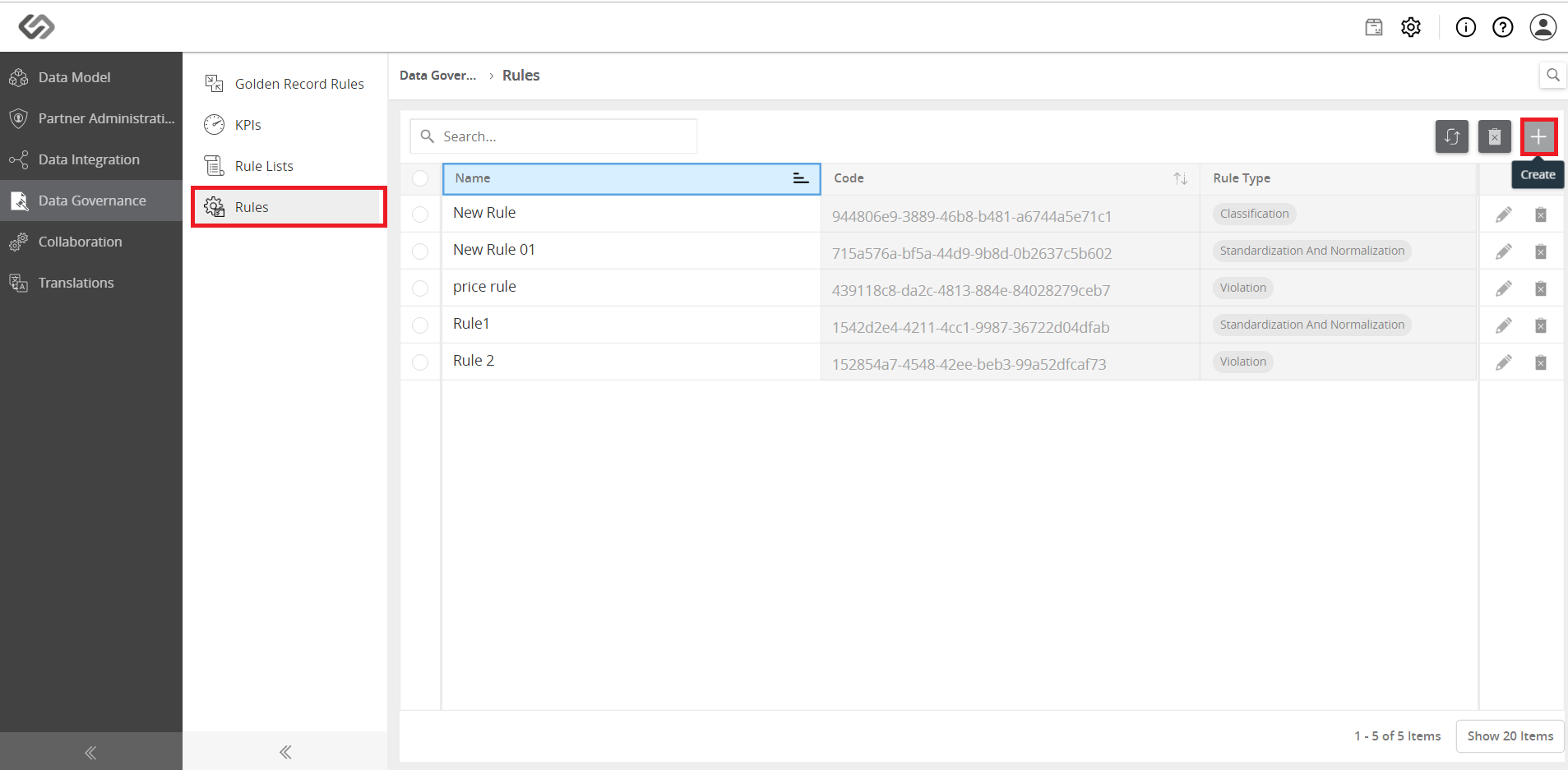
  • Click on Rules then click on the ‘+’ icon to create a rule.
../../../../../_images/pxp_remedyqualityissues_clickrules.PNG


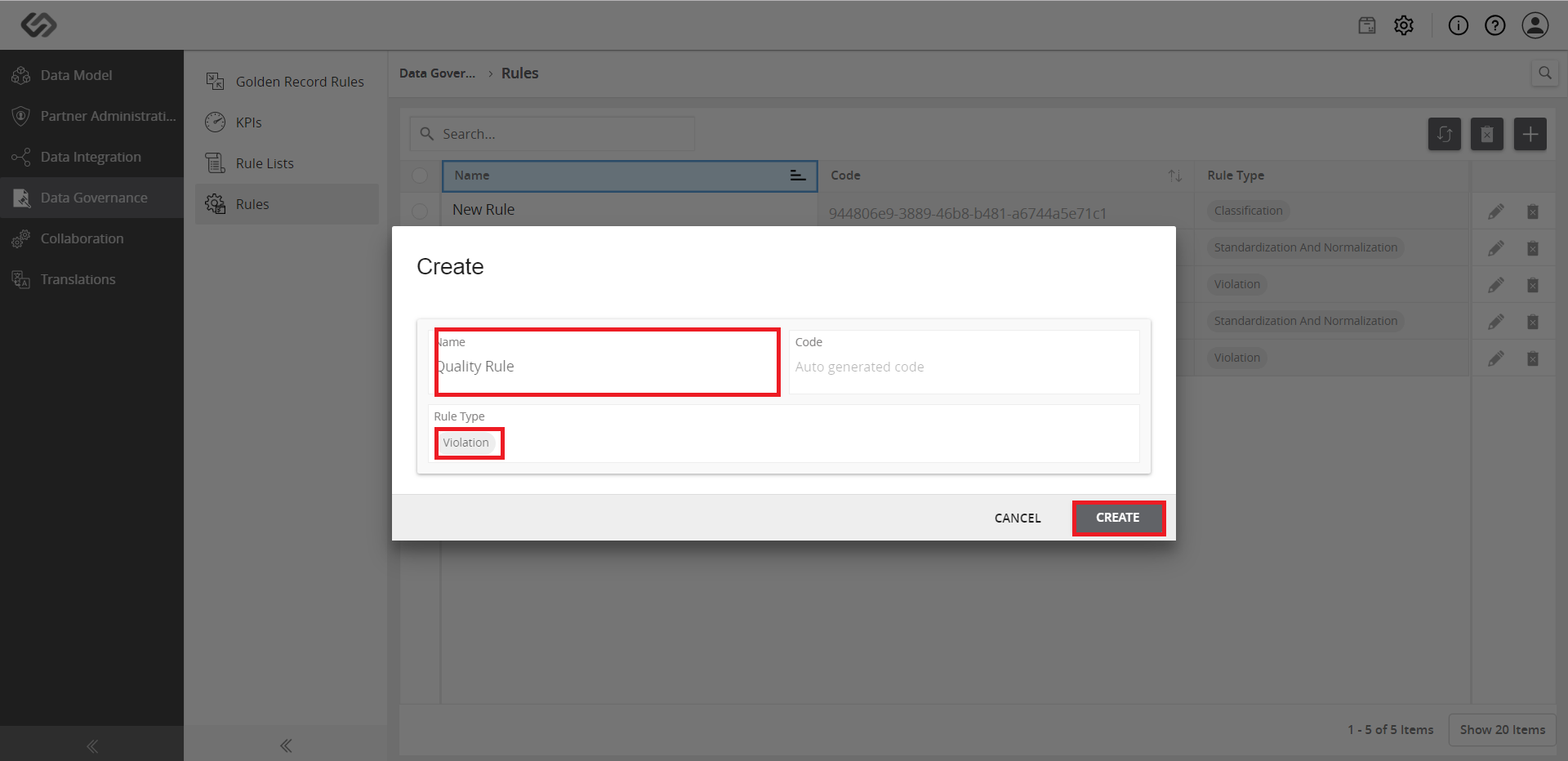
  • Enter the name and select Violation as rule type, then click on the Create button.
../../../../../_images/pxp_remedyqualityissues_entername.PNG


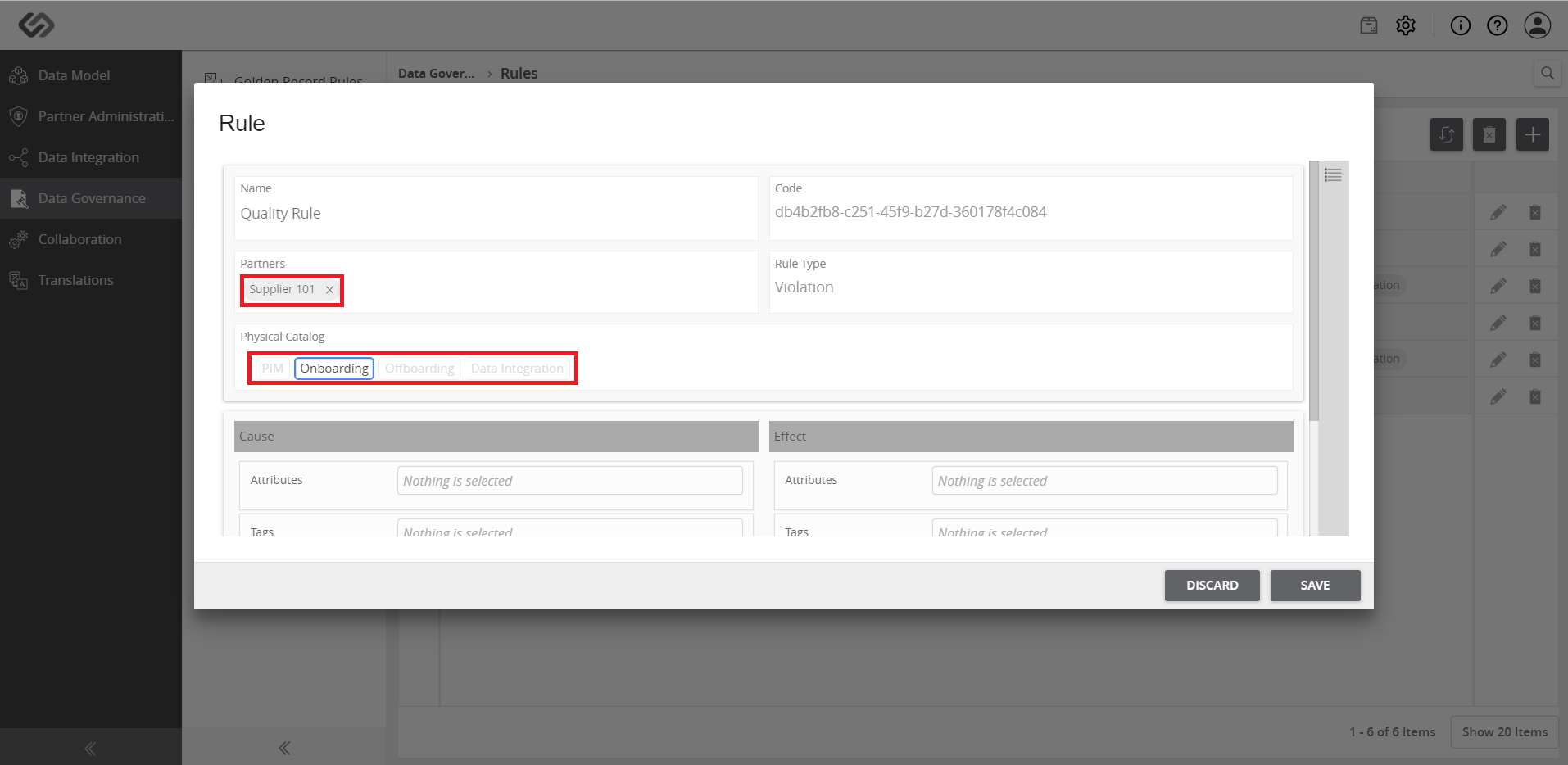
  • Select the Partners, and Physical Catalogs to which the rule is to be applied.
../../../../../_images/pxp_remedyqualityissues_selectpartners.PNG


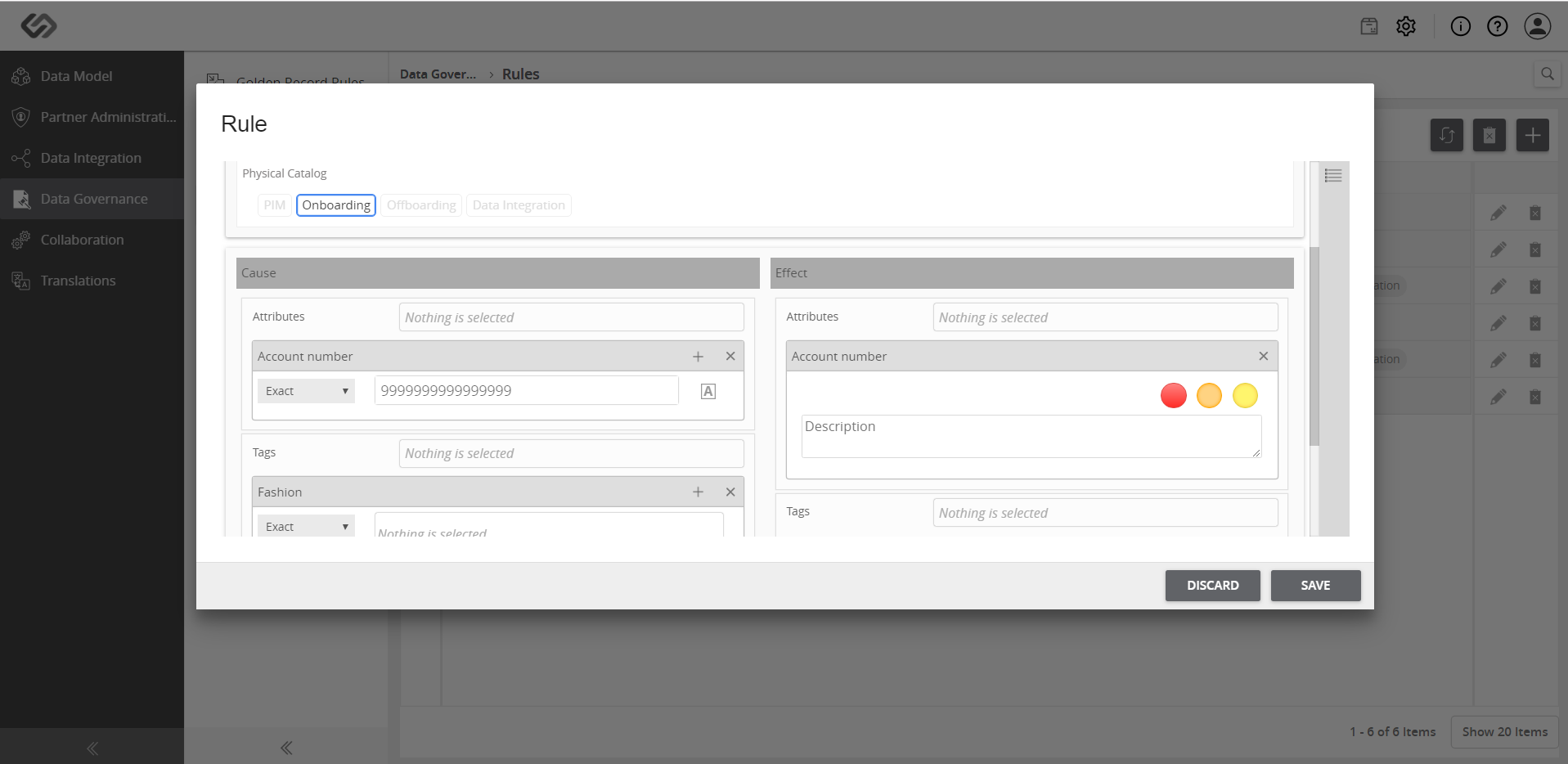
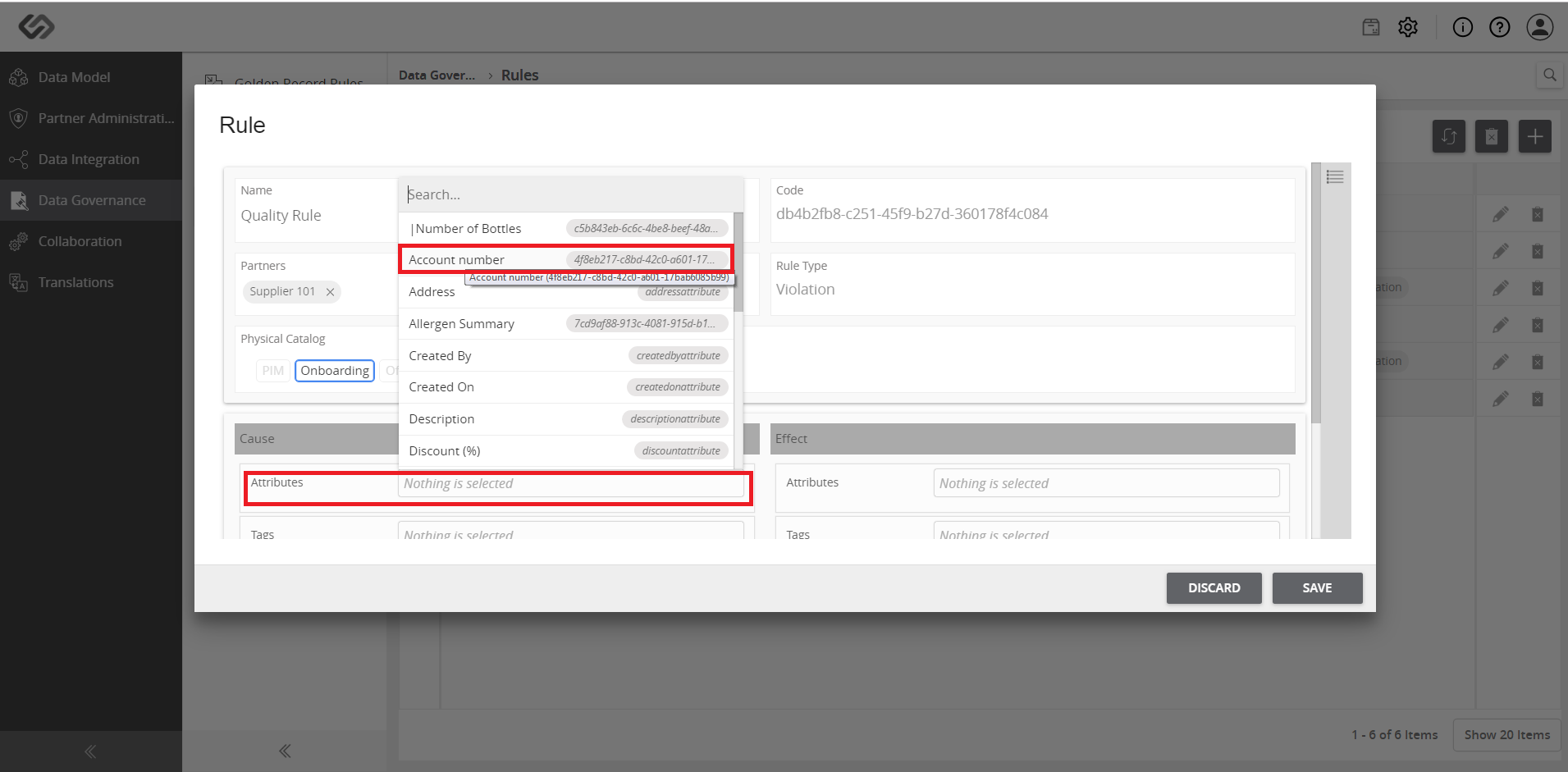
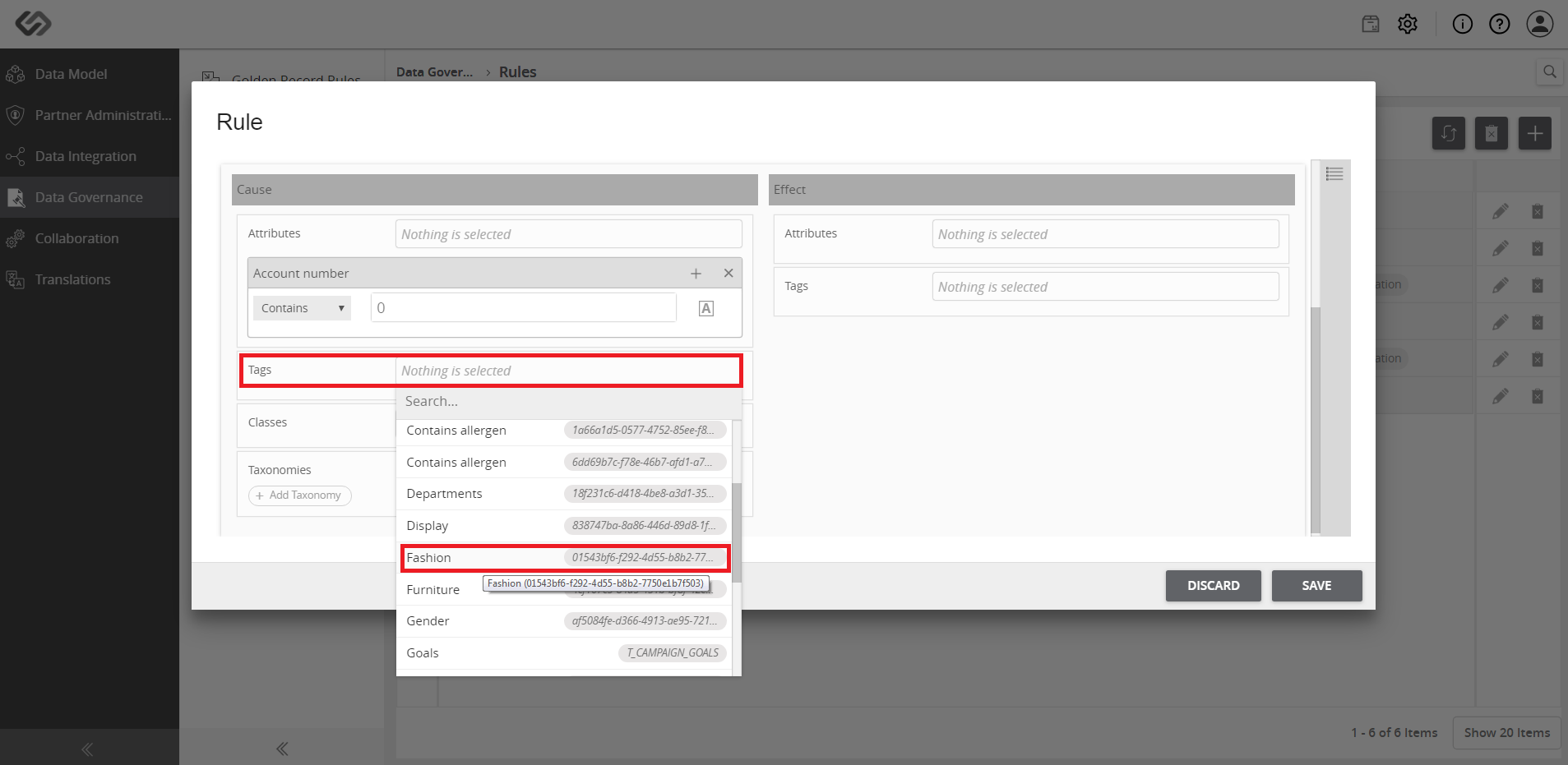
  • In the Cause section, select the attributes, tags, and classes to which the rule will be applied.

Note: Leaving the configuration details empty will apply the rule to every attribute, tag, and class.
../../../../../_images/pxp_remedyqualityissues_selectattribute.PNG

../../../../../_images/pxp_remedyqualityissues_selecttag.PNG


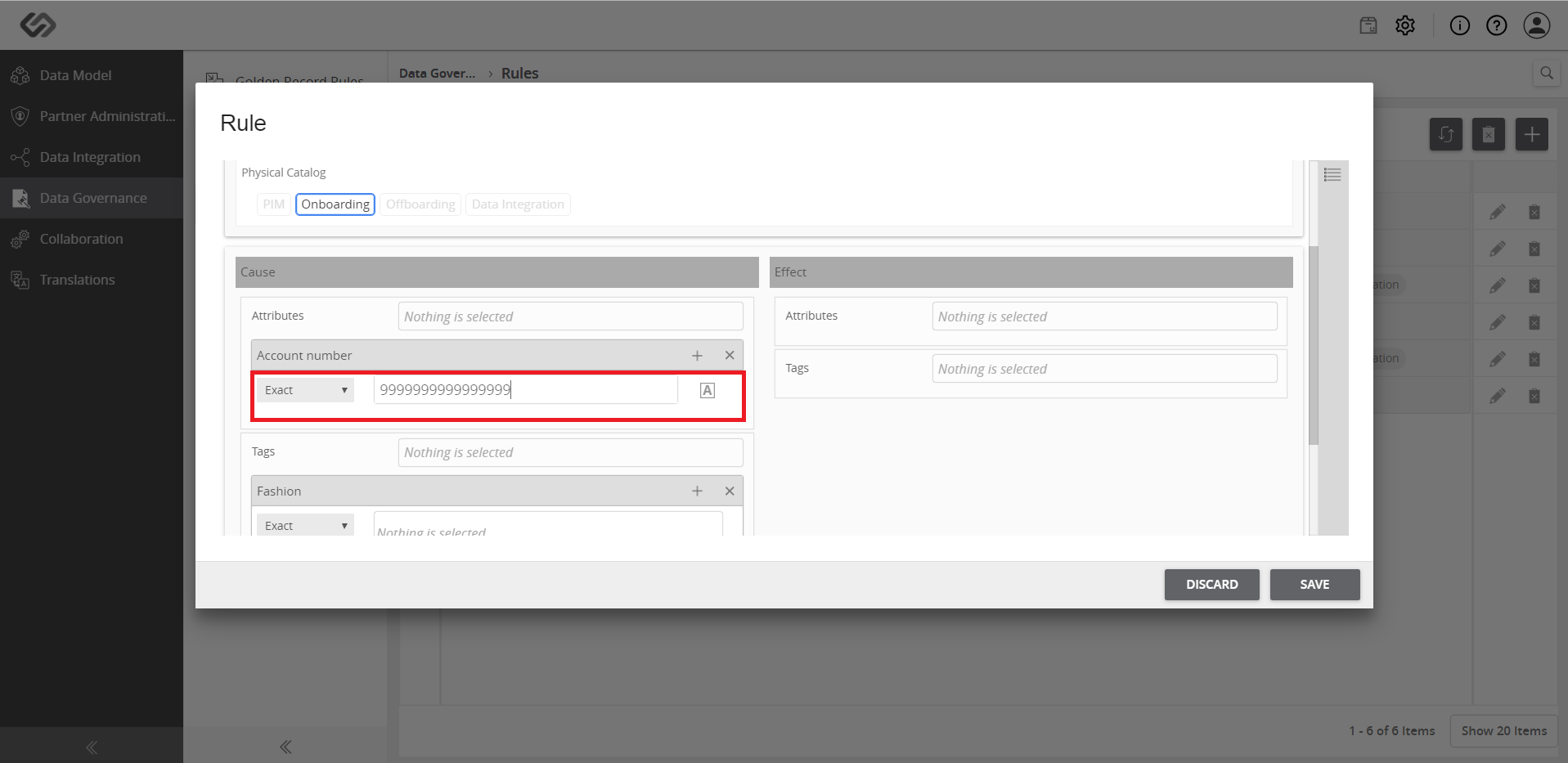
  • After selecting the attribute, select the type of violation and enter the value if necessary.
../../../../../_images/pxp_remedyqualityissues_selectviolation.PNG


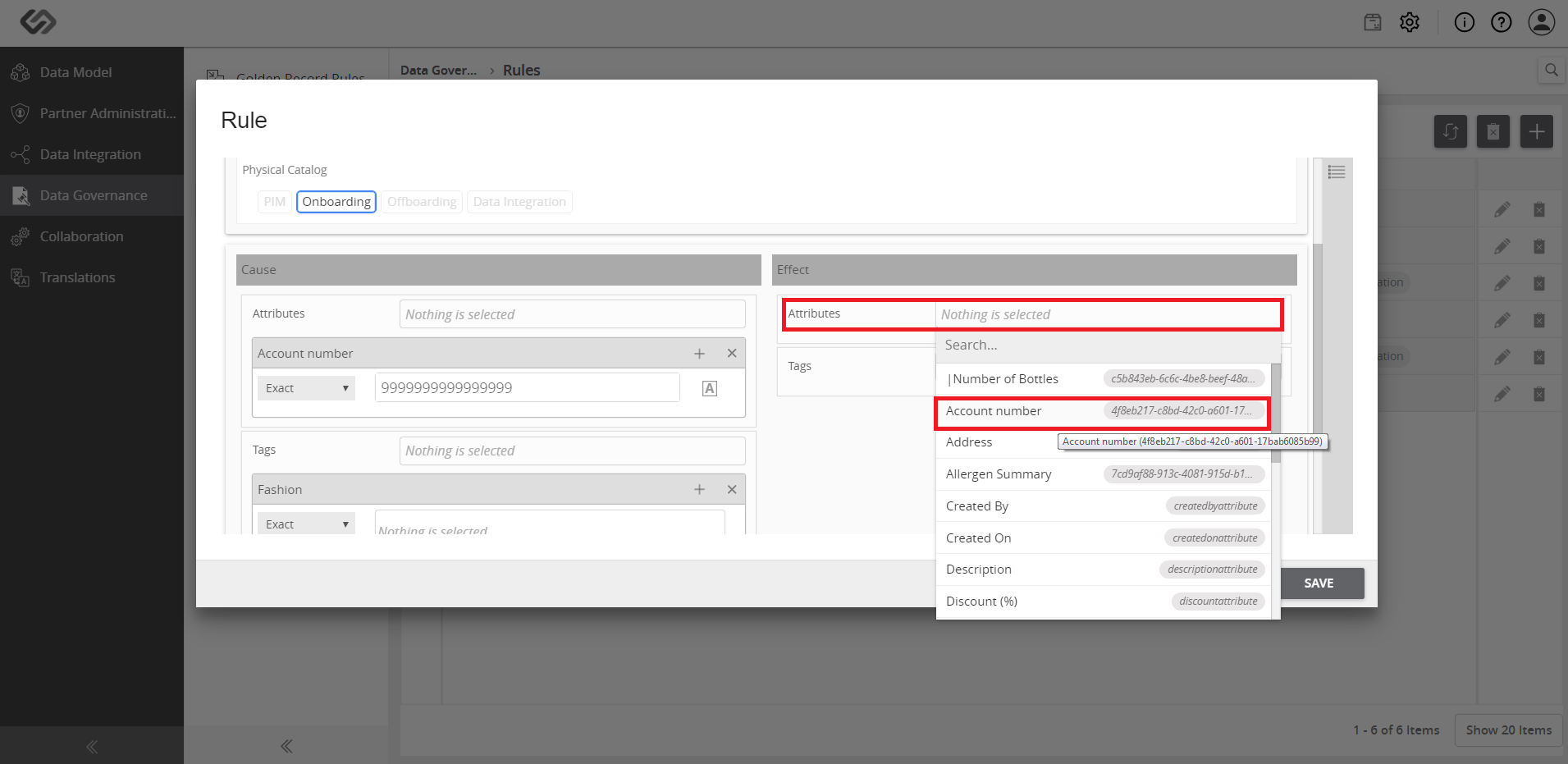
  • In the Effect section, select the attribute to which the violation will be reflected.
../../../../../_images/pxp_remedyqualityissues_attributeeffect.PNG

../../../../../_images/pxp_remedyqualityissues_attributeeffect2.PNG


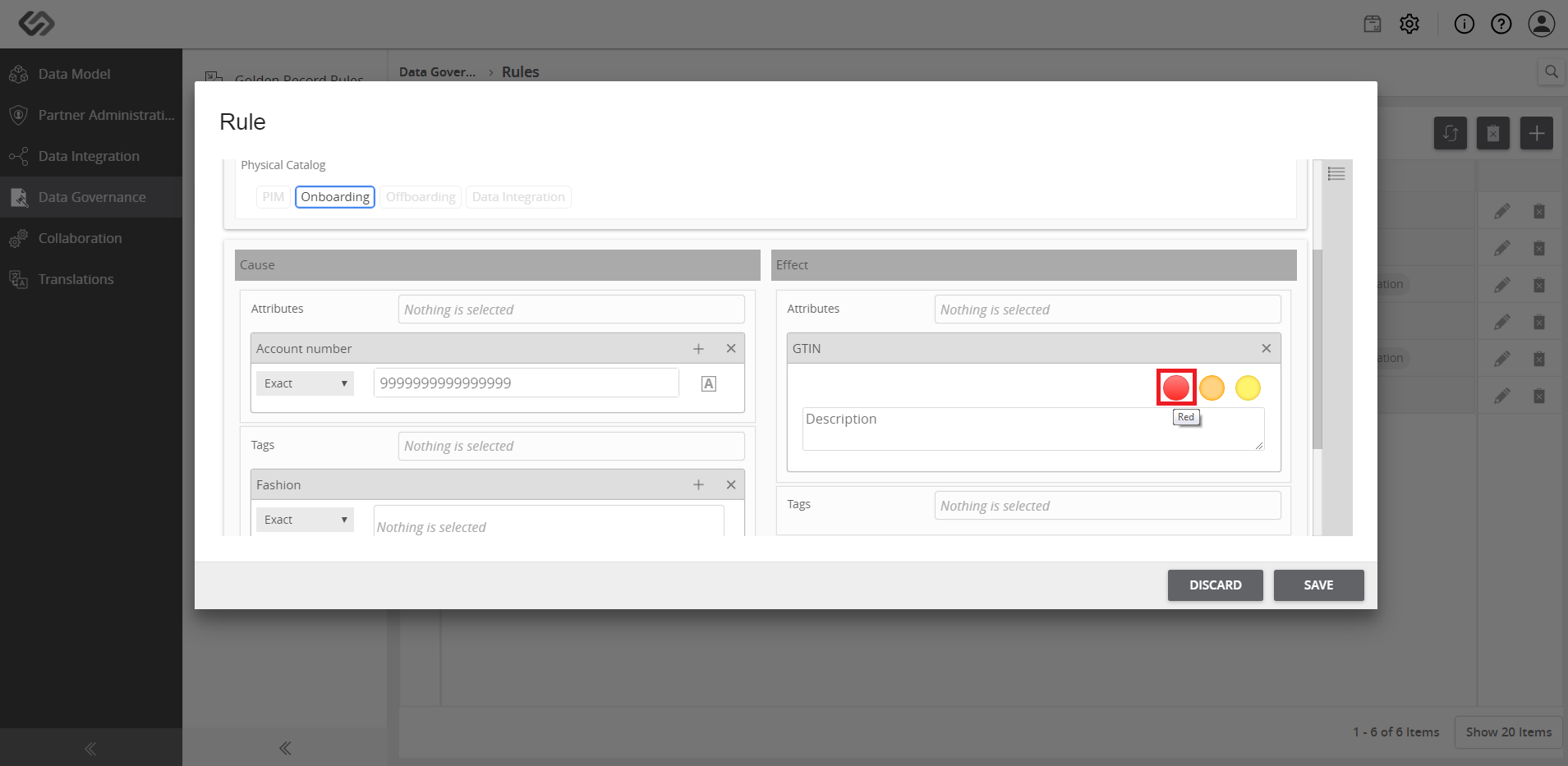
  • Select the color to be shown whenever the violation occurs.
../../../../../_images/pxp_remedyqualityissues_selectcolor.PNG


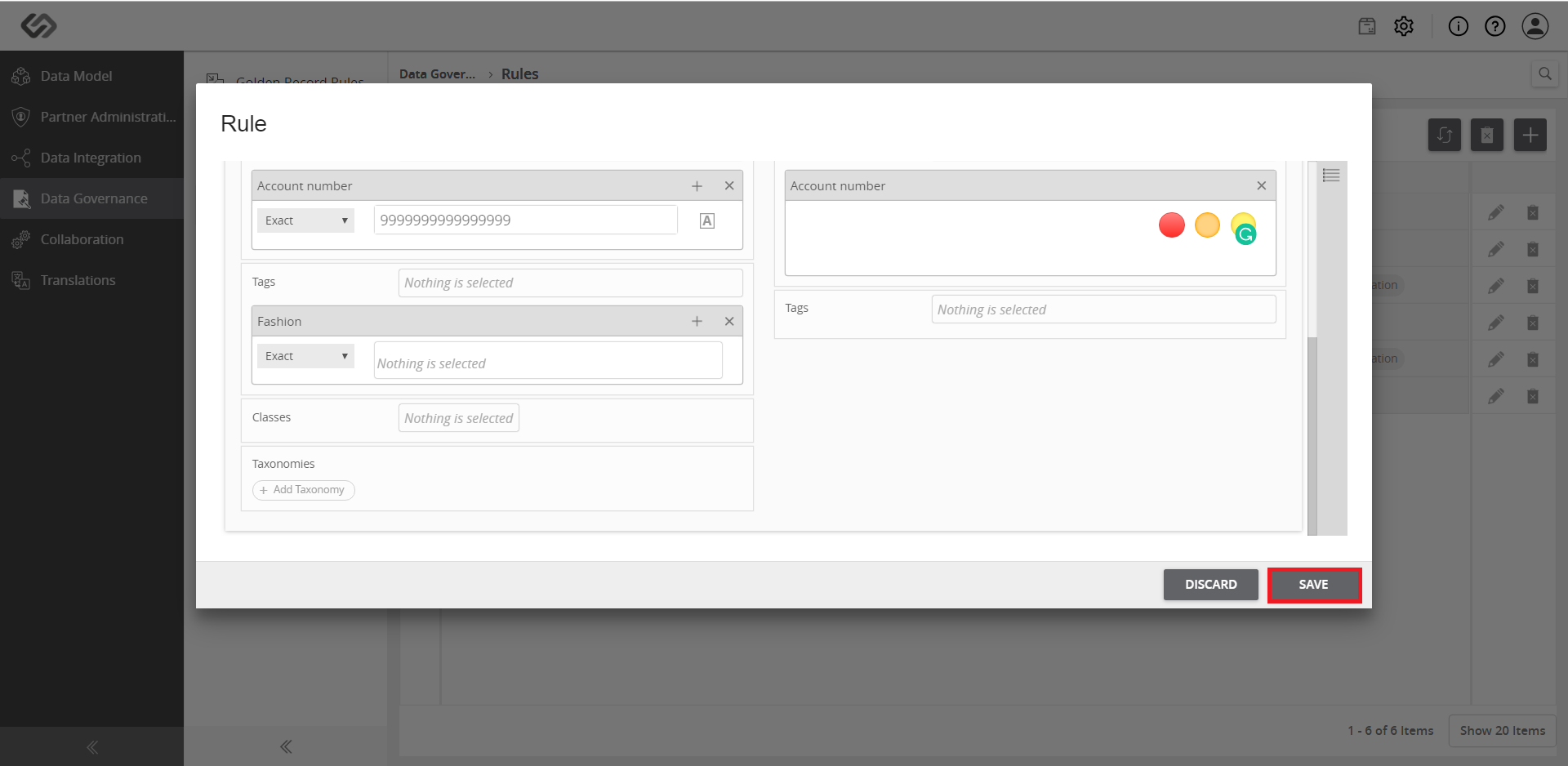
  • Click on the Save button.
../../../../../_images/pxp_remedyqualityissues_clicksave.PNG


Contentserv line