Multi-taxonomy Assignment

The Multi-taxonomy Assignment feature provides general users the capability to assign an object to various taxonomies or to multiple nodes within the same taxonomy.

Key Term:
  • Taxonomy: a taxonomy is a scheme of classification used for an organization’s products.
Description:
  • The feature assigns a single object to multiple different taxonomies or to multiple nodes within the same taxonomy.
  • The feature allows multiple taxonomies to be assigned to a single product.
  • The feature enhances the classification of products/articles in a more structured way.
Related topics:
Application:
  • This feature is used to classify a product into 2 or more structures or hierarchies. Taxonomies allow a user to have hierarchies in the system. Multiple hierarchies can be applied to a product.

  • Example:

    A user has created an energy drink product and was given a hierarchy of just Beverages under Food. The product may also have another hierarchy which can be under Sports and Energy Drinks. Multi-taxonomy allows a user to define more than one taxonomy for the product.

How-to: Multi-taxonomy Assignment

To assign a single object to multiple different taxonomies or to multiple nodes within the same taxonomy, follow these steps:


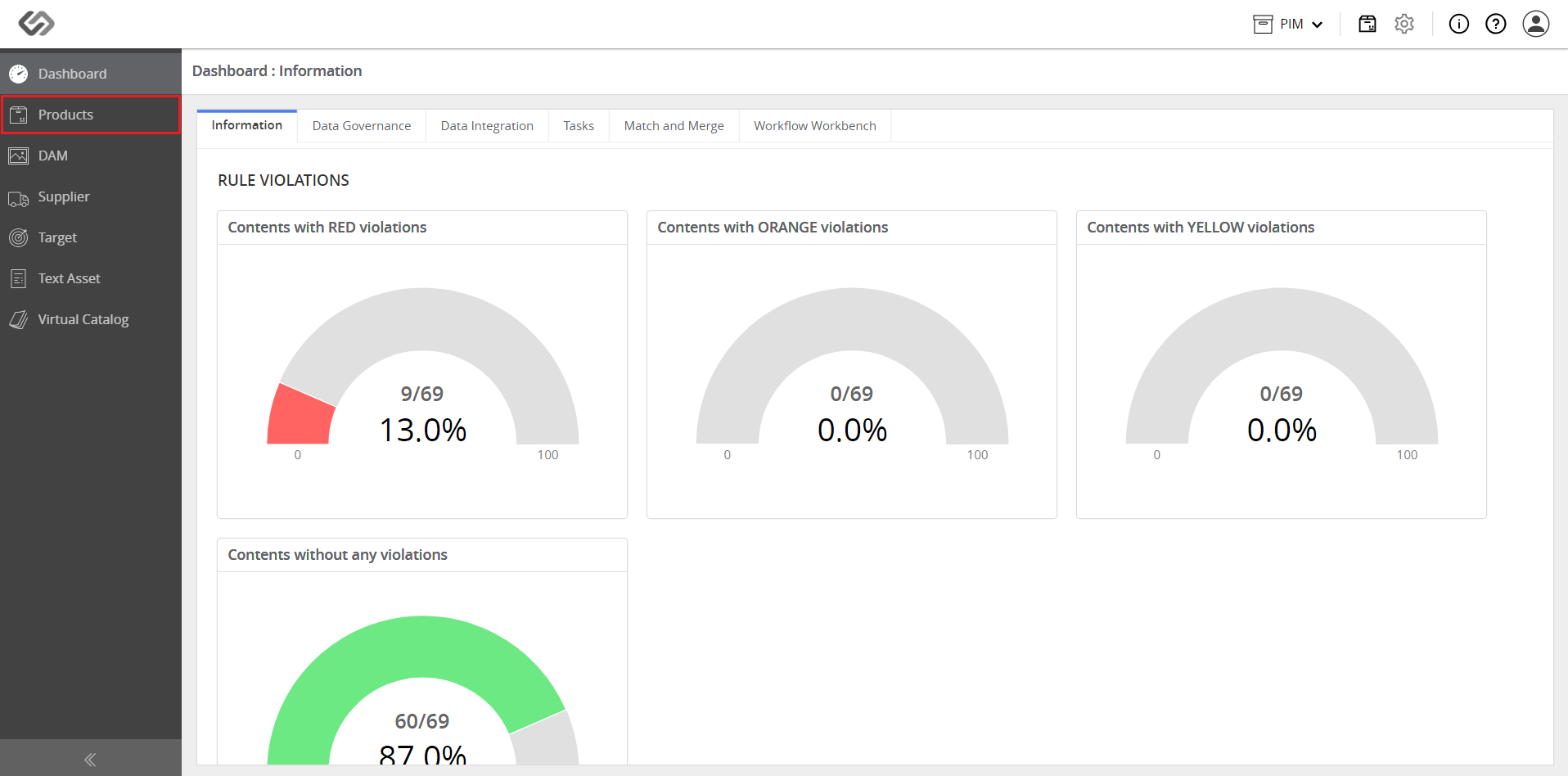
  • Log in and go to Products.
../../../../../_images/pxp_multitaxonomyassignment_login.PNG


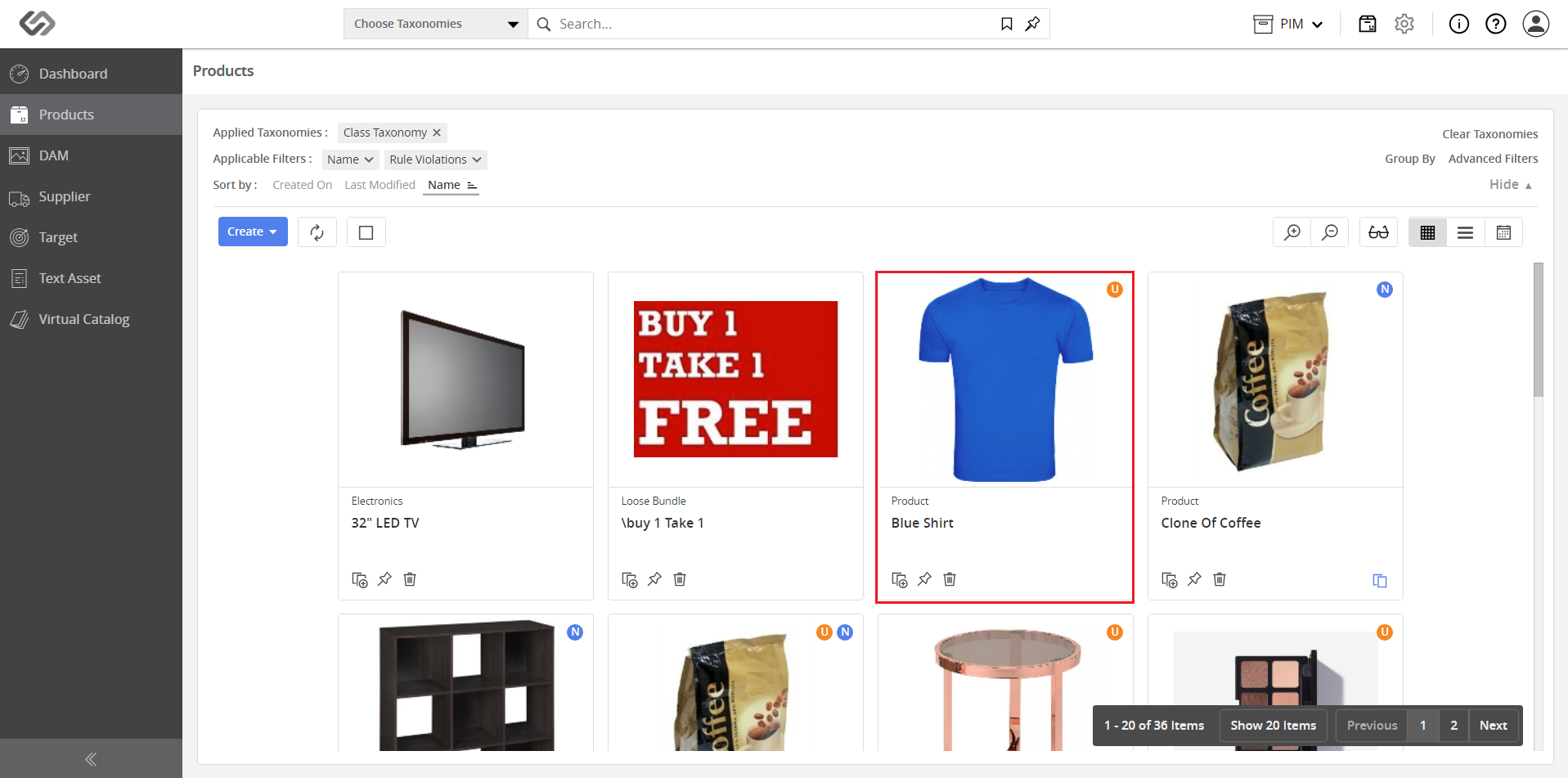
  • Click on a product.
../../../../../_images/pxp_multitaxonomyassignment_clickproduct.PNG


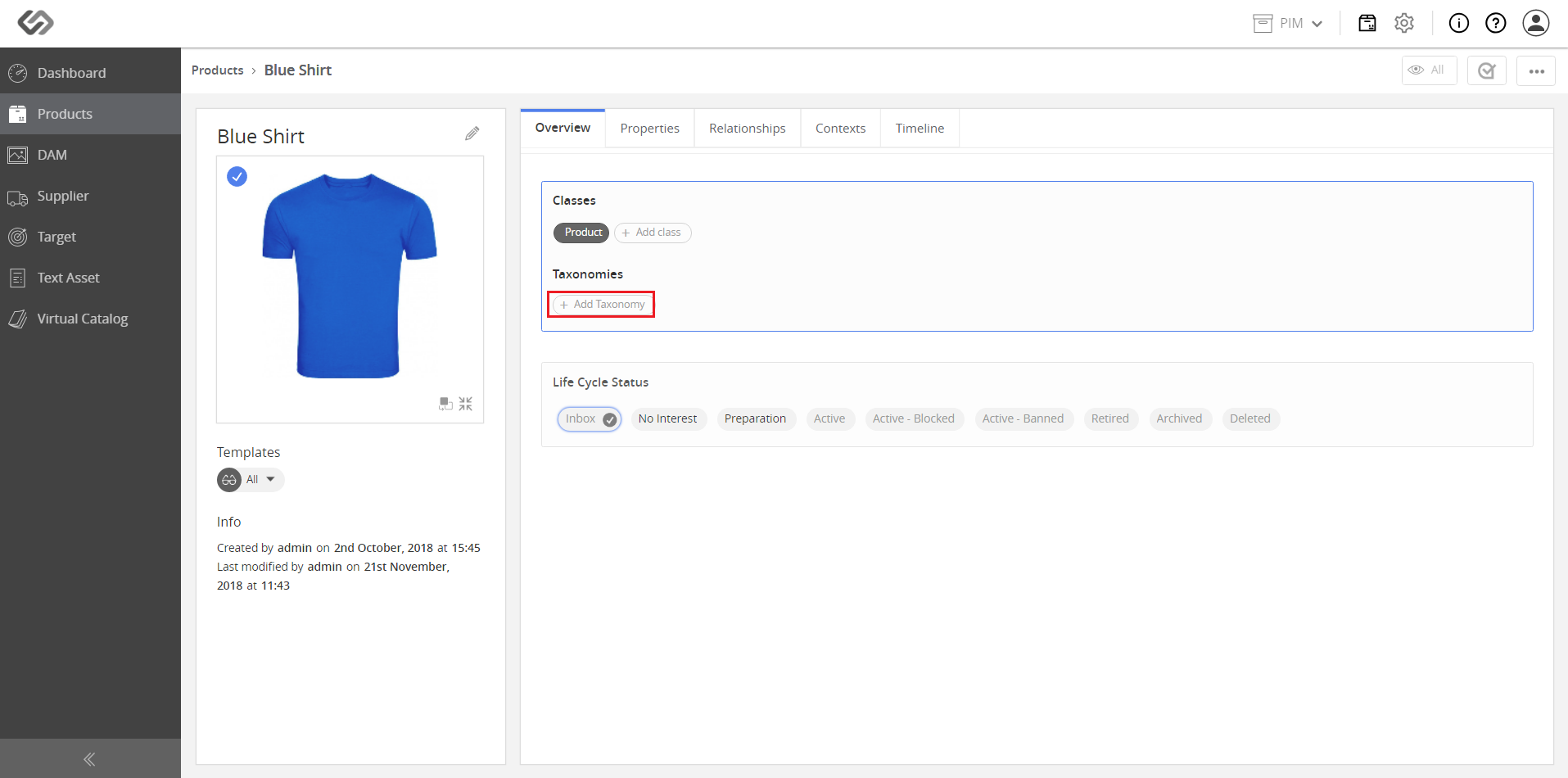
  • Click on the Add Taxonomy button.
../../../../../_images/pxp_multitaxonomyassignment_addtaxonomy.PNG


  • Select a parent taxonomy from the drop-down list.
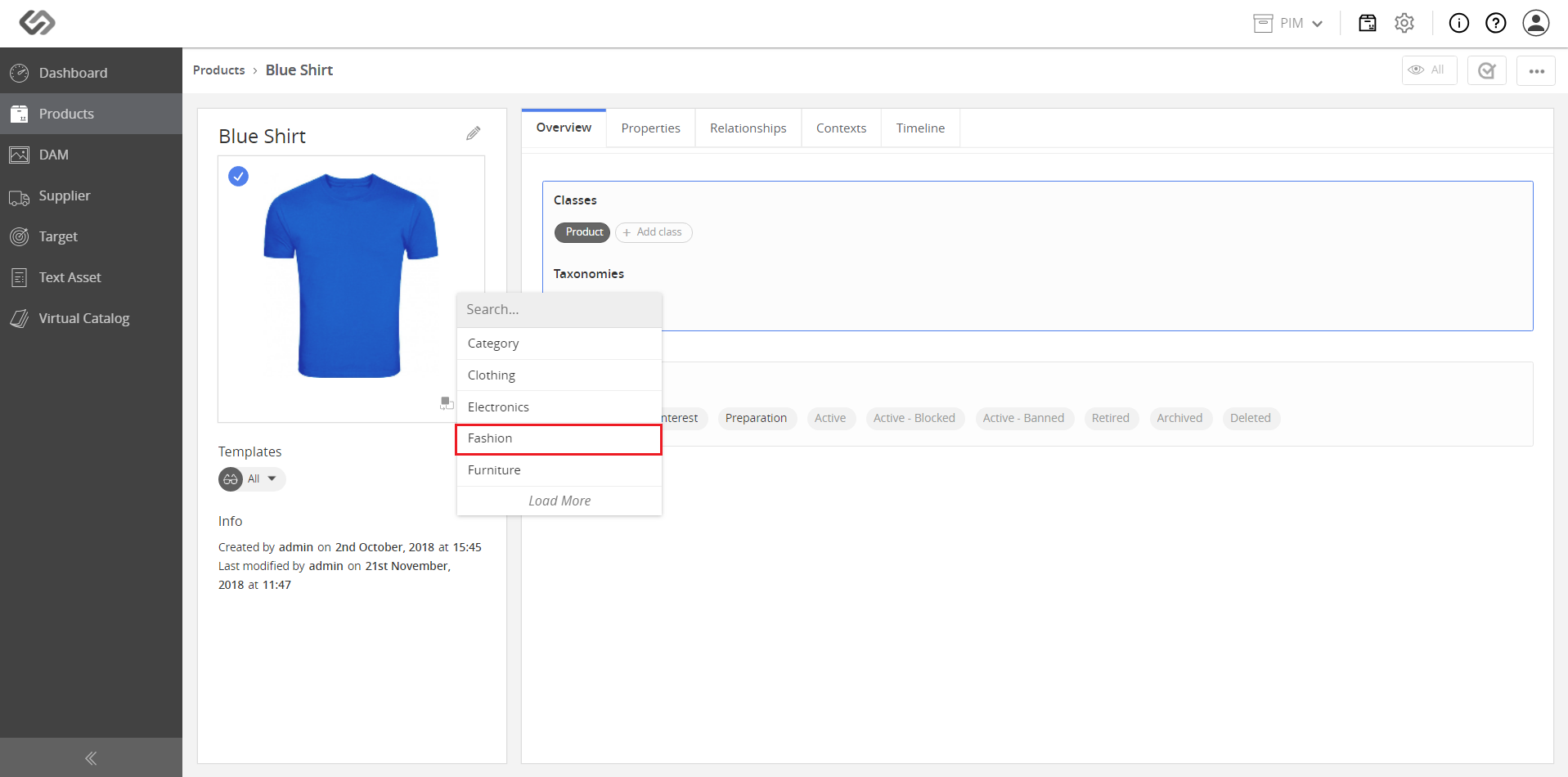
../../../../../_images/pxp_multitaxonomyassignment_selectparenttaxonomy.PNG


  • For additional classification, click on the Classify Further button.
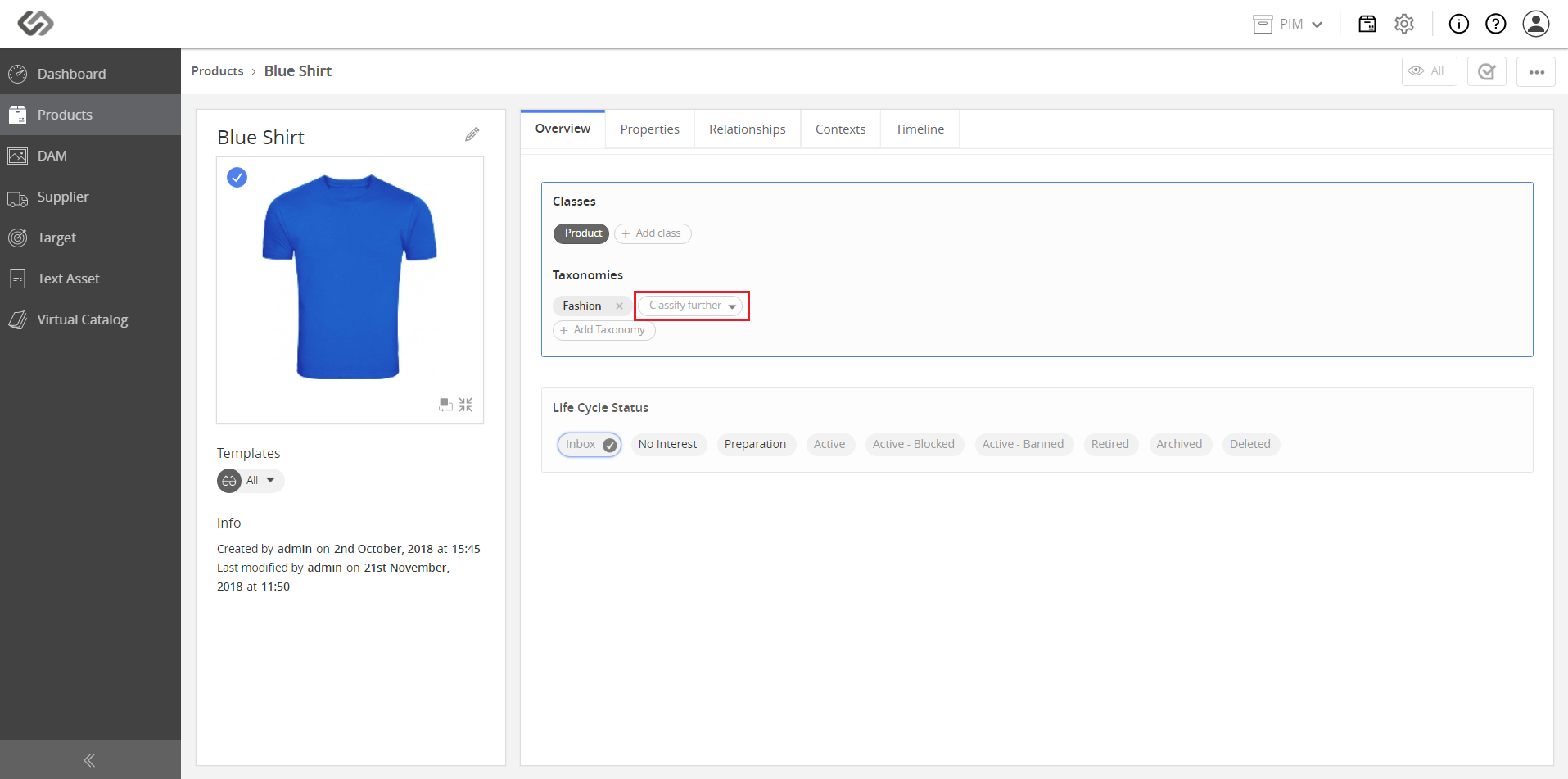
../../../../../_images/pxp_multitaxonomyassignment_classifyfurther.PNG


  • Select a node from the drop-down list.
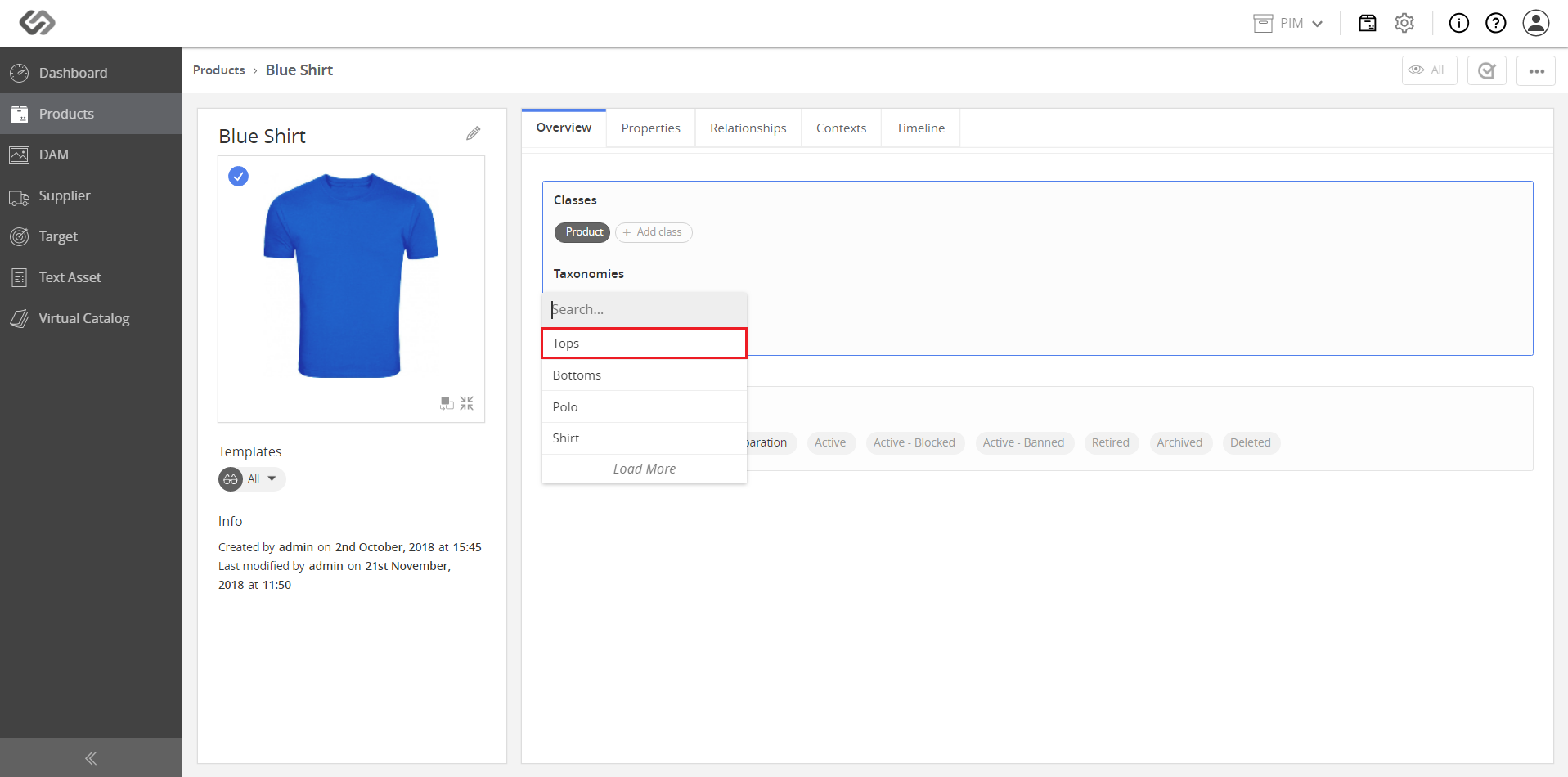
../../../../../_images/pxp_multitaxonomyassignment_selectnode.PNG

../../../../../_images/pxp_multitaxonomyassignment_selectnode2.PNG


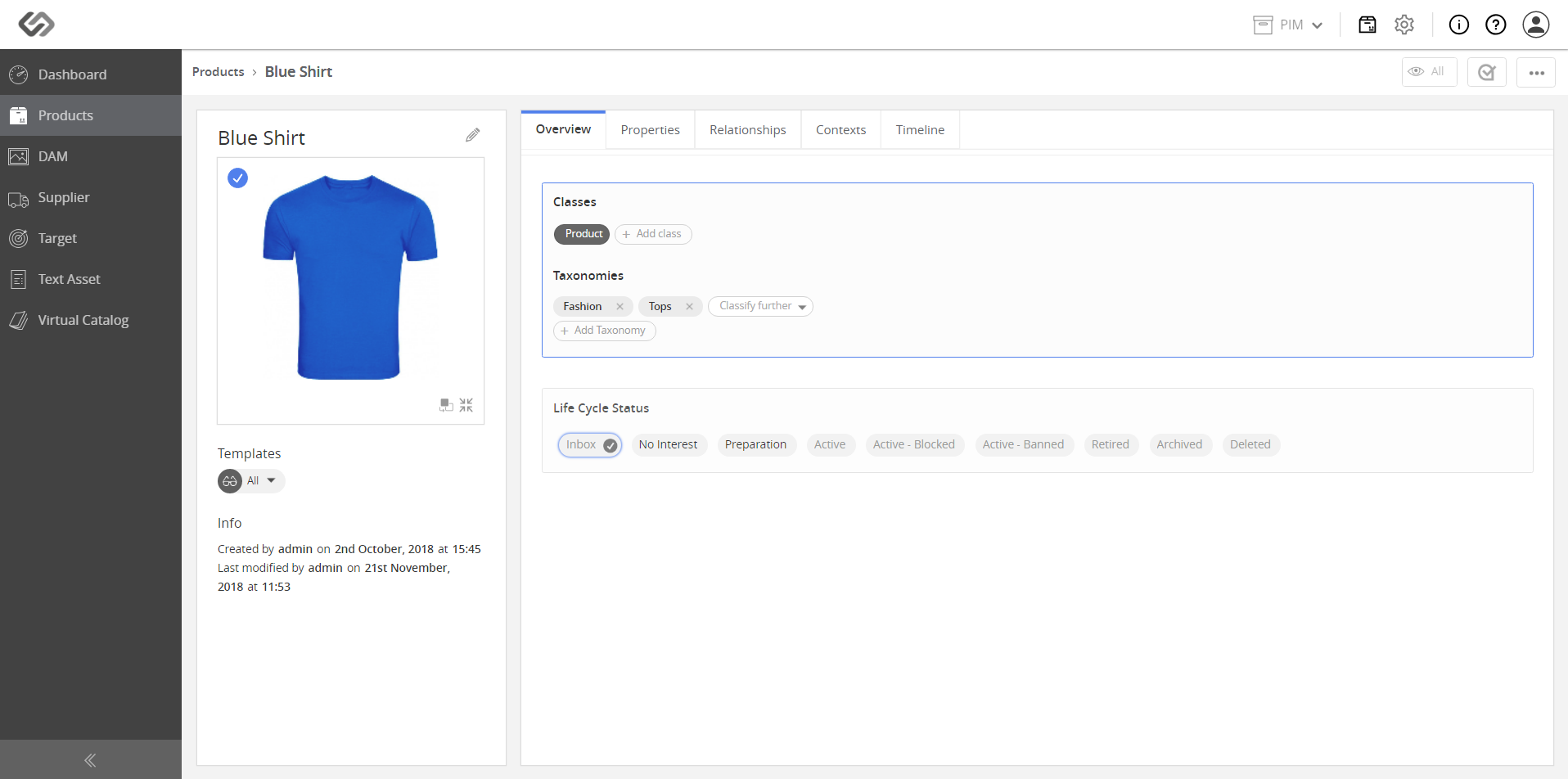
Note: The last image shows the multiple nodes within a single taxonomy that have been added to the product.
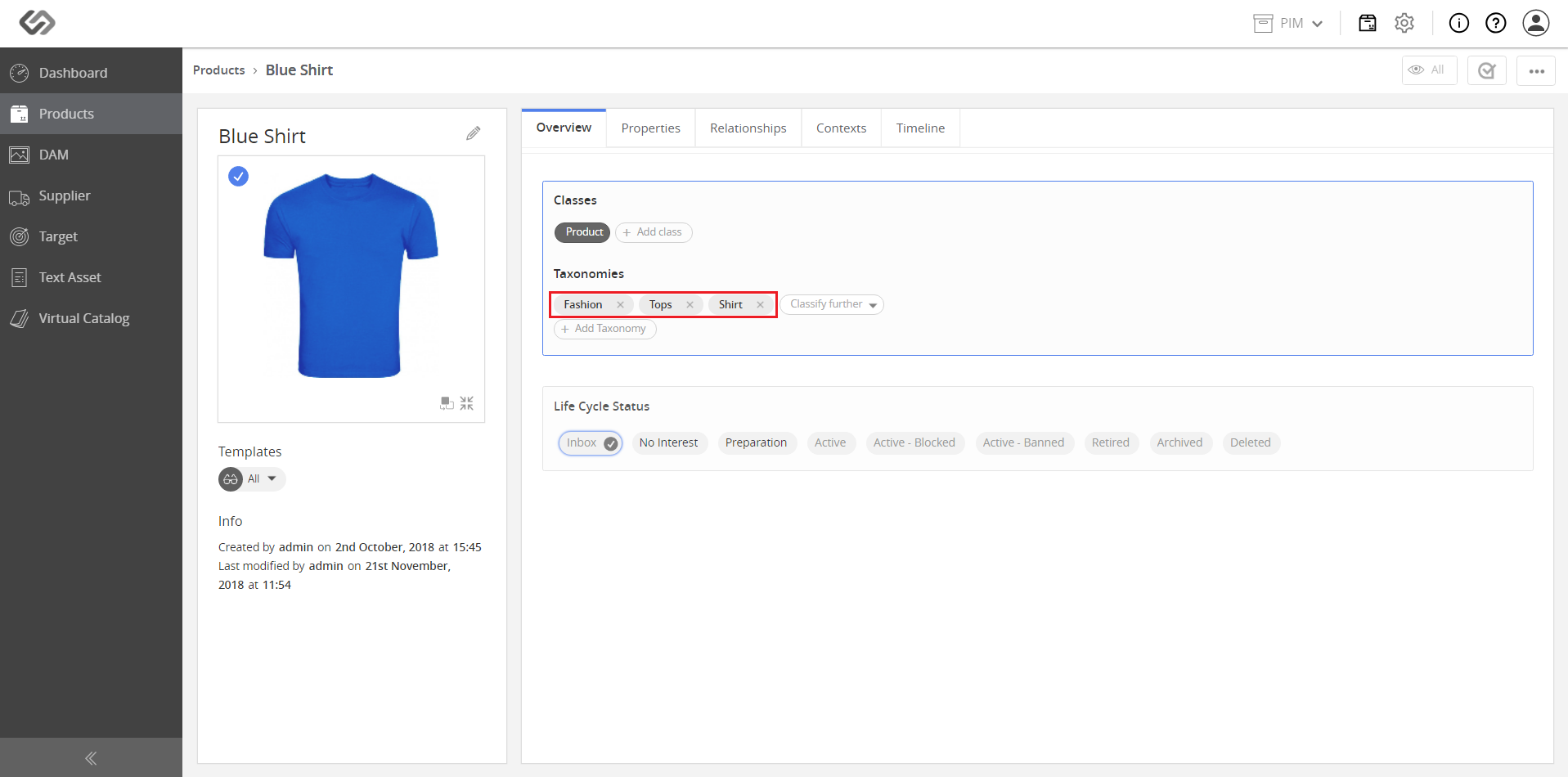

../../../../../_images/pxp_multitaxonomyassignment_multiplenodes.PNG


Contentserv line