Assign Endpoint to Partner and Role
To assign an endpoint to partners and roles, follow these steps:
- Navigate to Partner Administration -> Partners menu and click on the created partner to whom you want to assign the endpoint.
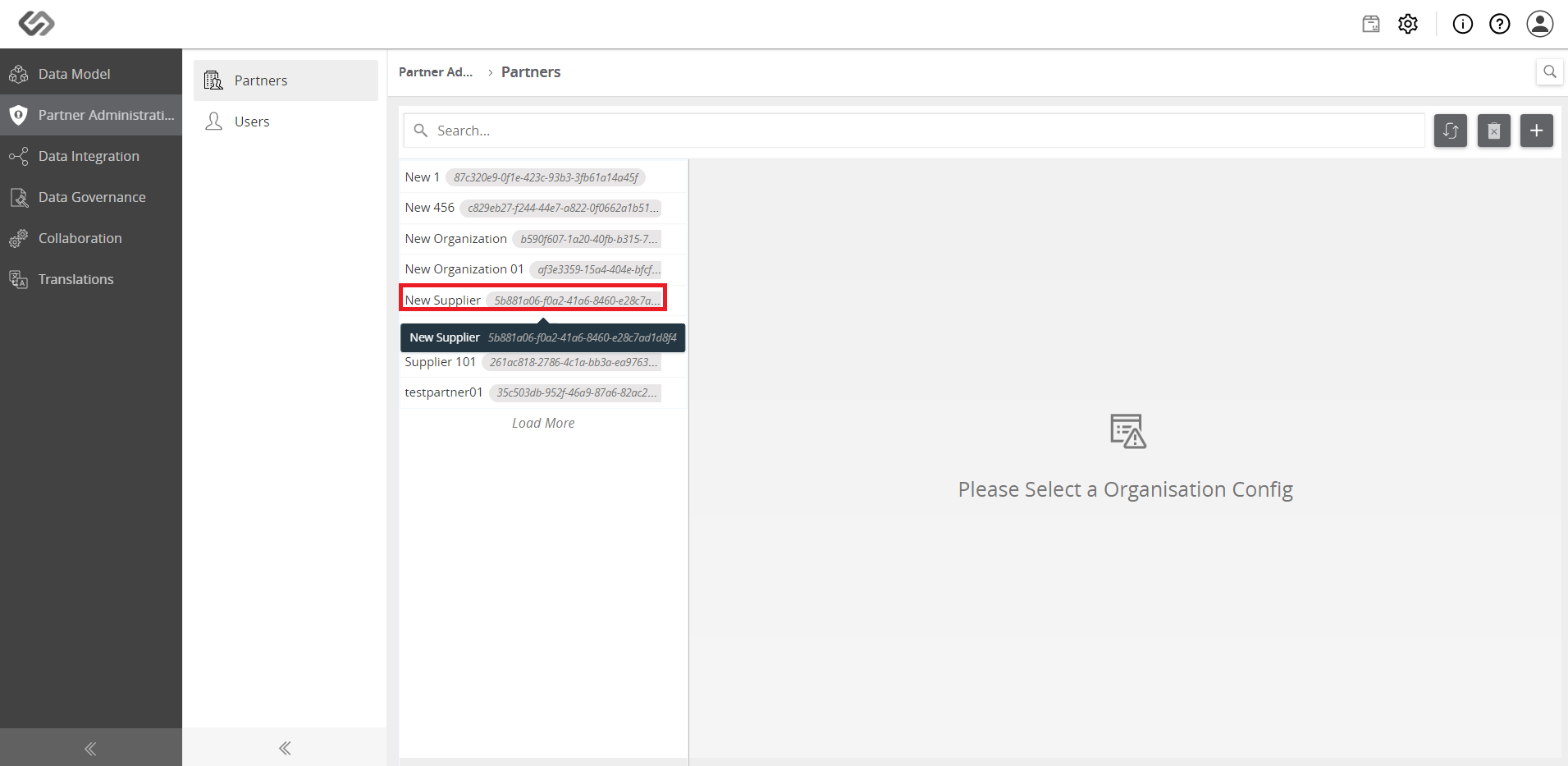
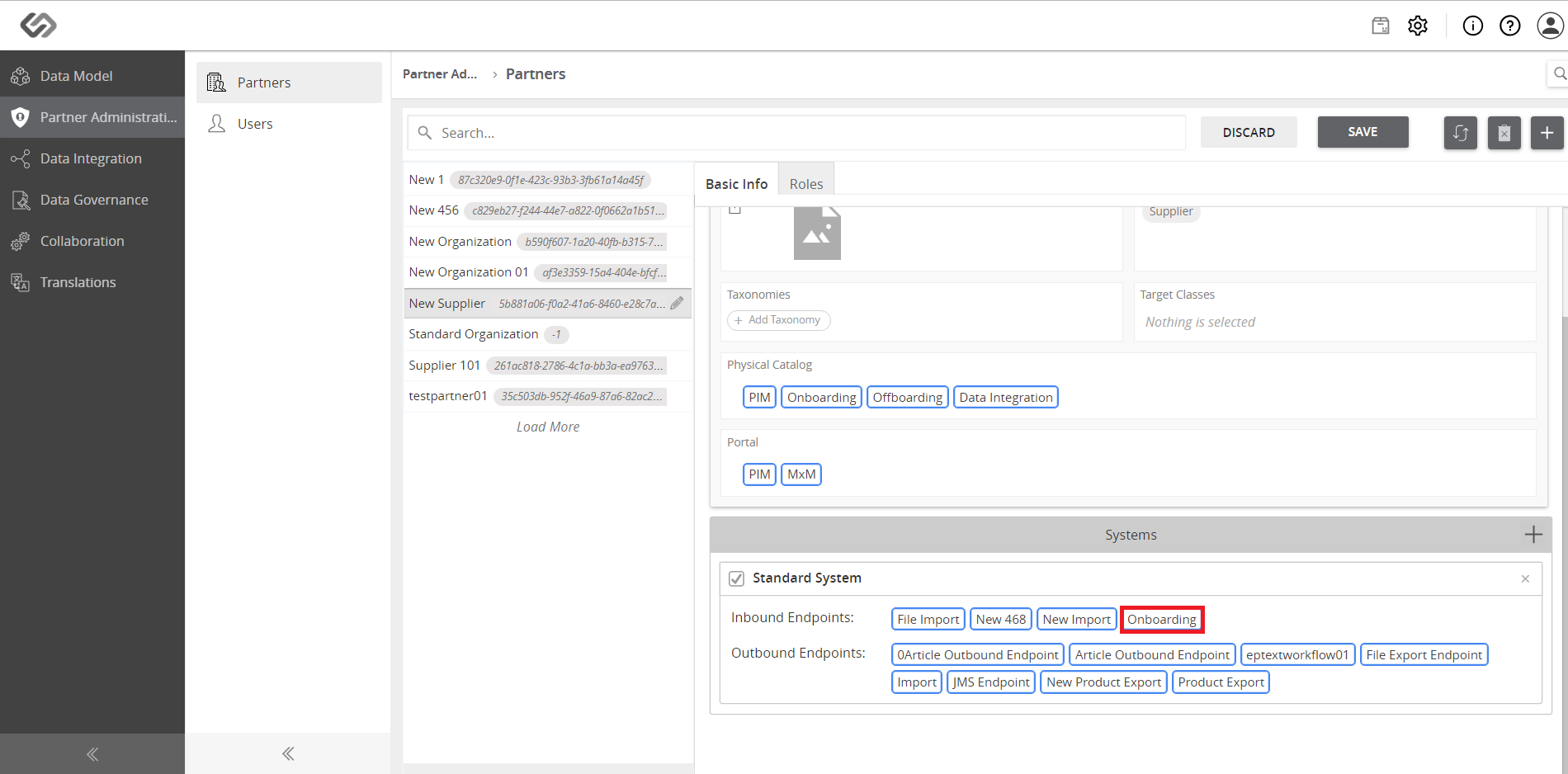
- Click on the created endpoint from the Systems section.
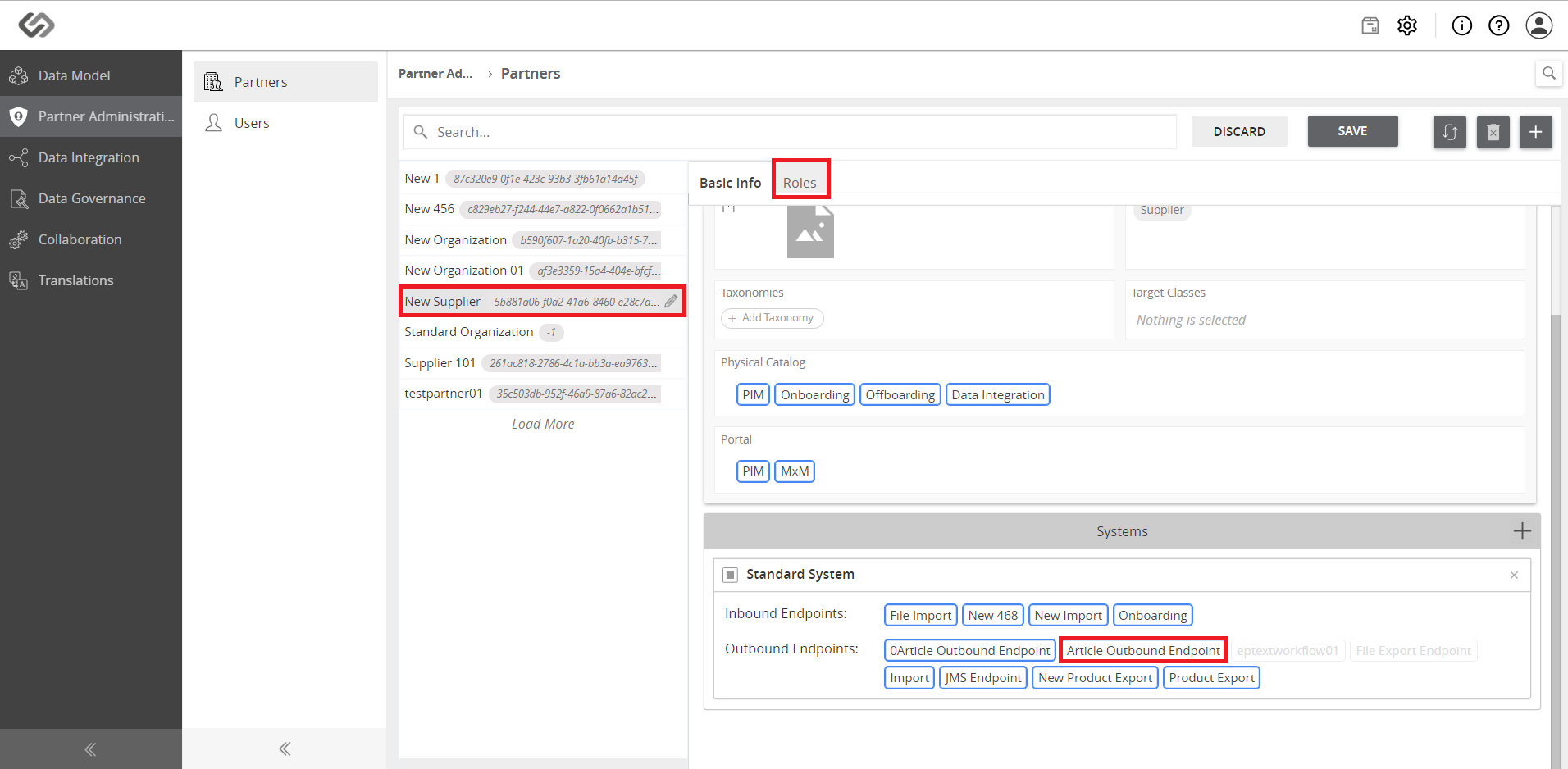
- Click on the Roles tab and click on the created endpoint from the Systems section.
- Click on the Save button.

Assign Endpoint to Partner and Role: Screen Elements
The following details are to be provided to be able to assign an endpoint to the partners and roles in the system.
| Sr No | Screen Element | Description |
|---|---|---|
| 1 | System | Select the Inbound Endpoint and Outbound Endpoint from the Systems section to associate it with the partner and role. |
| 2 | Save | Click on the Save button to save the details. |
| 3 | Discard | Click on the Discard button to discard the details. |
