Manage Hierarchy via Relationship

Manage Hierarchy via Relationship lets you set up relationships as links so that users can see the connections between articles.

Key Term:
  • Relationships: a taxonomy is a way of classifying an organization’s products. A taxonomy is used to add a Product into the broader classification system of a store.
  • Taxonomy: a way of linking entities together from different domains (e.g. PIM, MDM, DAM) as well as within the same domain.
Description:
  • Based on the relationship between two entities, hierarchies can be set up for classifying related products.
Related topics:
Application:
  • Easily classify based on the related articles.

  • Search as to which articles are related.

  • Example:

    A user wants to view all assets belonging to a particular product in the system. To do this, a hierarchy must be set up for that product.

How-to: Manage Hierarchy via Relationship

To manage hierarchy via relationship, follow these steps.


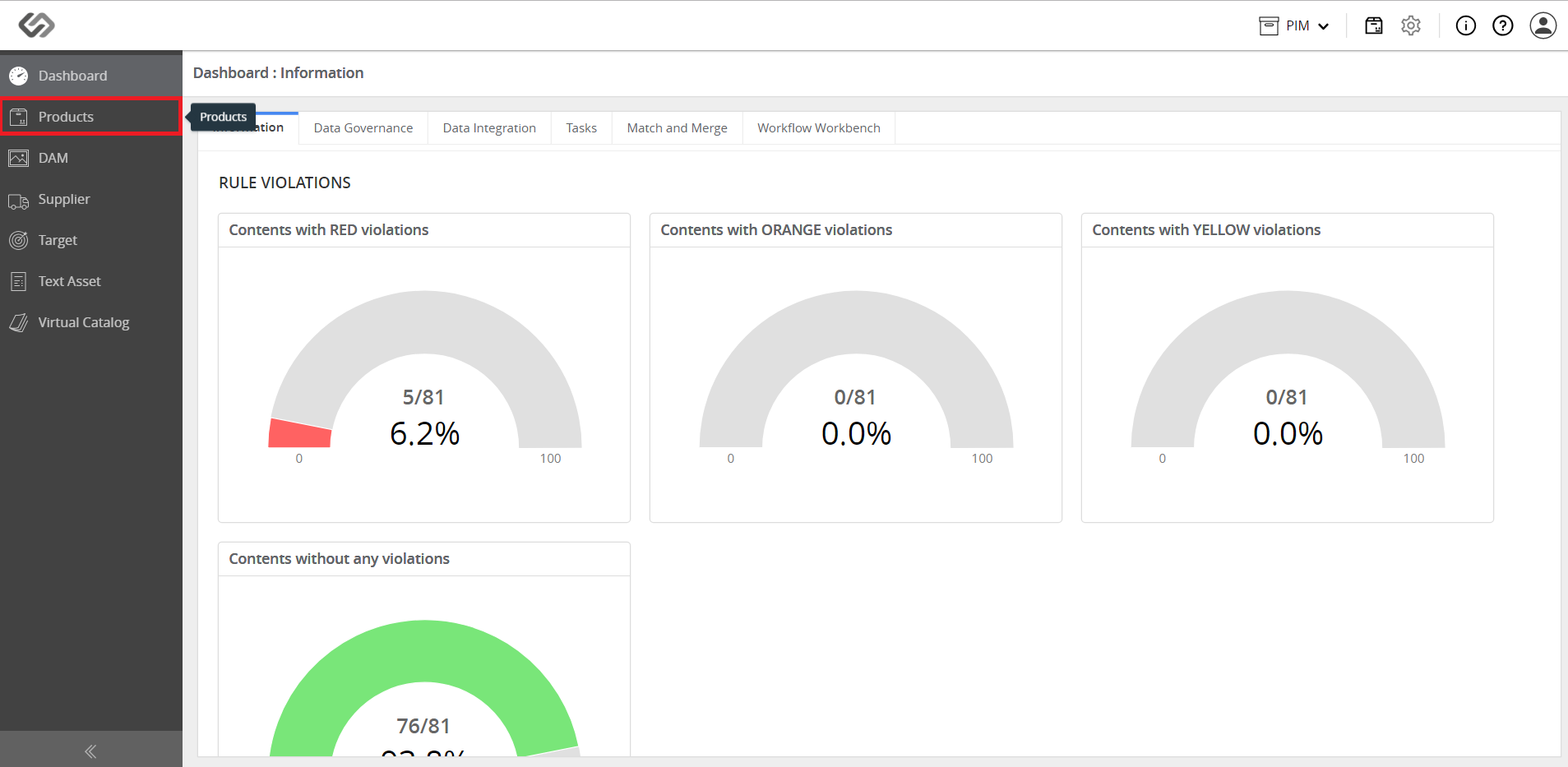
  • Log in and go to Products.
../../../../../../_images/pxp_managerelationshiphierarchy_logind.PNG


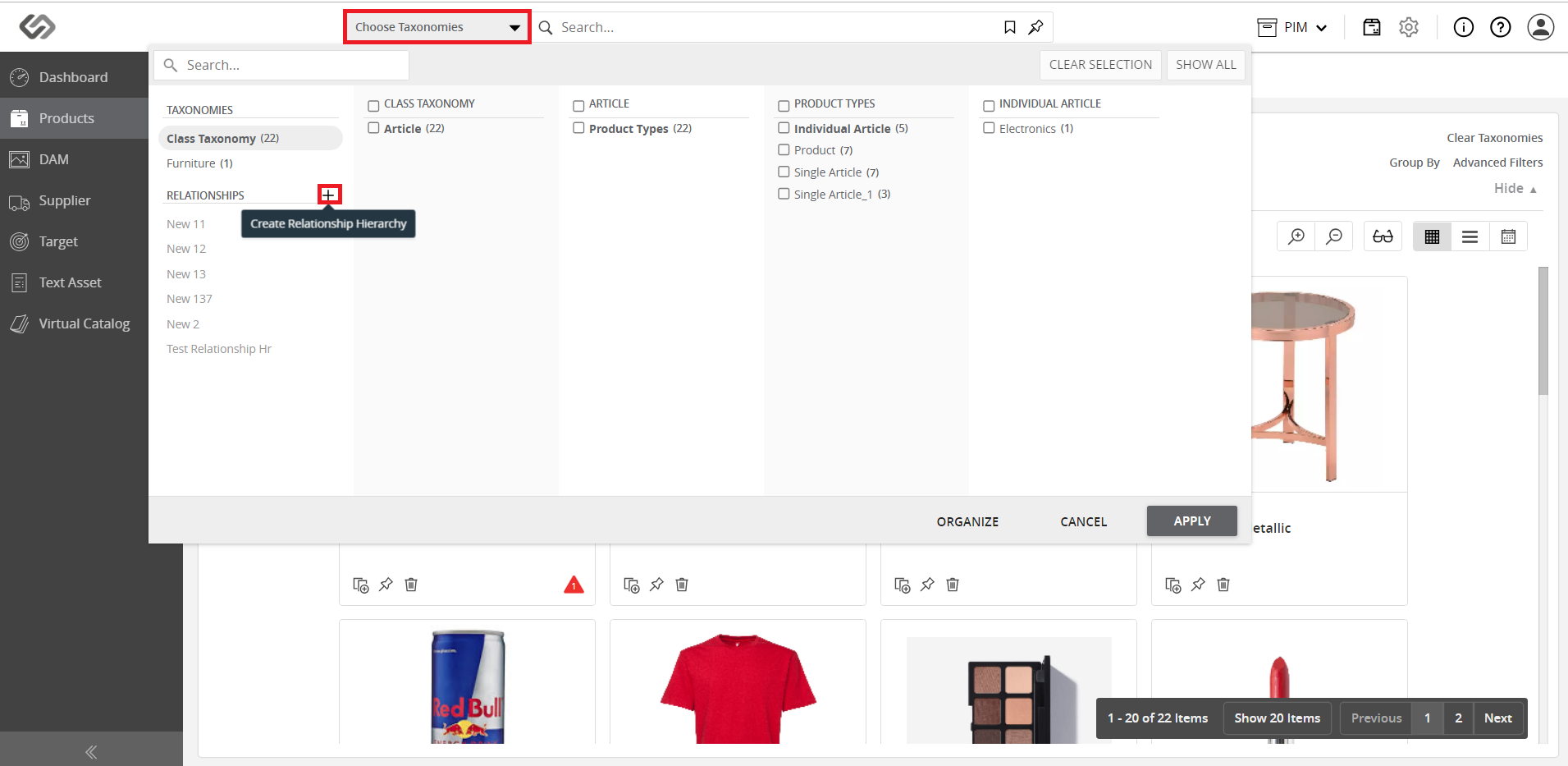
  • Click on the Choose Taxonomies button, then click on the ‘+’ icon to create a Relationship Hierarchy.
../../../../../../_images/pxp_managerelationshiphierarchy_choosetaxonomies.PNG


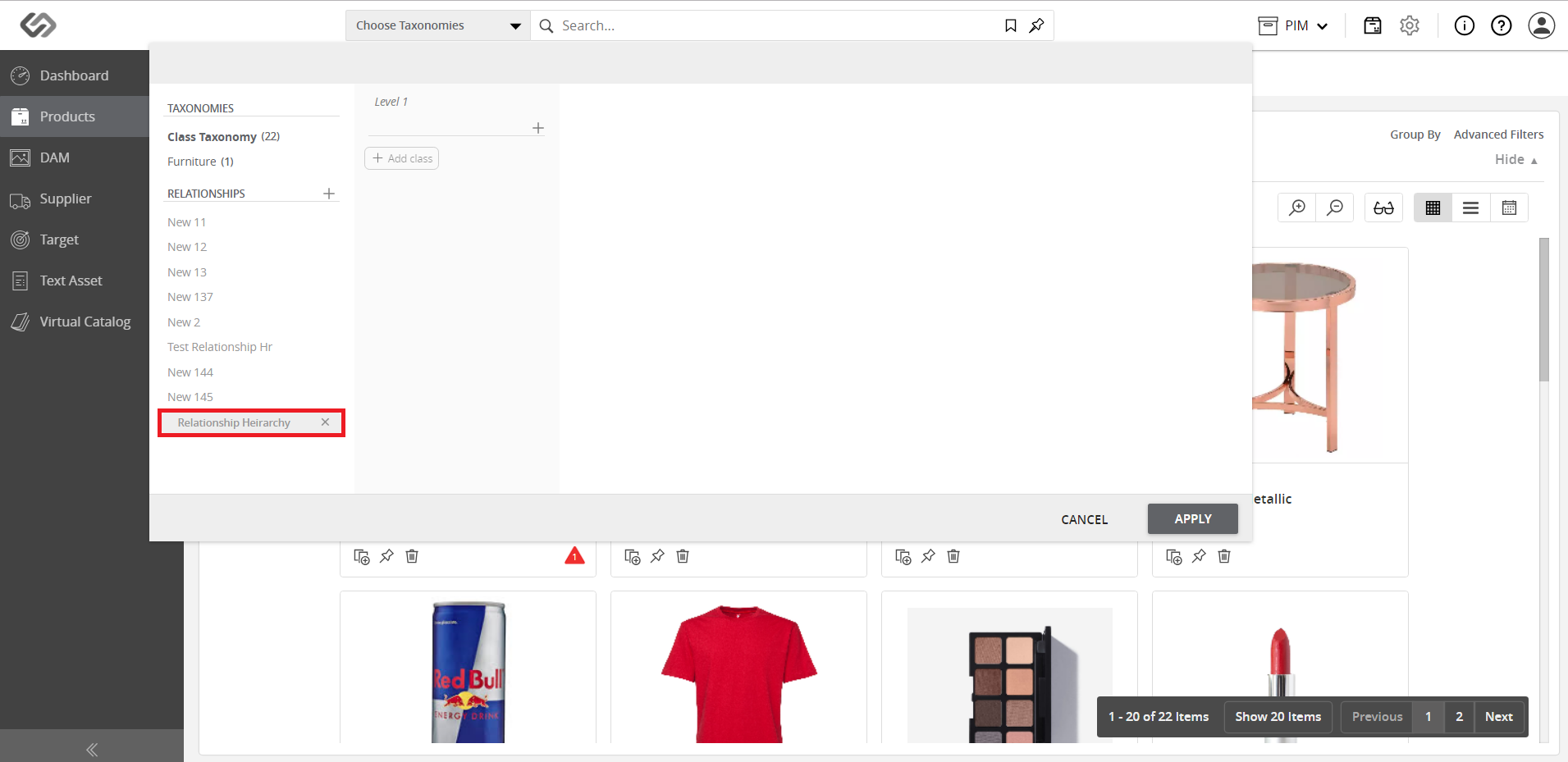
  • Enter the name for the relationship hierarchy.
../../../../../../_images/pxp_managerelationshiphierarchy_entername.PNG


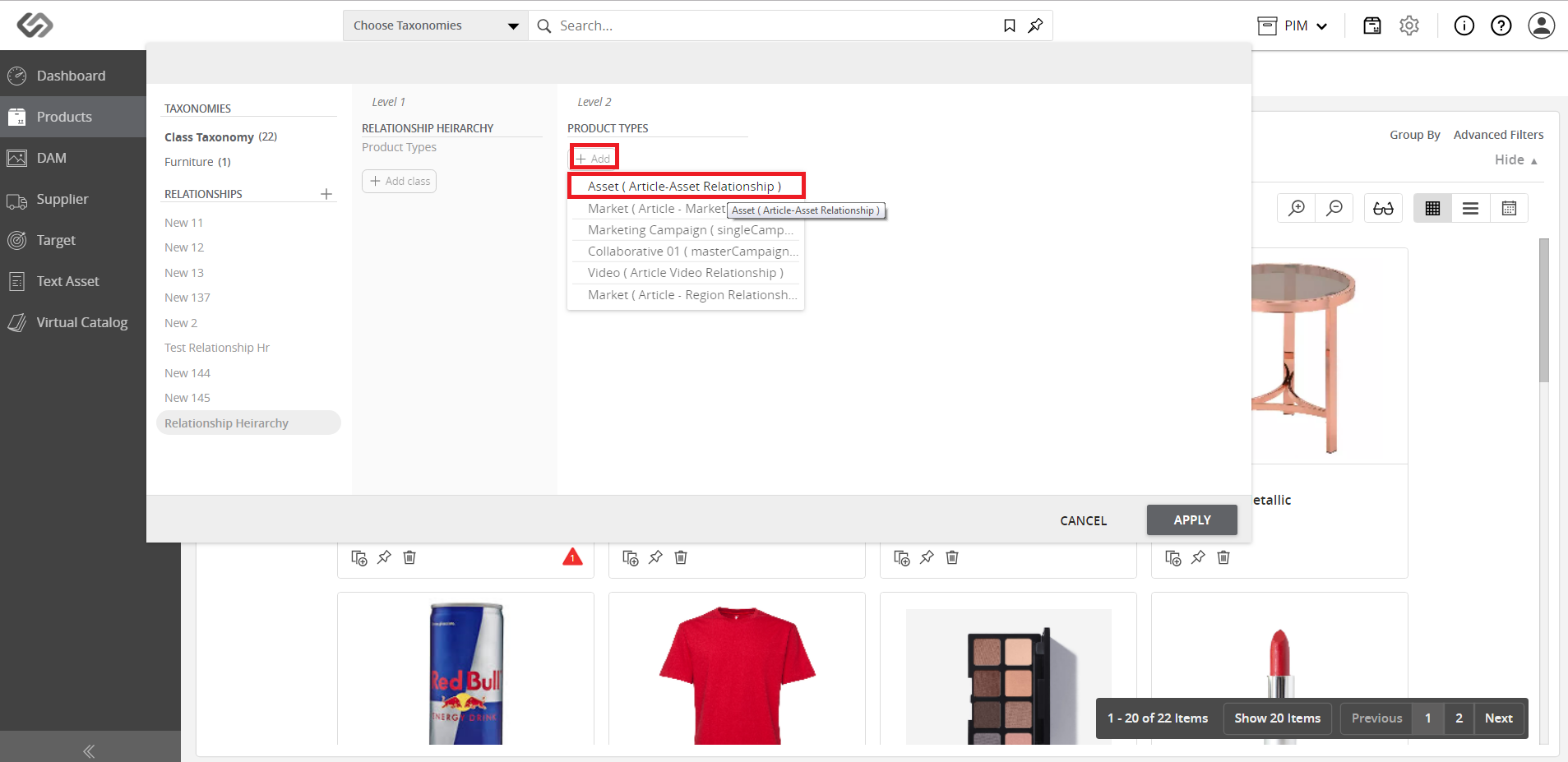
  • Click on the Add Class button and select the class.
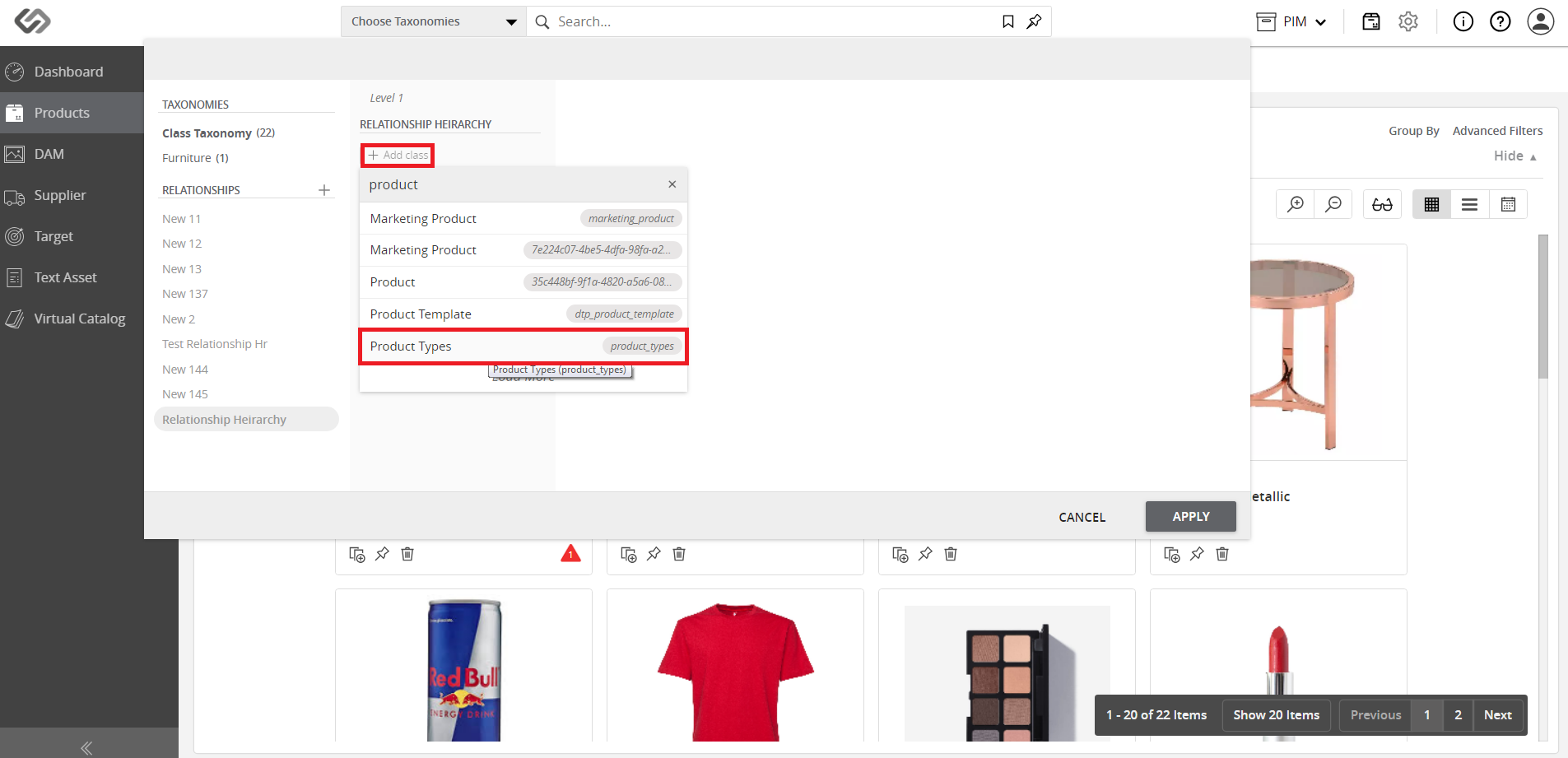
../../../../../../_images/pxp_managerelationshiphierarchy_clickaddclass.PNG

../../../../../../_images/pxp_managerelationshiphierarchy_clickaddclass2.PNG


  • Once done adding the classes, click on the Apply button.
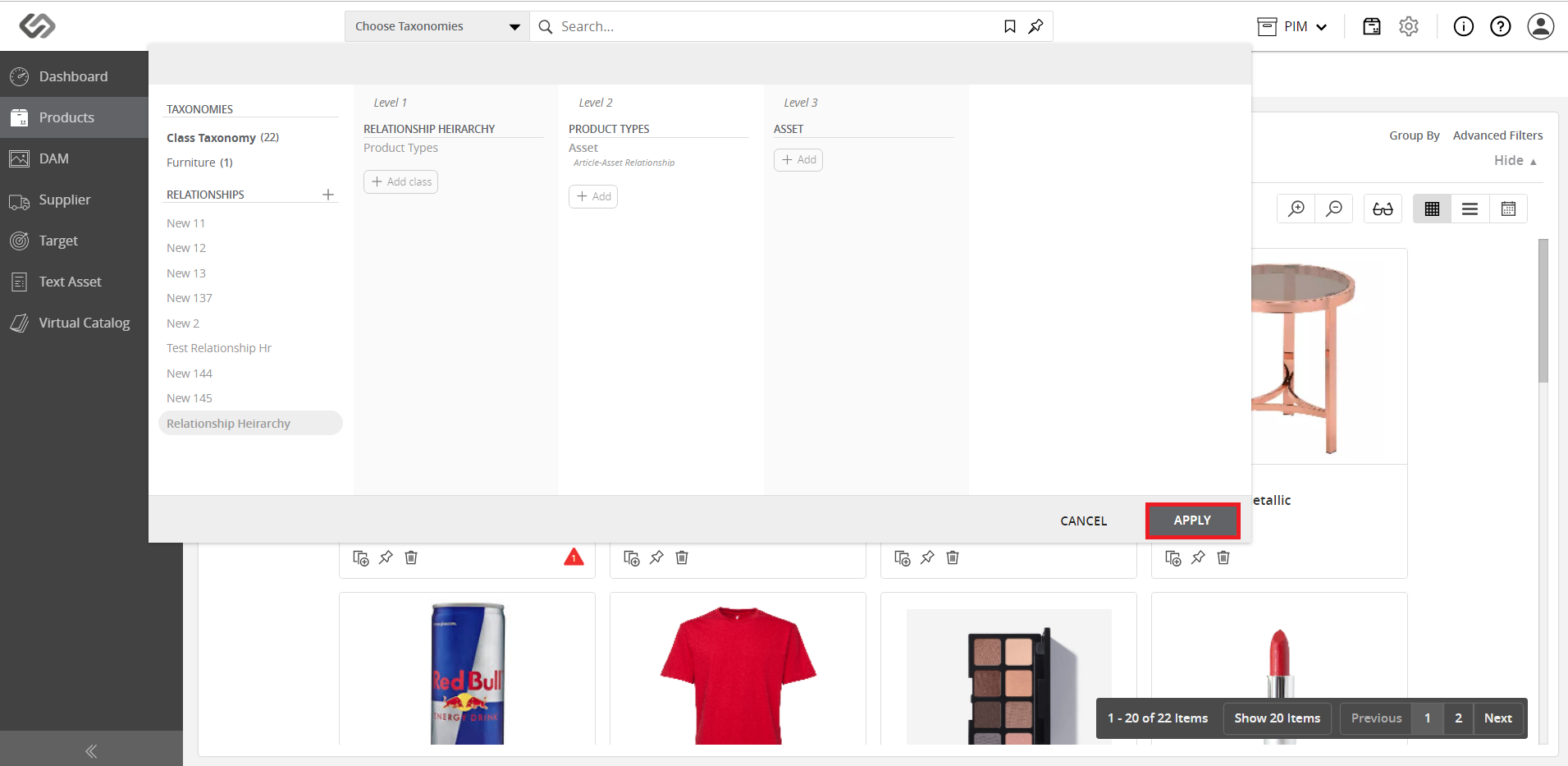
../../../../../../_images/pxp_managerelationshiphierarchy_clickapply.PNG


Contentserv line