Bulk Edit

The Bulk Edit feature allows a user to change the values of multiple attributes/tags for multiple products in a single operation.

Key Term:
  • Attribute: a data field which describes a product, can also use ‘property’.
Description:
  • Bulk Edit can change the values of multiple attributes/tags for multiple products in a single operation.
  • Bulk Edit can be used on similar or dissimilar types of products.
  • Bulk Edit allows multiple attributes/tags to be edited in a single operation.
  • Bulk Edit allows multiple attributes/tags to be changed and applied to products.
  • Bulk Edit is accessed from the PIM main catalog view page.
Related topics:
Application:
  • Bulk Edit is used to support a variety of actions, such as: Editing, Labeling, Changing States, Moving, or Deleting.

  • Bulk Edit saves the user from manual work by editing products in a batch instead of one product at a time.

  • Bulk Edit provides the functionality to change and set a variety of product attributes like Price, Compare at Price, Weight, Tags, and more.

  • Example:

    Supplier A changed a property or description of their products. The supplier can select the products in the system and change a property (or properties) using bulk edit. The feature will apply the change to all of the selected products.

How-to: Bulk Edit

To do editing in bulk, follow these steps:


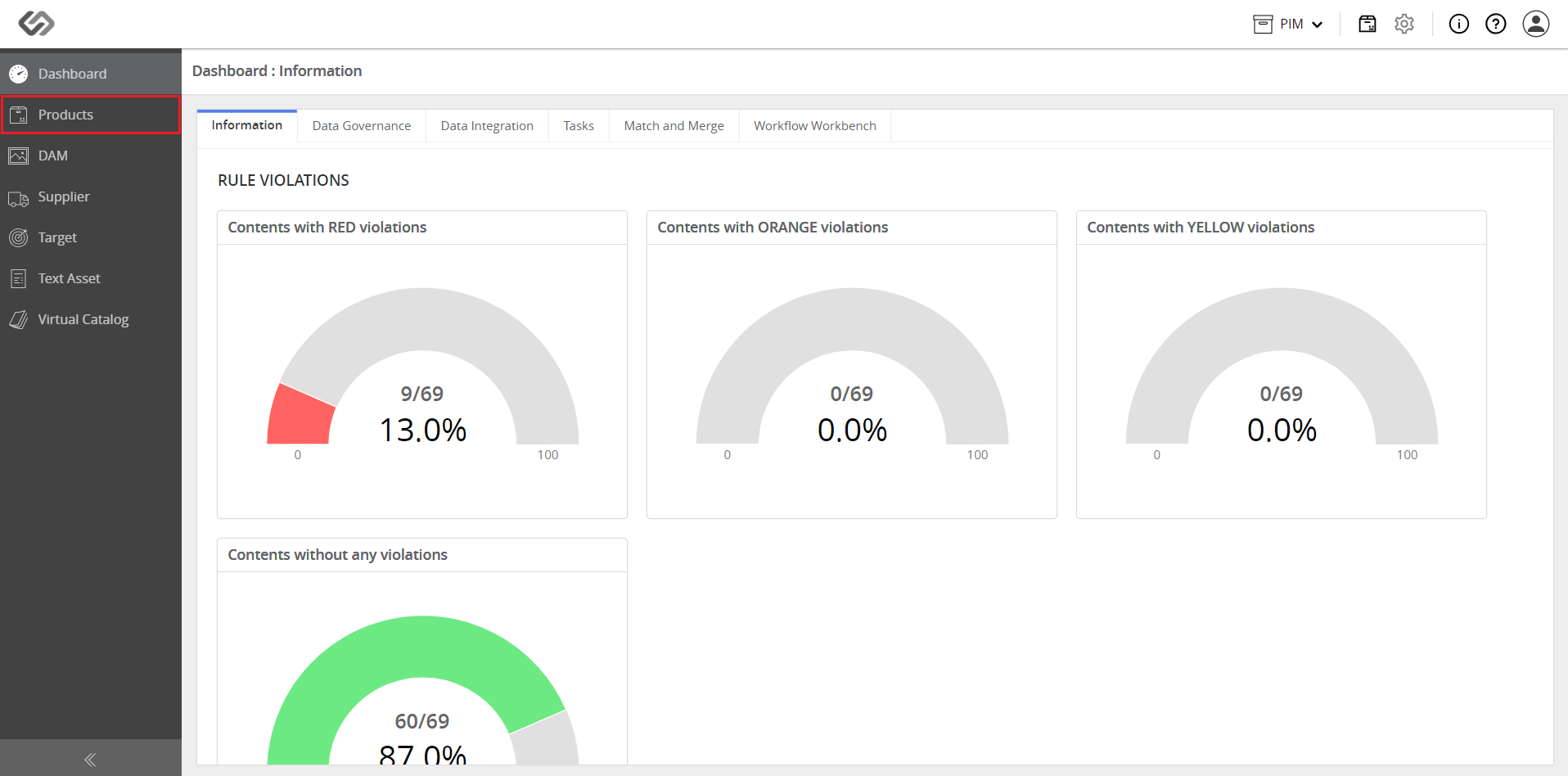
  • Log in and go to Products.
../../../../../_images/pxp_masseditbulkapply_login.PNG


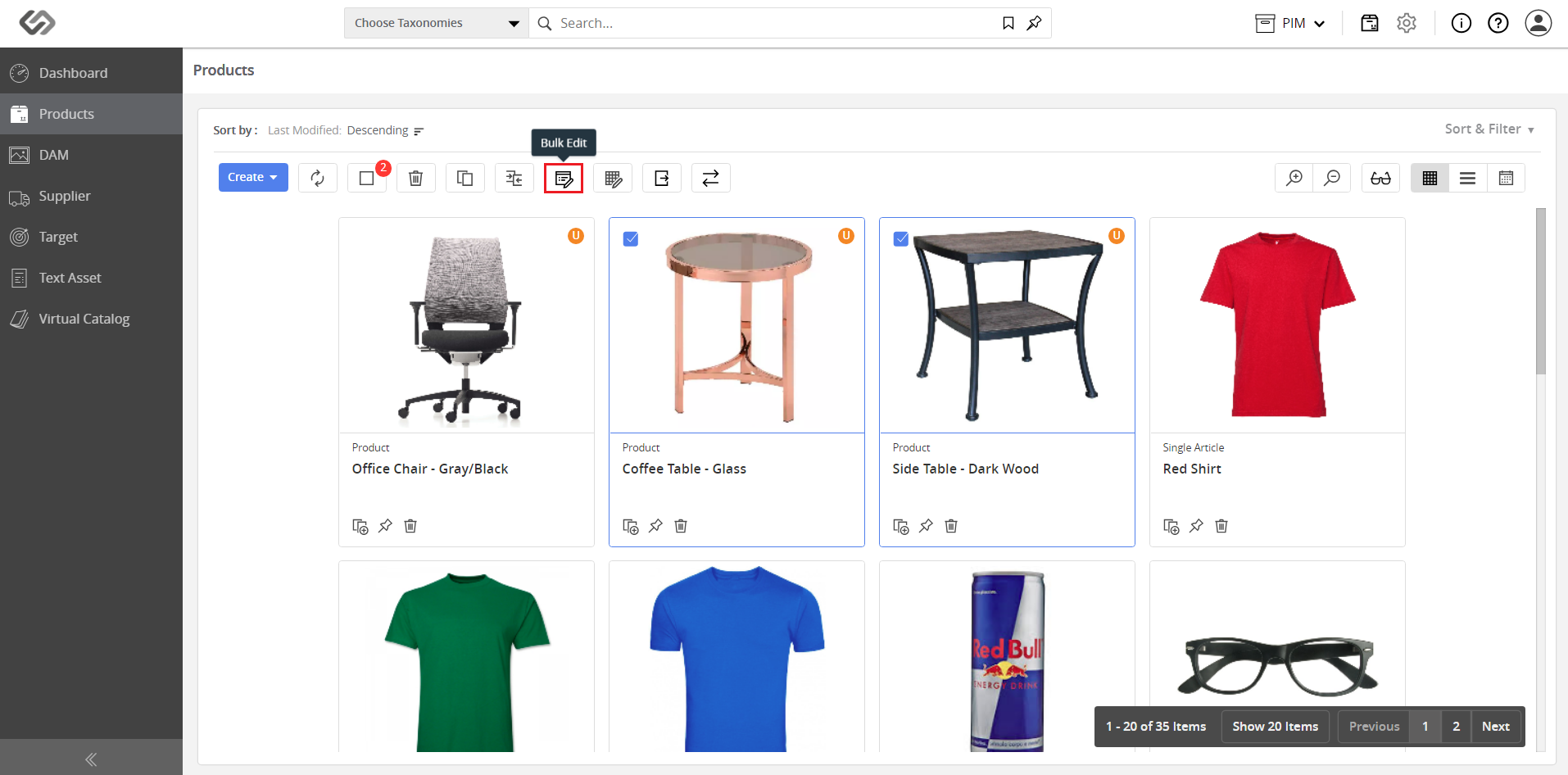
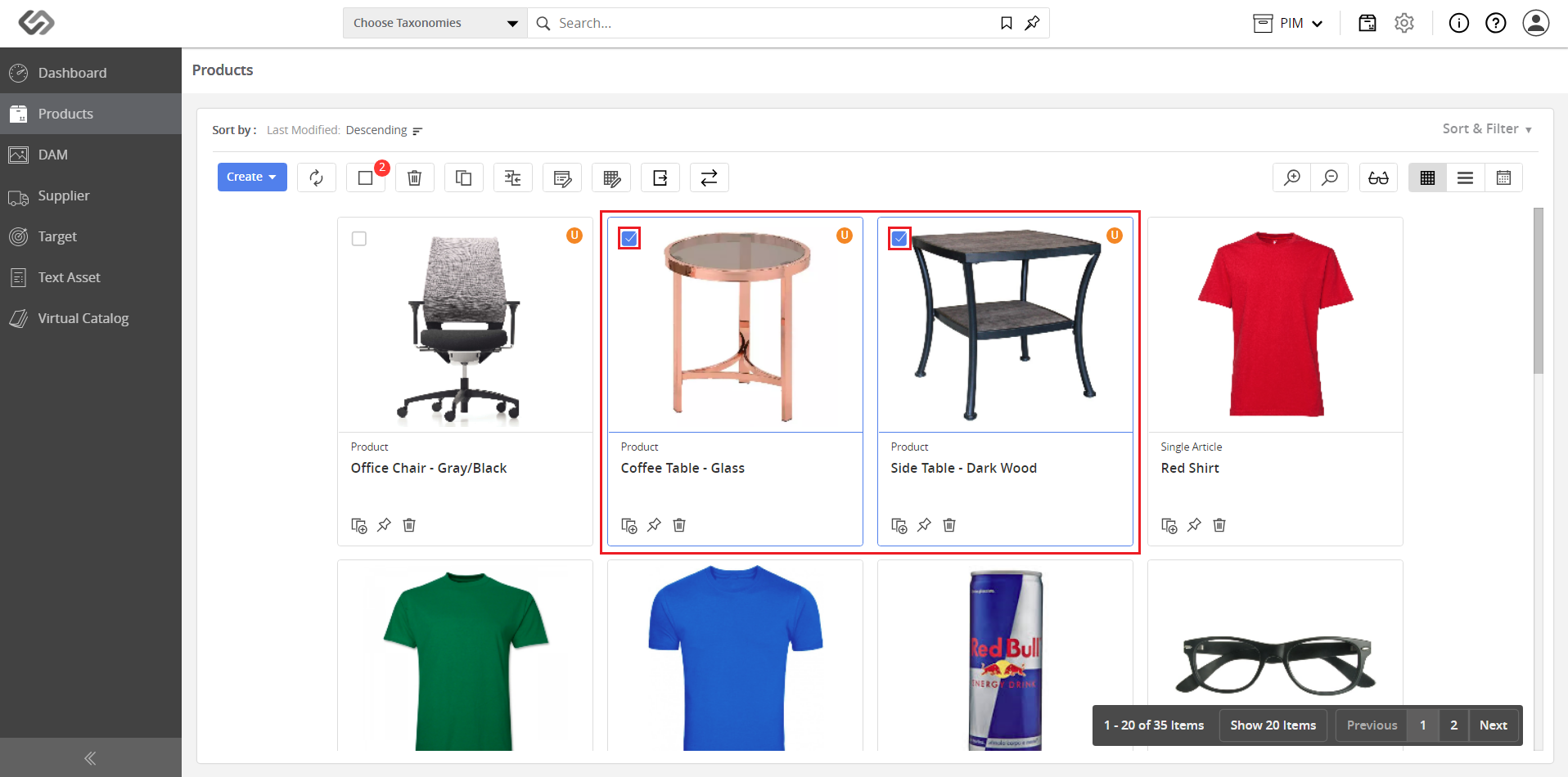
  • Select the items to be edited by clicking on the thumbnail checkbox.
../../../../../_images/pxp_masseditbulkapply_selecttheitems.PNG


  • Click on the Bulk Edit button.
../../../../../_images/pxp_masseditbulkapply_clickthebulkeditbutton.PNG


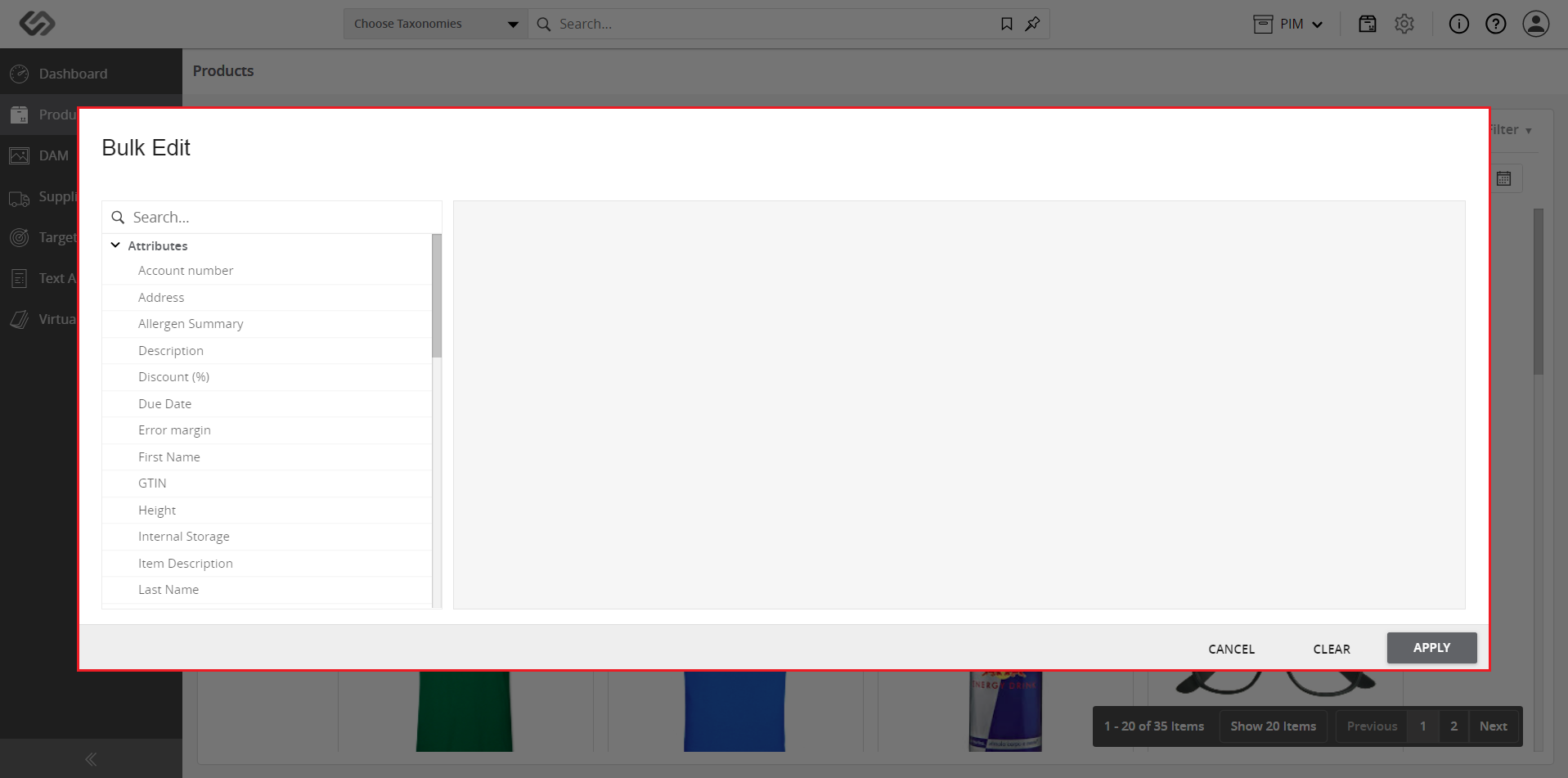
  • View the pop-up menu that will appear with a list of attributes and tags.
../../../../../_images/pxp_masseditbulkapply_viewthepopupmenu.PNG


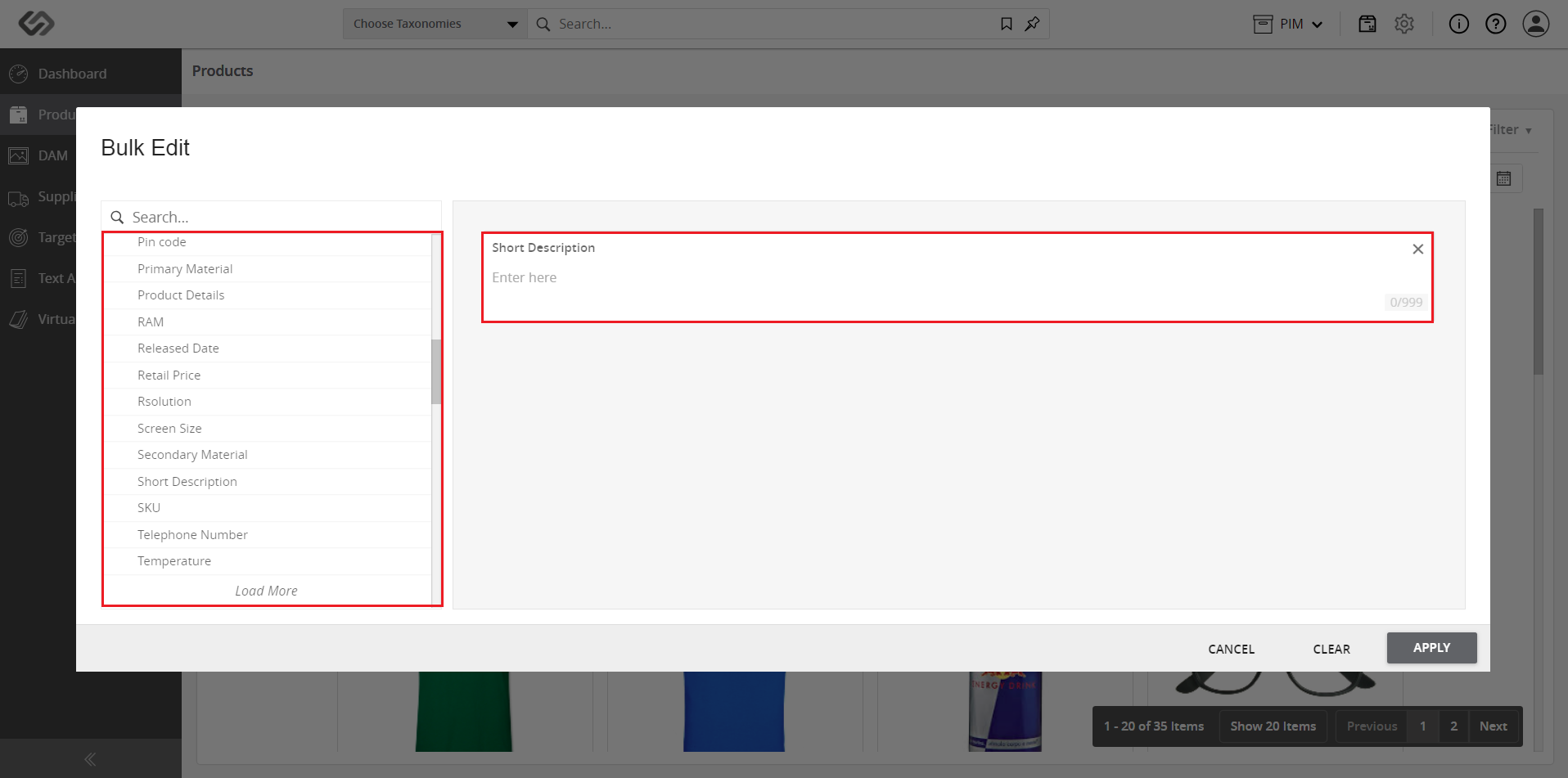
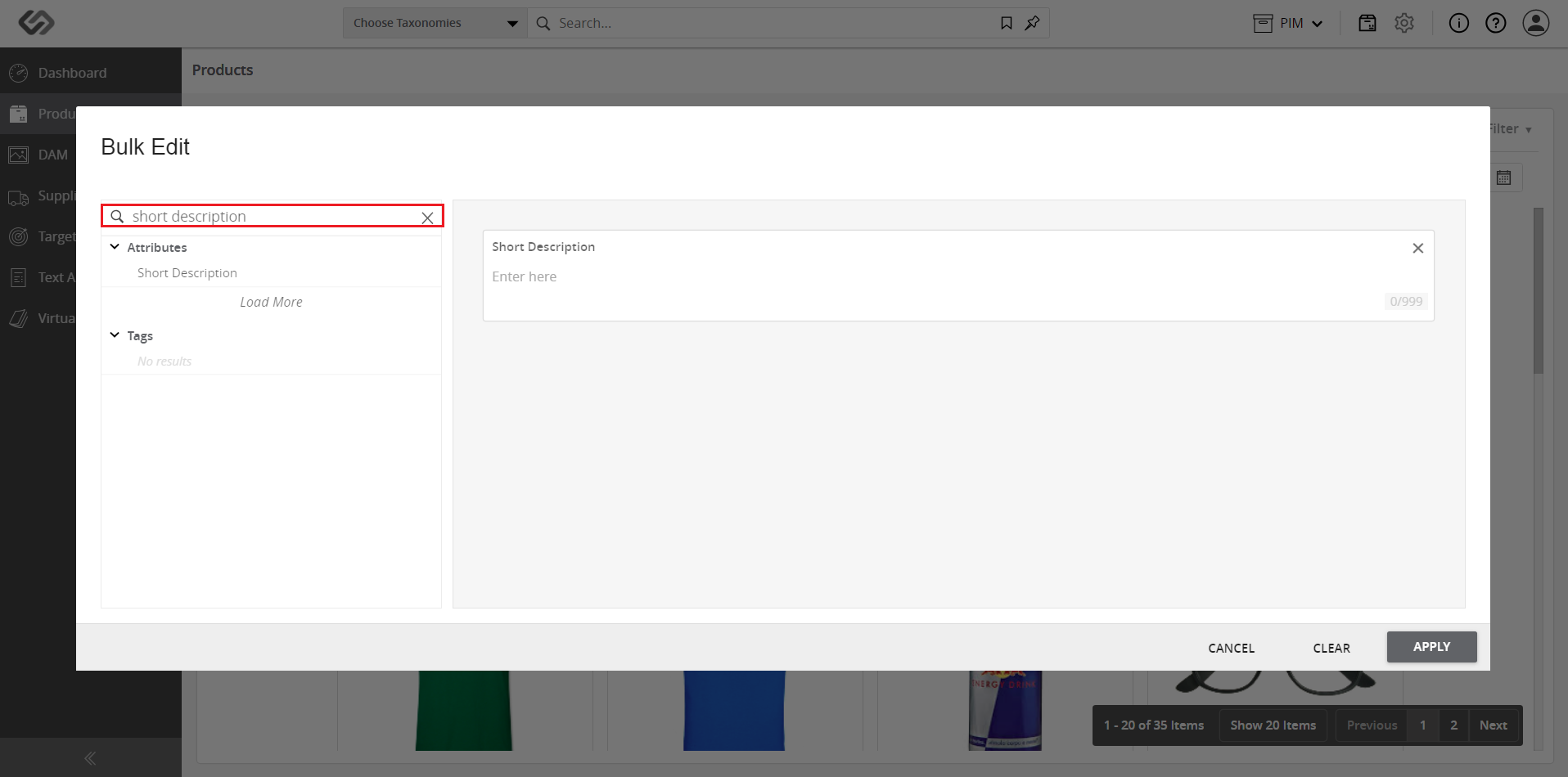
  • Either (1) select the tags/attributes from the list or (2) search for the tags/attributes in the search bar and enter the values. Refer to the images below.

    • Selecting tags/attributes from the list:
    ../../../../../_images/pxp_masseditbulkapply_selectthetags.PNG


    • Searching for tags/attributes in the search bar:
    ../../../../../_images/pxp_masseditbulkapply_searchthetags.PNG


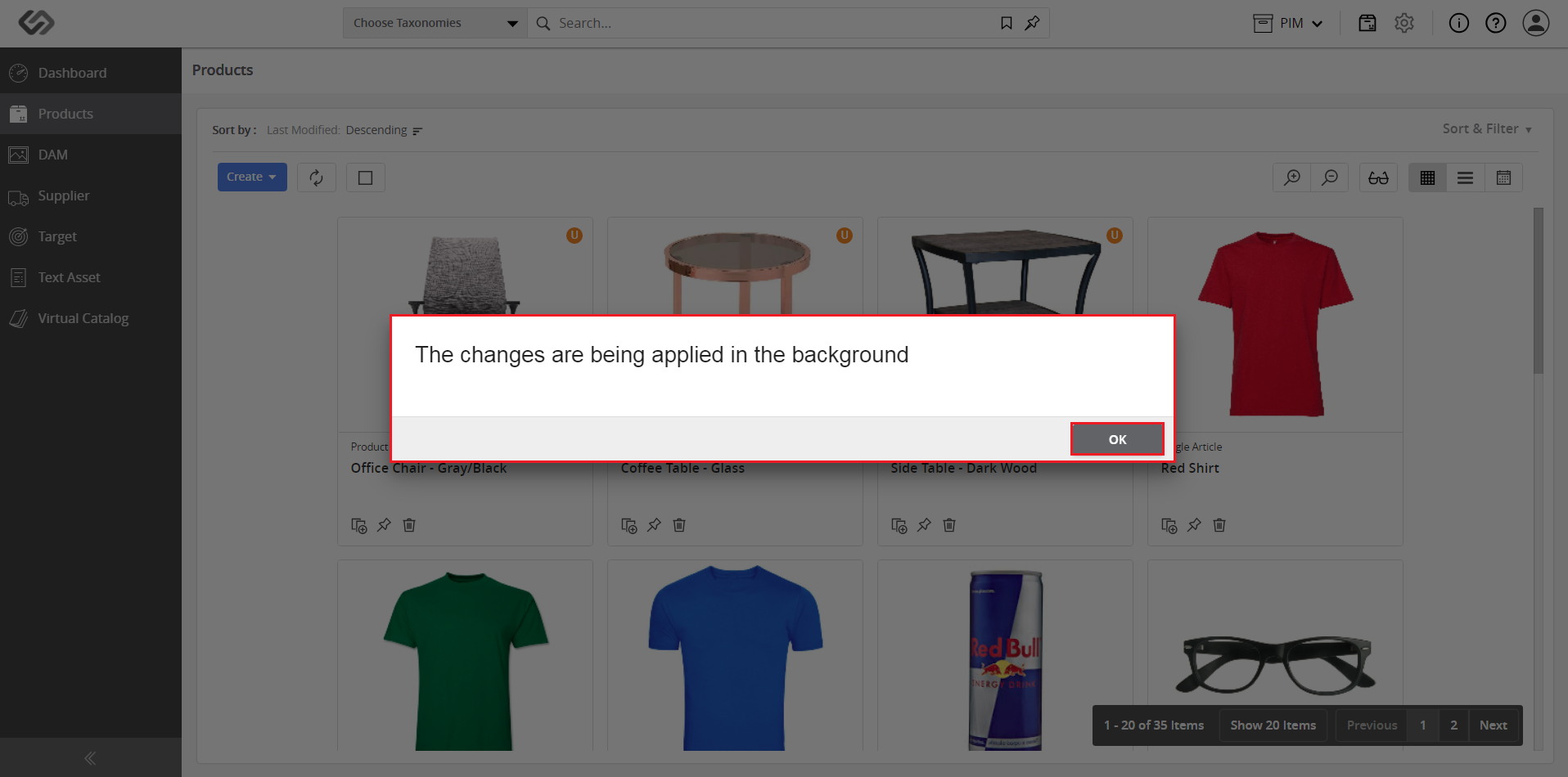
  • Edit the tag/attribute then click on the Apply button to do the bulk edit for the selected products.
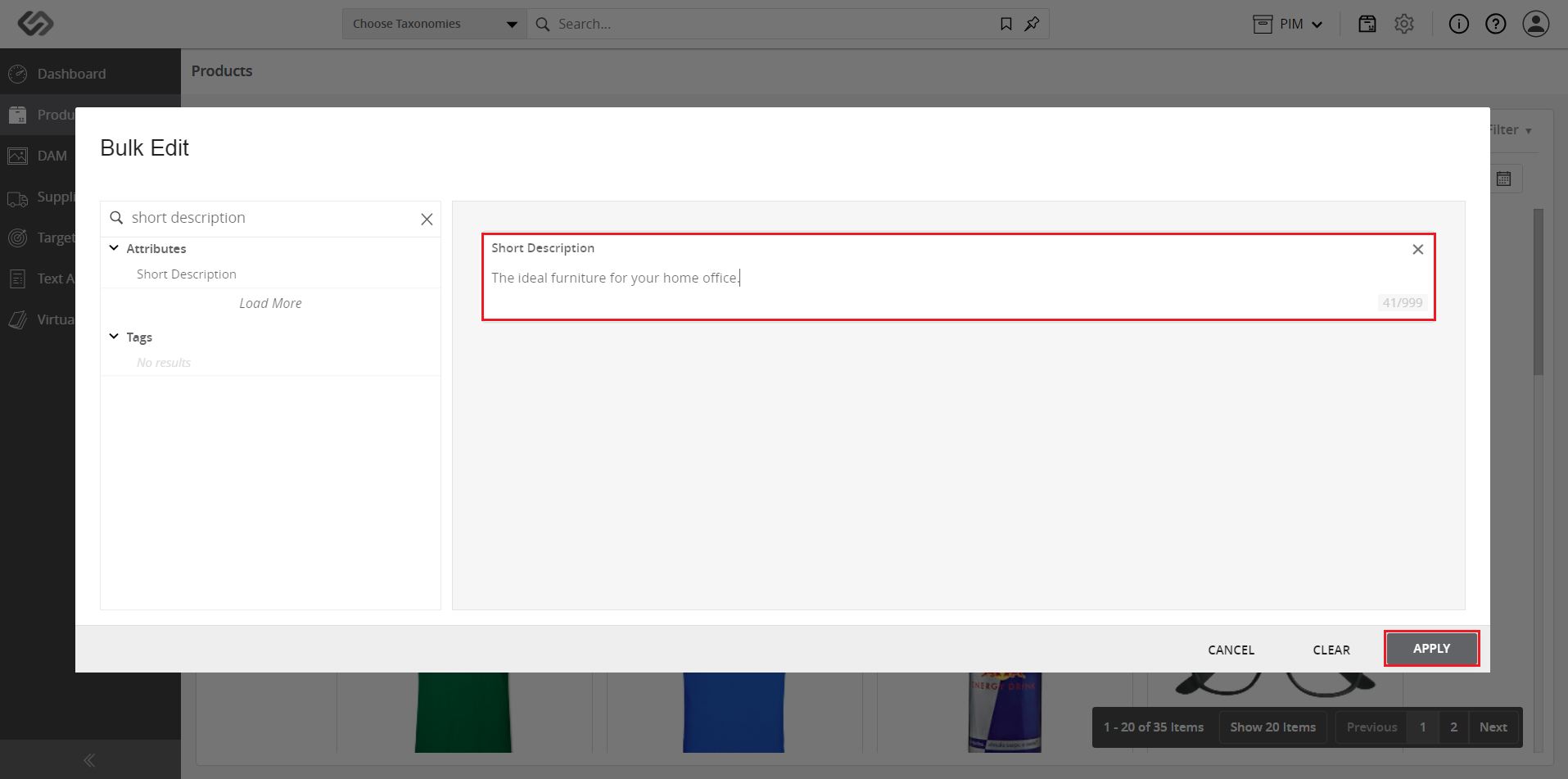
../../../../../_images/pxp_masseditbulkapply_clickontheapply.PNG

../../../../../_images/pxp_masseditbulkapply_clickontheapply2.PNG


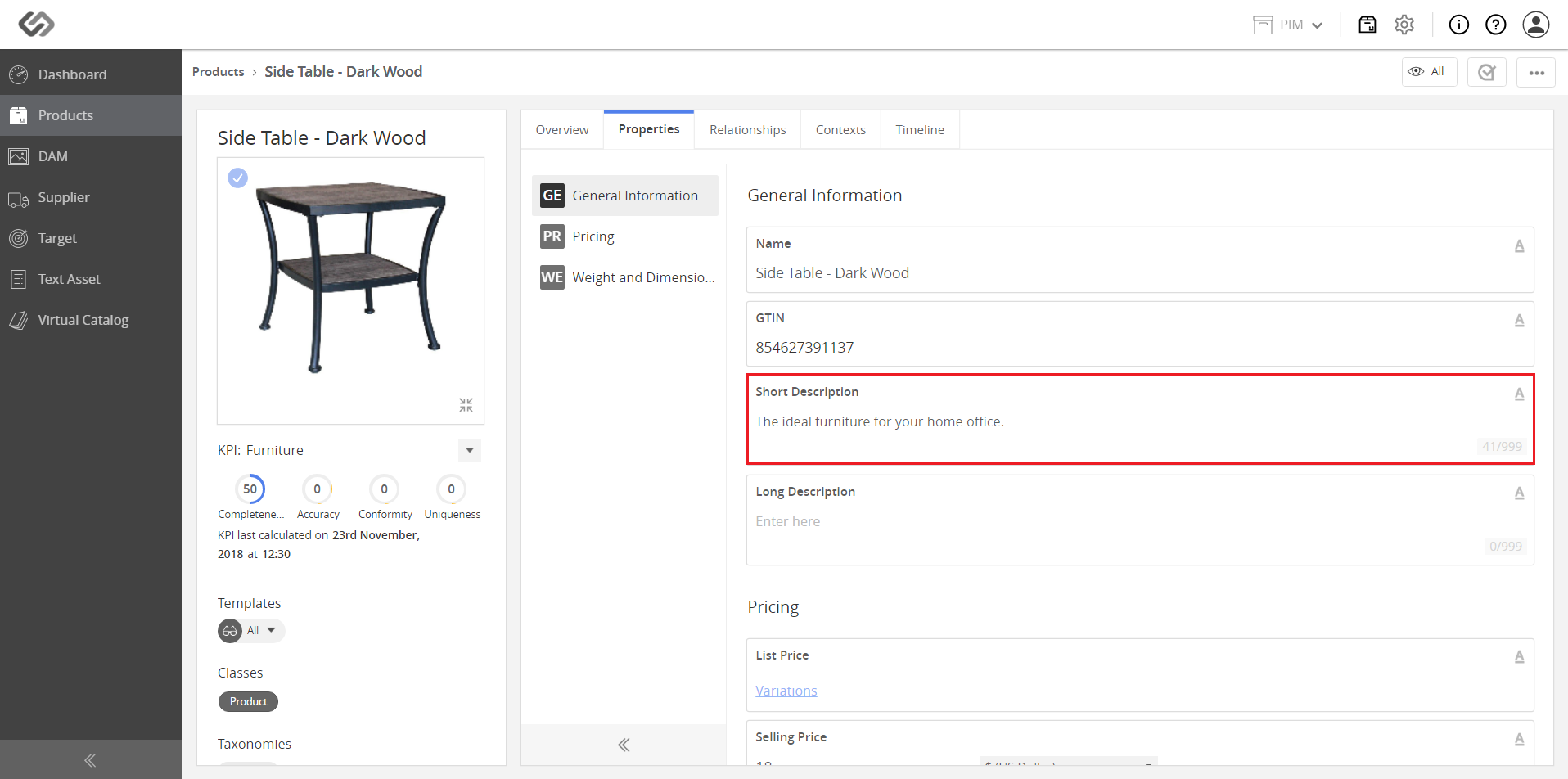
  • View the applied changes of the bulk edit.
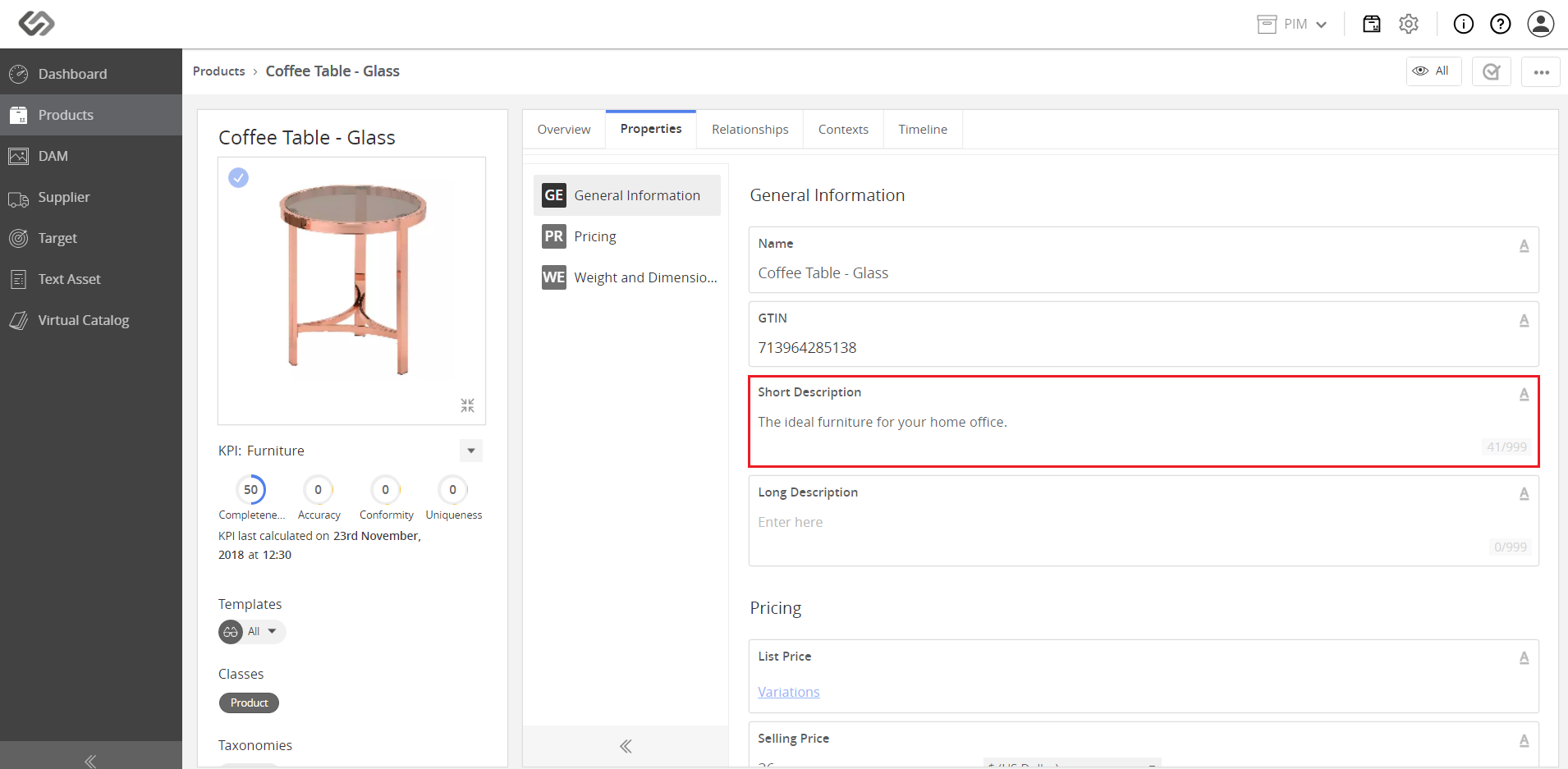
../../../../../_images/pxp_masseditbulkapply_viewtheappliedchange.PNG


../../../../../_images/pxp_masseditbulkapply_viewtheappliedchange2.PNG


Contentserv line