Creating a Complete Clone

Creating a Complete Clone is a feature that allows users to create complete clones or duplicates of the product. In a complete clone, all the values of the original product are cloned into the clone product.

Key Term:
  • Attribute: a data field which describes a product, can also use property.
Description:
  • Create an identical twin of a product by completely cloning it.
  • All attributes and tag values of the parent product are copied to the clone.
  • A complete cloned product even has the relationship of the parent product.
Related topics:
Application:
  • Instantly create a duplicate or copy of a product.

  • Save time and effort in adding the same values for a duplicate of the product.

  • Example:

    Suppose we have two watches with the only difference being the color of their dial. Watch 1 has a red dial and Watch 2 has a black dial. So instead of individually creating a product for both items, we create Watch 1 and completely clone it. We simply change the dial color attribute and image for the clone and we have Watch 2.

How-to: Creating a Complete Clone

This How To guide provides instructions on how to create a complete clone. To do this, follow these steps:


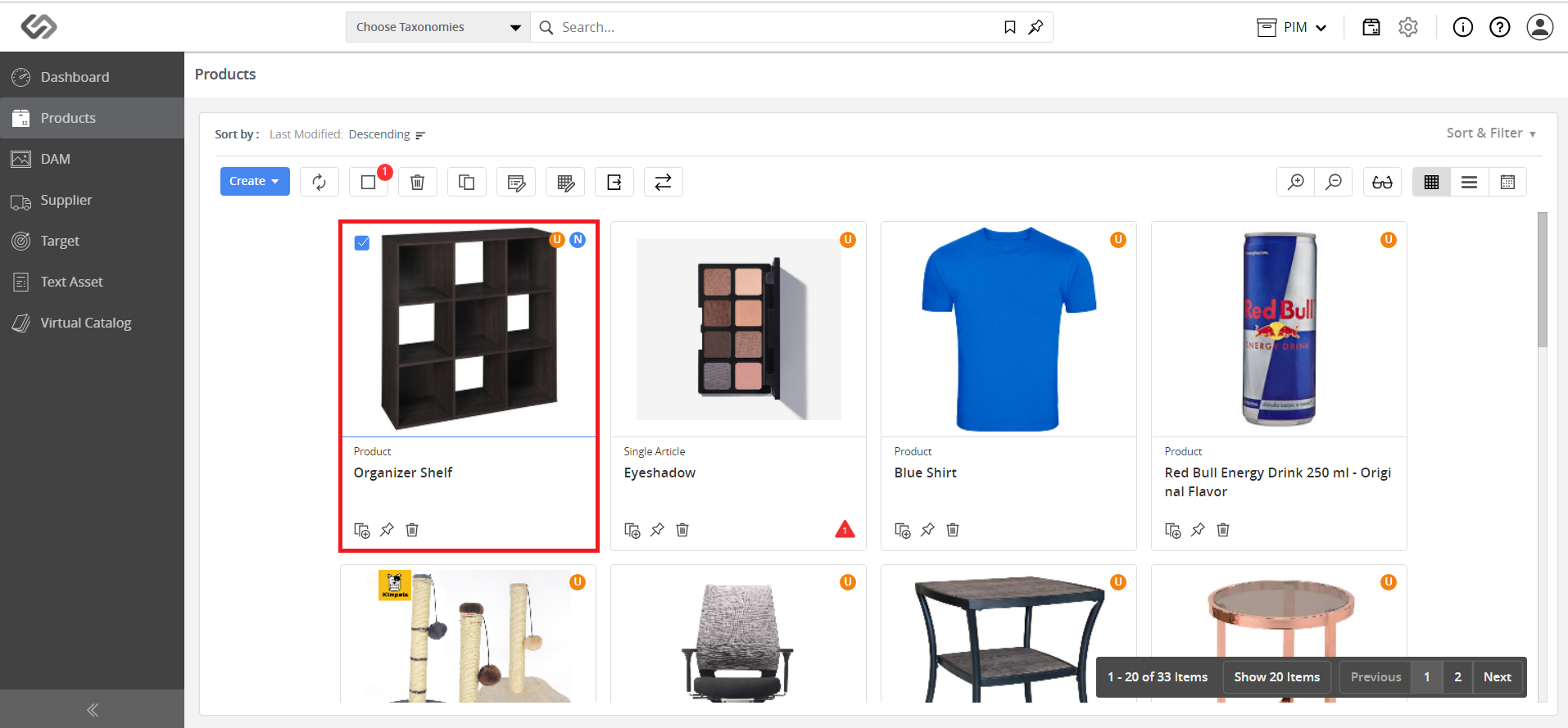
  • Go to Products.
../../../../../_images/pxp_completeclone_gotoproducts.PNG


  • Select the product to clone.
../../../../../_images/pxp_completeclone_selectproduct.PNG


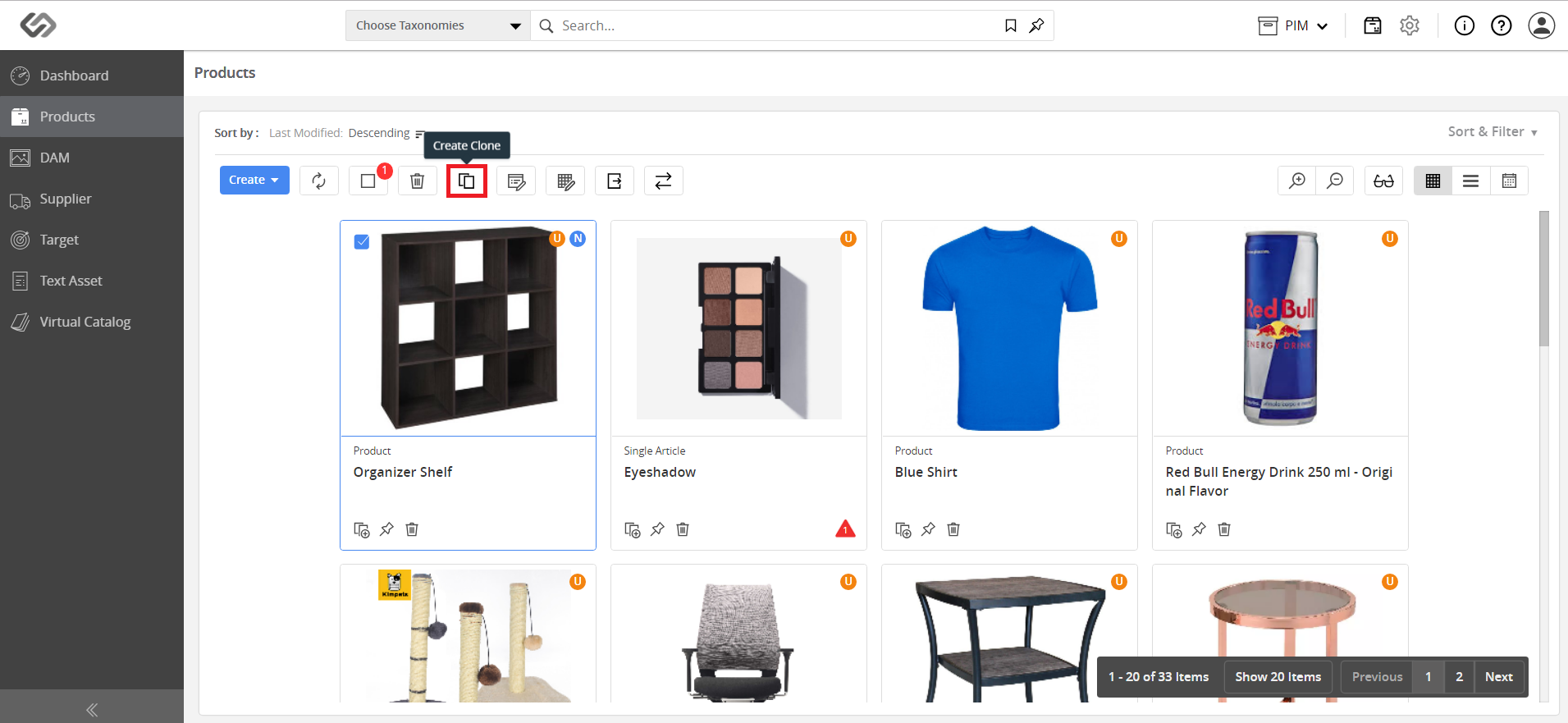
  • Then, click on the Create Clone icon.
../../../../../_images/pxp_completeclone_clickcreateclone.PNG


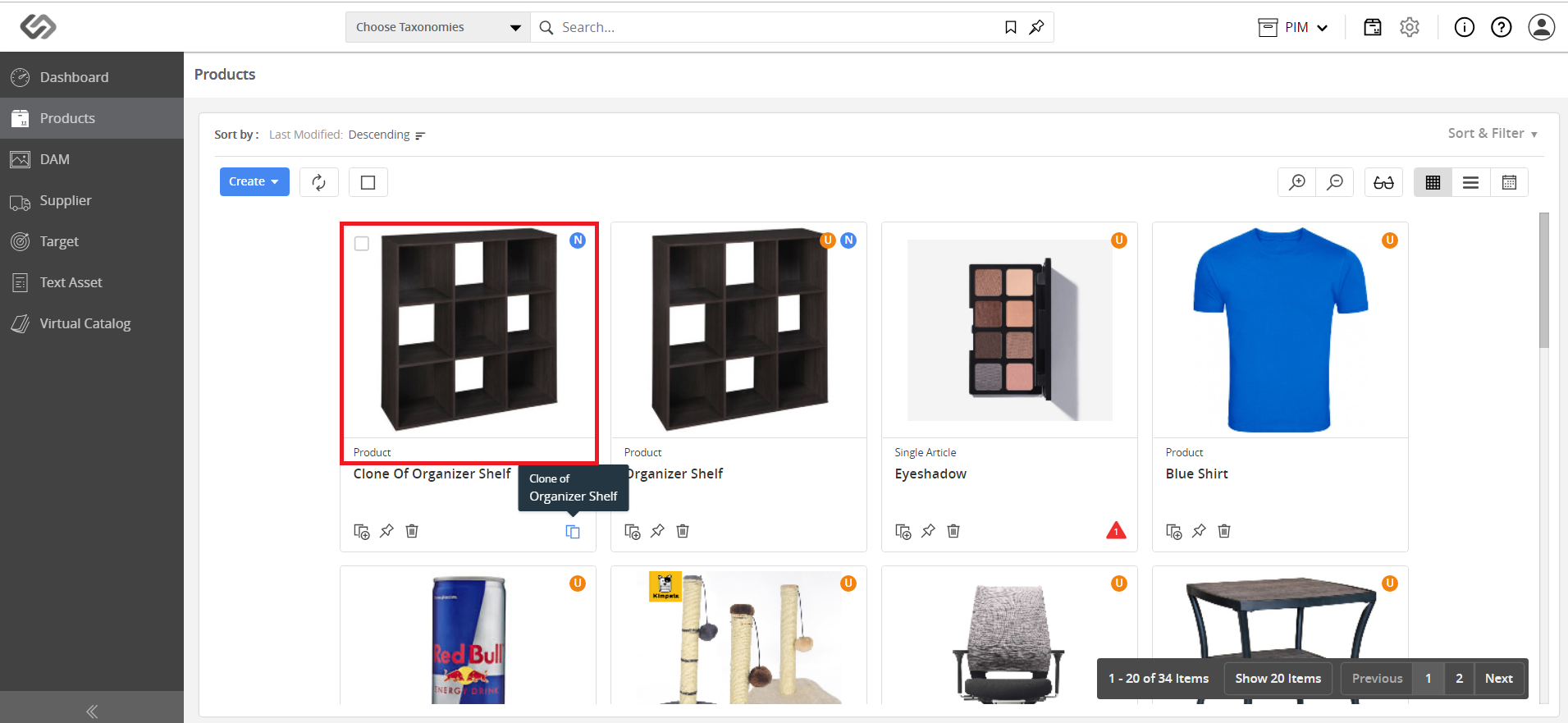
  • A duplicate product having exactly the same properties is created.
../../../../../_images/pxp_completeclone_duplicateproduct.PNG


Contentserv line