Export Attributes

The Export Attributes is a feature that allows exporting of attribute definitions and data so that they can be viewed and checked offline.

Key Term:
  • Attribute: a data field which describes a product, can also use property.
Description:
  • This feature allows a user to export all attributes in one click.
Related topics:
Application:
  • The Export feature will allow a user to export a list of attributes in one click. The exported list will be contained in a document that can be sent and used by other users (like Suppliers or Partners).

  • Example:

    Supplier A has Products X, Y, and Z with 25 attributes each. Supplier A requests to check particular attributes used on these products. The admin can export all the attribute data from the system and will forward the exported list to Supplier A.

How-to: Export Attributes

To export attributes, follow the steps provided below:


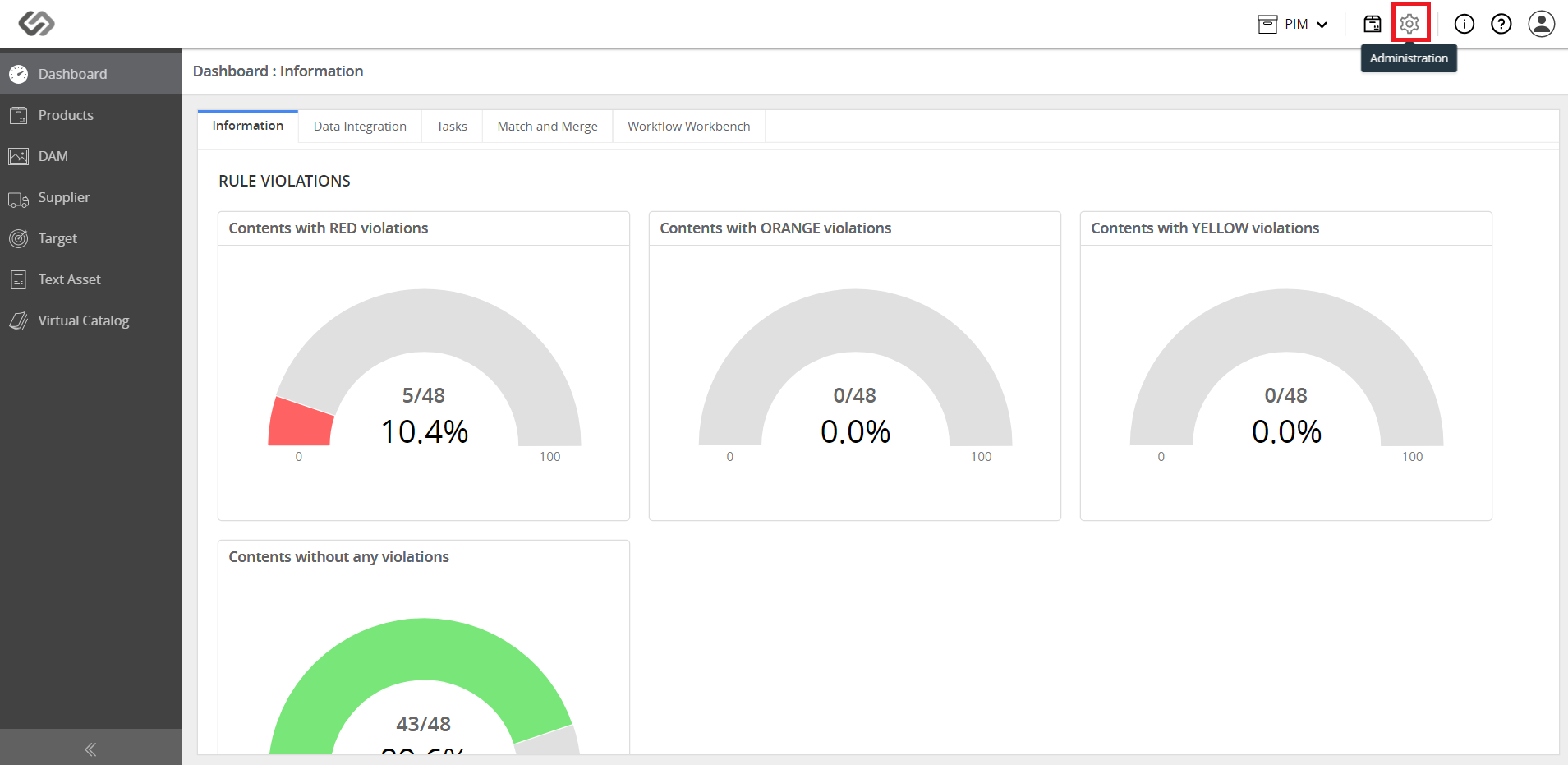
  • Log in and click on the Administration button.
../../../../../_images/pxp_importexportdatamodelattributes_login.PNG


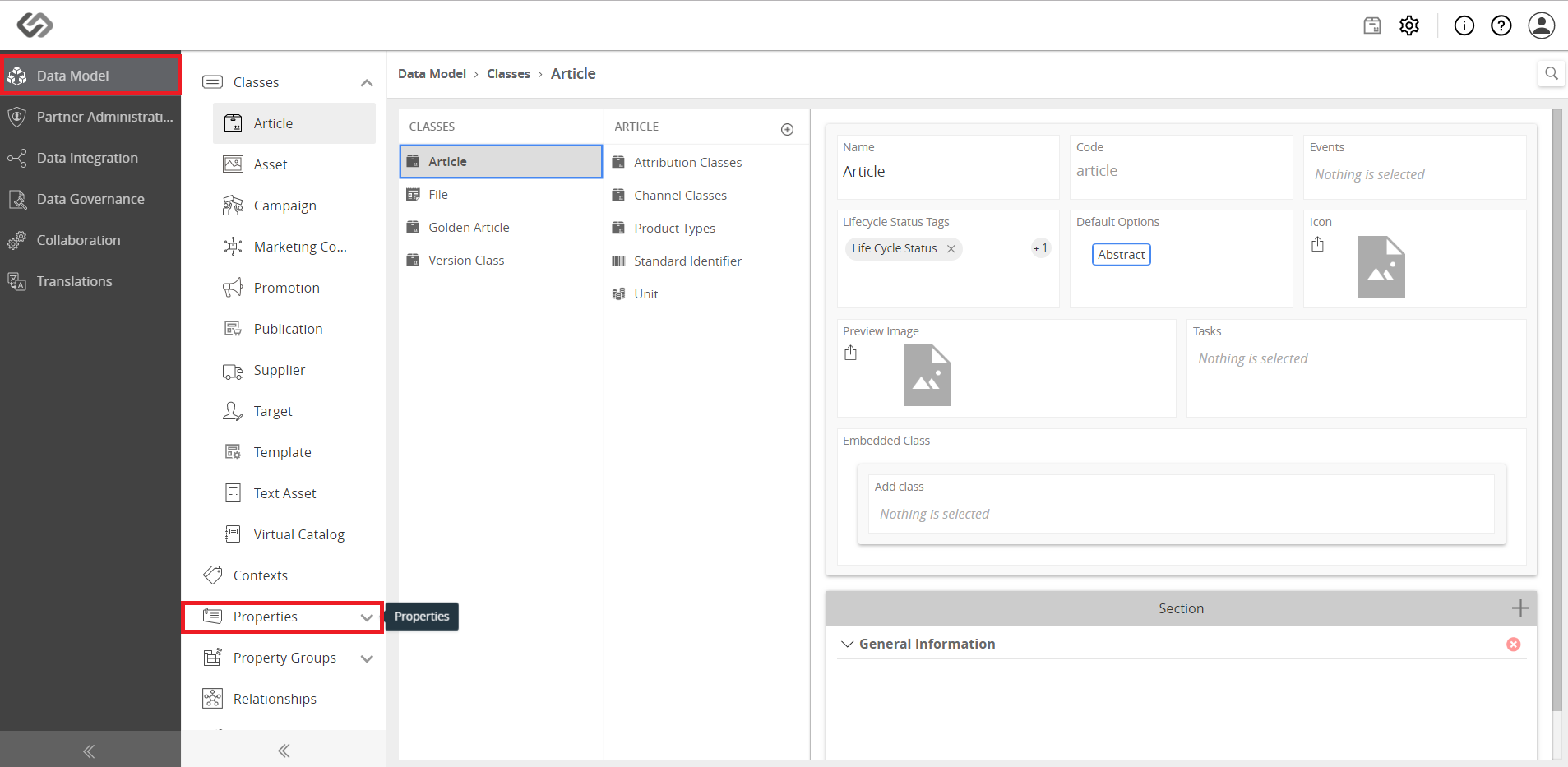
  • Go to the Data Model section and go to Properties.
../../../../../_images/pxp_importexportdatamodelattributes_clickondatamodel.PNG


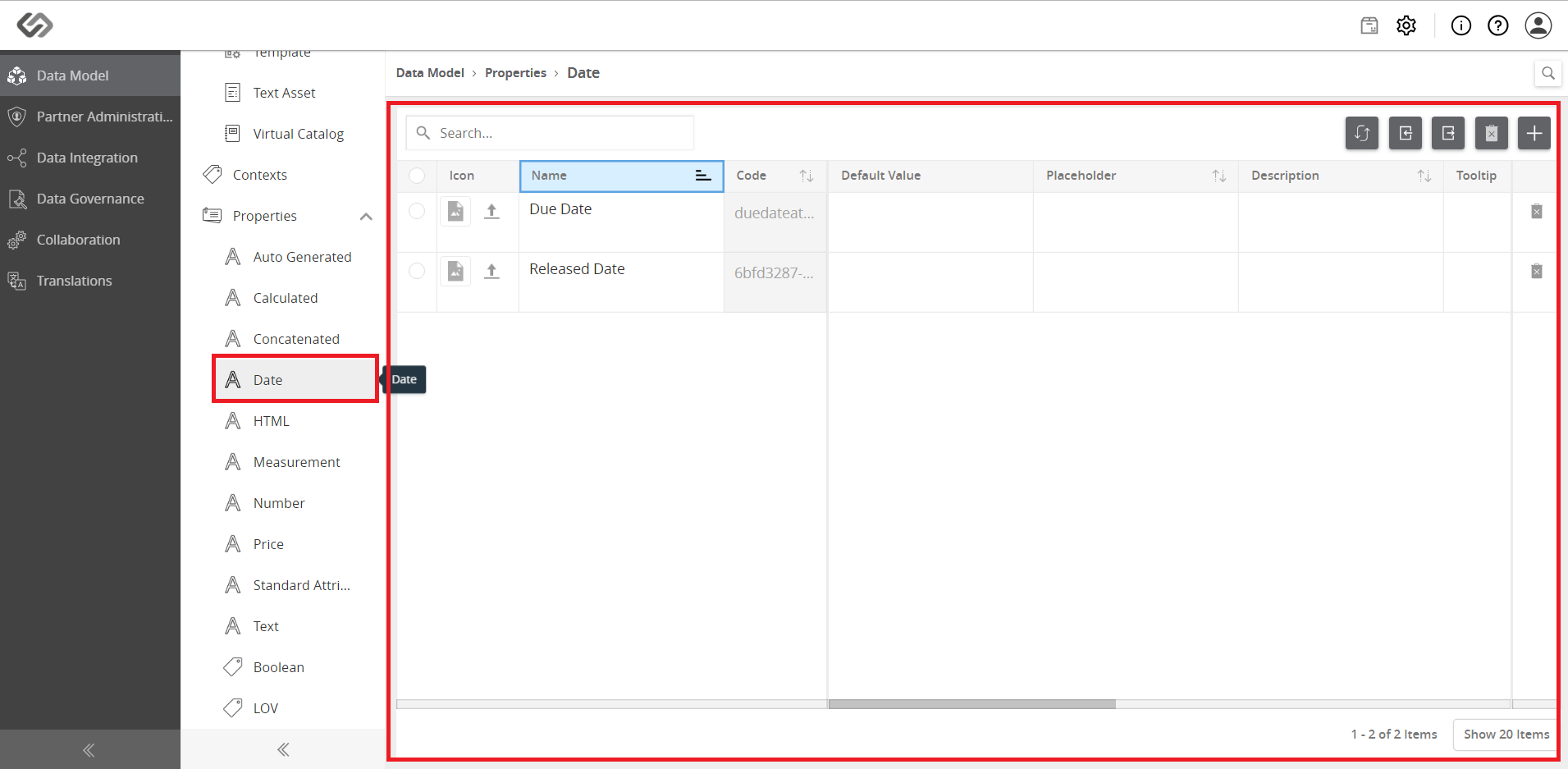
  • Go to any attribute type (i.e. Date).
../../../../../_images/pxp_importexportdatamodelattributes_selectanattribute.PNG


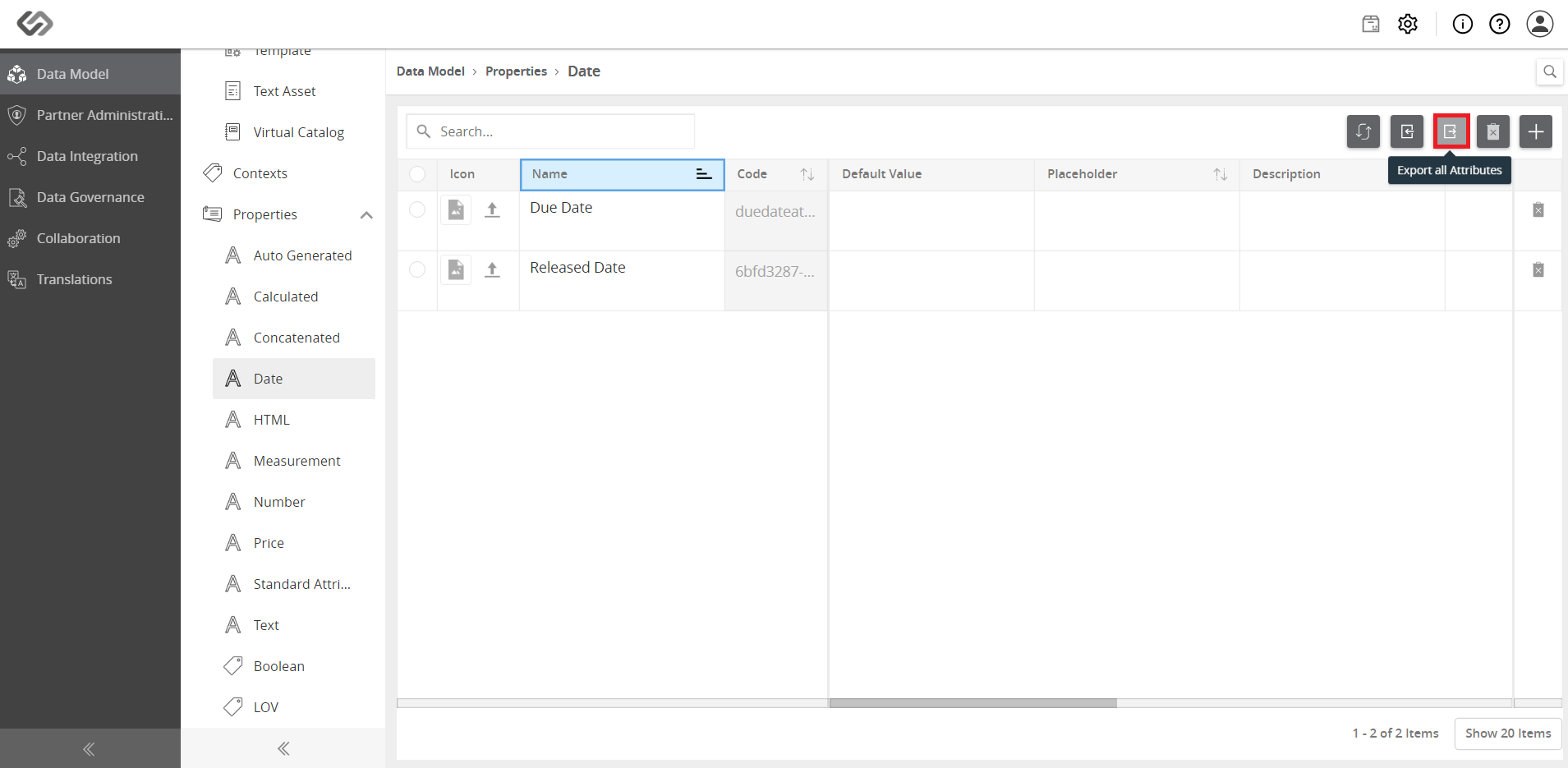
  • Click on the Export all Attributes button. This will export all the attributes that are in the system.
../../../../../_images/pxp_importexportdatamodelattributes_clickonexportallattributes.PNG


  • Wait for the export of the attributes to be completed.
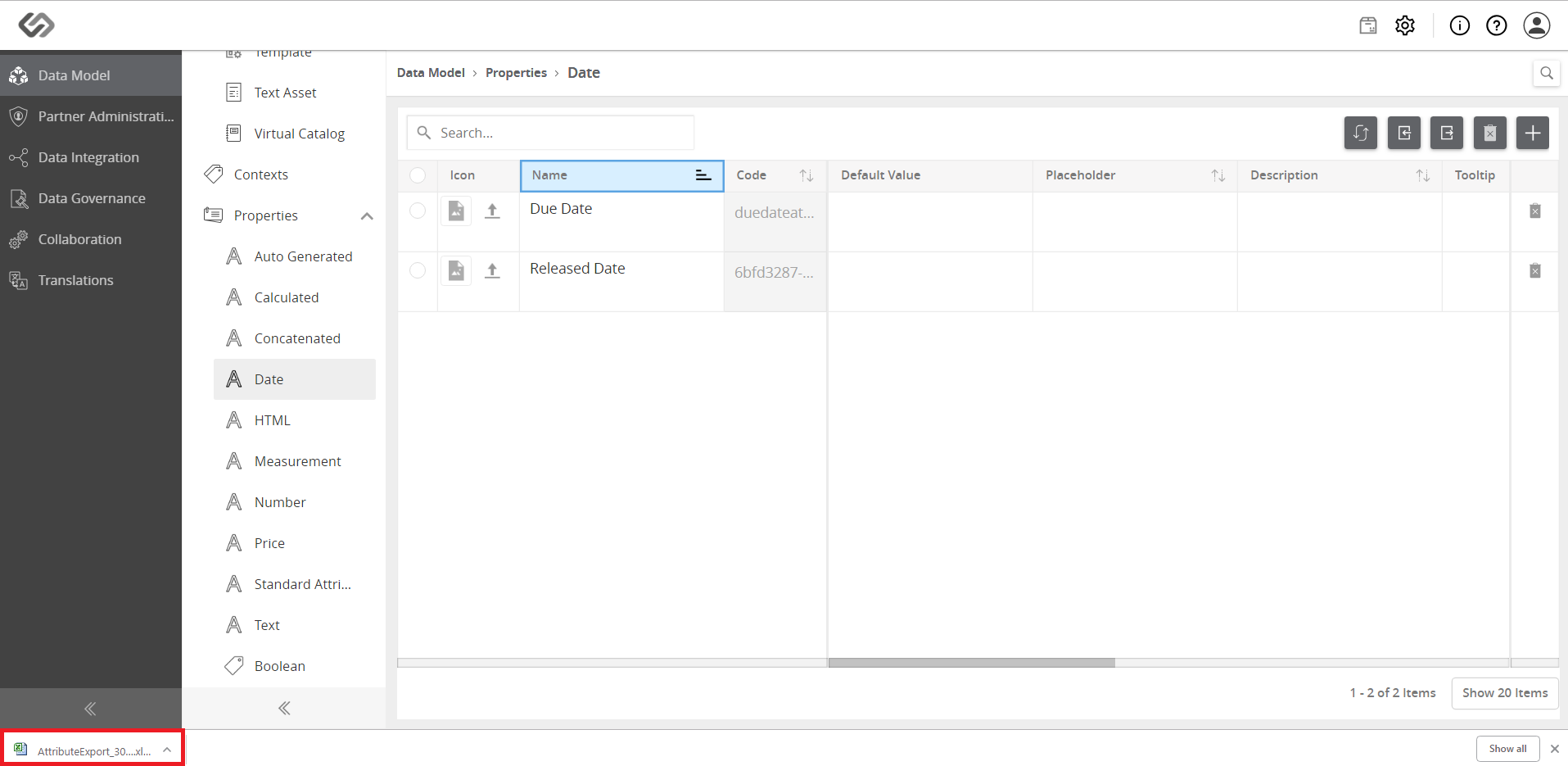
../../../../../_images/pxp_importexportdatamodelattributes_waitforthedownloadtocomplete.PNG


  • Once downloaded, access the file and view the attribute data.
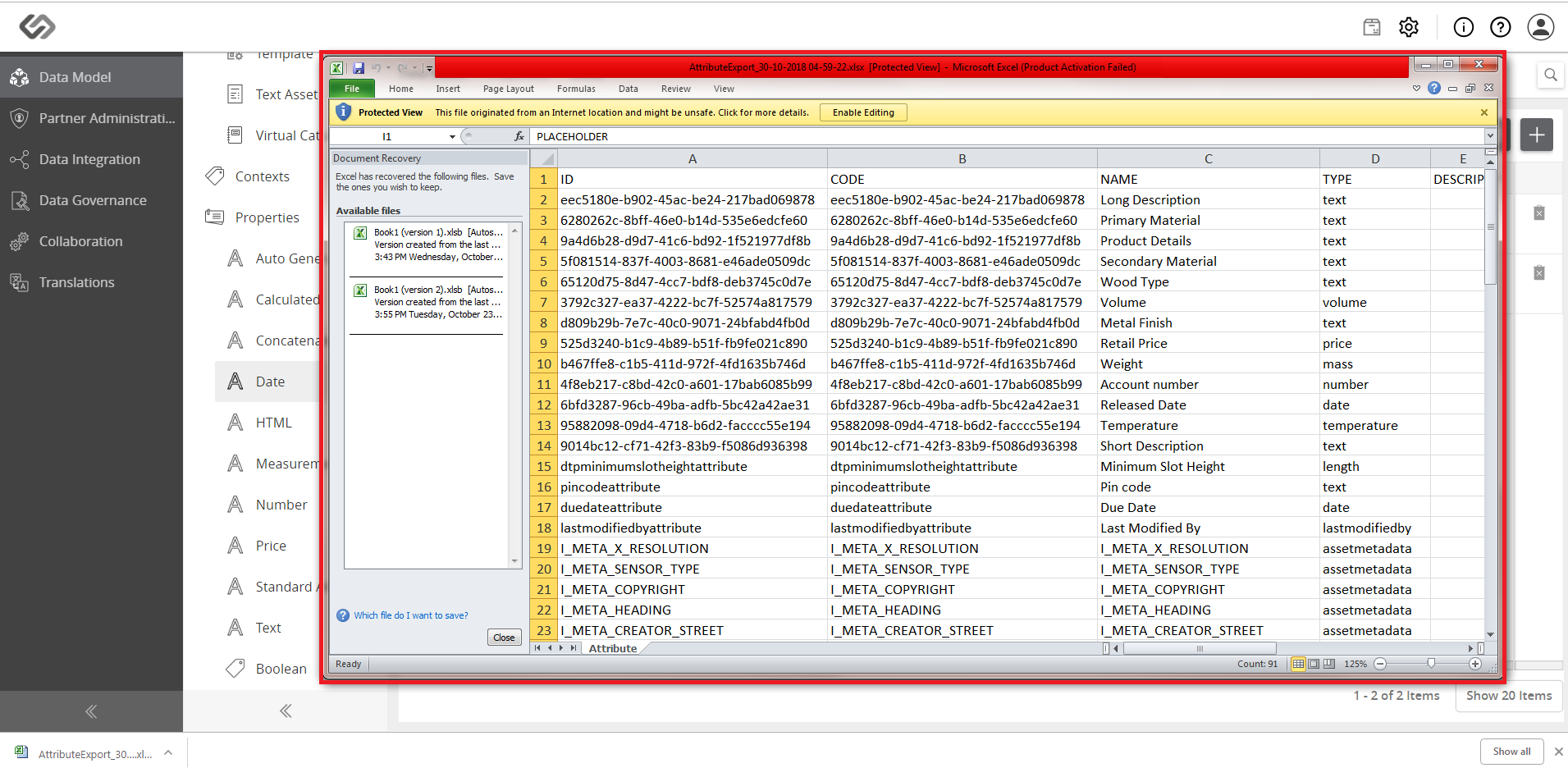
../../../../../_images/pxp_importexportdatamodelattributes_oncecompletedaccessthefile.PNG


Contentserv line