Extended Asset Import
You can use this component when you create a separate sheet of non-nature asset classes in an onboarding file. This sheet will contain the details of only non-nature asset classes. ExtendedAsset Import component is used to import the non-nature asset classes defined in a separate sheet of an onboarding file.
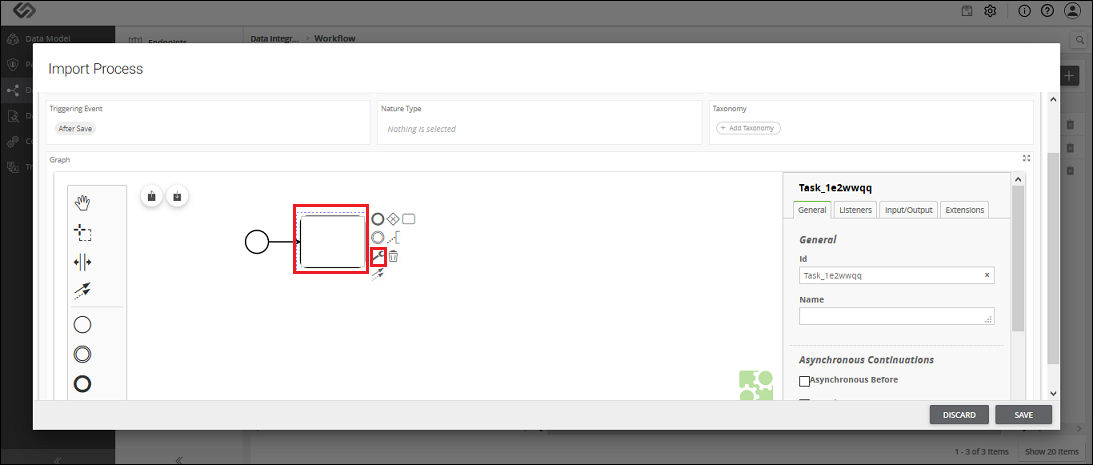
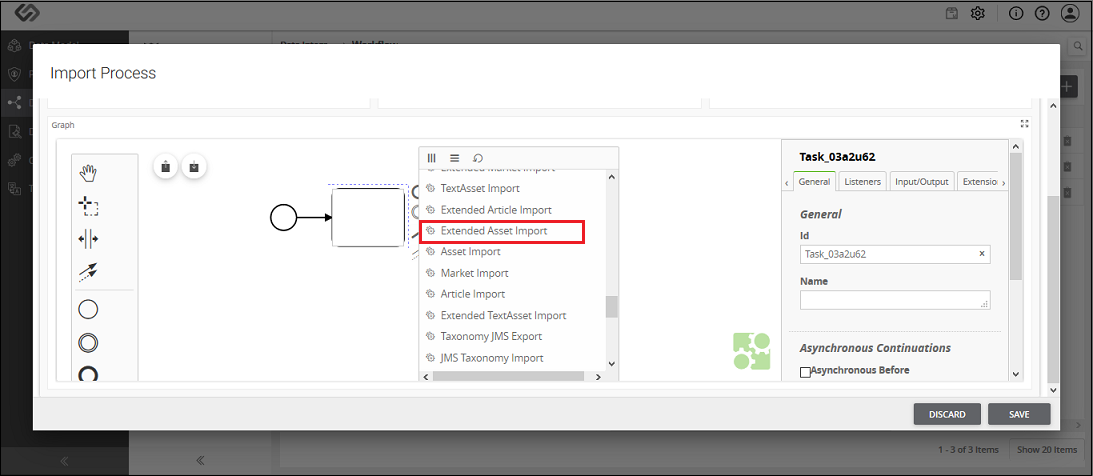
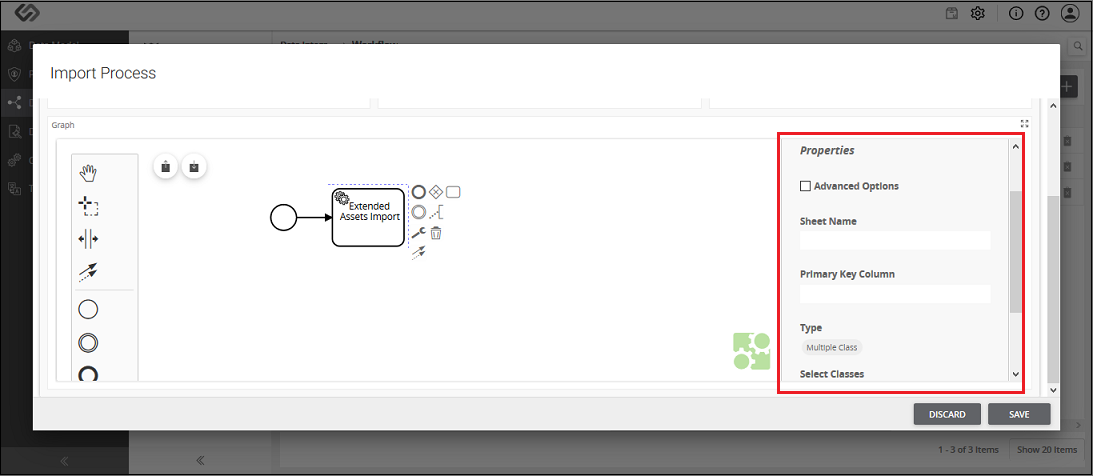
ExtendedAsset Import – Property Configuration
| Sr. No. | Screen Element | Description |
|---|---|---|
| Sheet Name | The onboarding file is the Excel file. Excel file may contain different sheets in it. Here, we need to mention the sheet name which contains the extended assets details. This sheet will contain all non-nature asset classes. | |
| Primary Key Column | All the extended assets in an onboarding file have unique identification or IDs. Here, in Primary Key Column, we need to define the column name of a sheet which contains the unique IDs of the extended assets. So, a system will fetch all the IDs of the extended assets from the defined column of the sheet. | |
| Type | Here we need to select one of the following options:
|
|
| Column Name/Select Classes | The value of this field is based on the selection of Type field.
|
|
| Taxonomies | Here we need to enter the column name of the sheet of an onboarding file which contains the taxonomy details. |
