Add JMS Consumer Component
To add a JMS Consumer Component, follow the steps below:
- Start adding the notations to define the JMS integration import workflow. The JMS Consumer component is used to establish the connection between PXP system and the messaging server. To add the JMS Consumer component, select the Start Event notation and click on the Task notation.
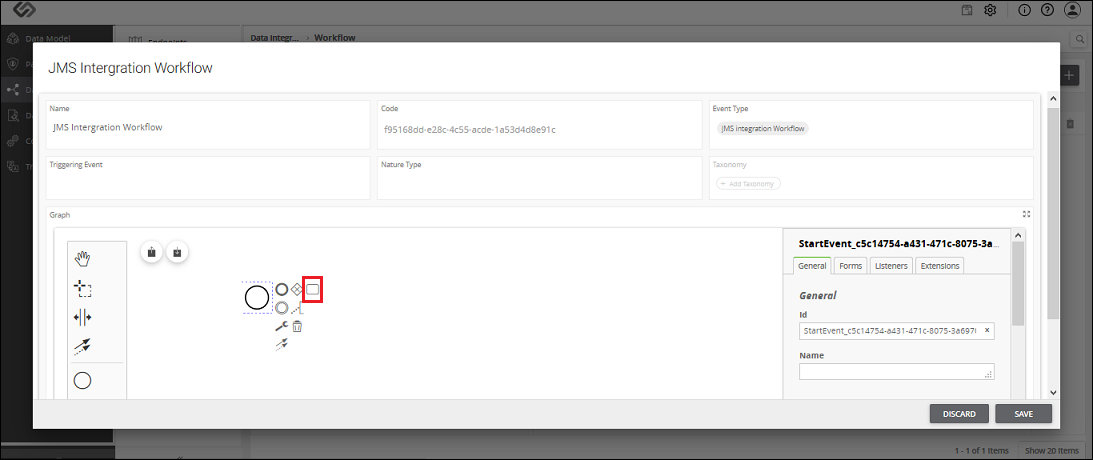
- Once you click on the Task notation, it gets added in the flow.
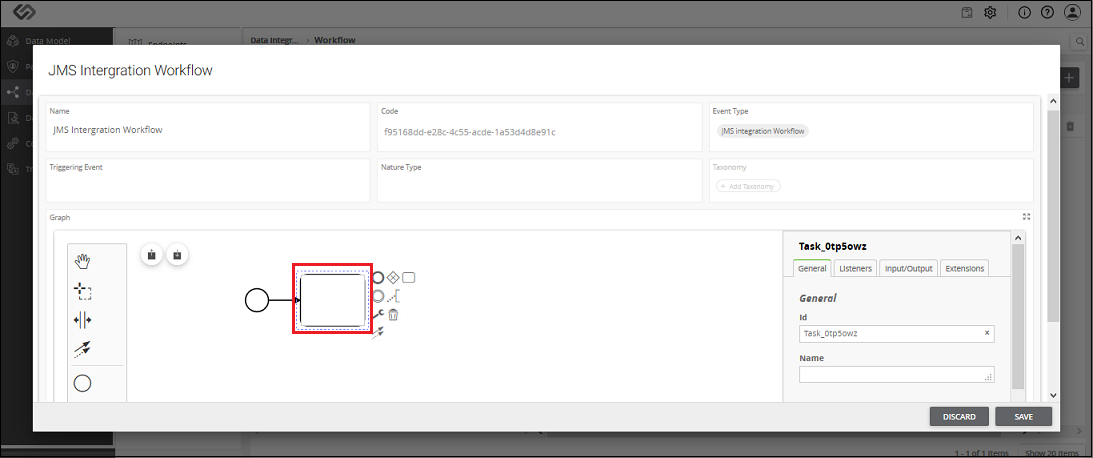
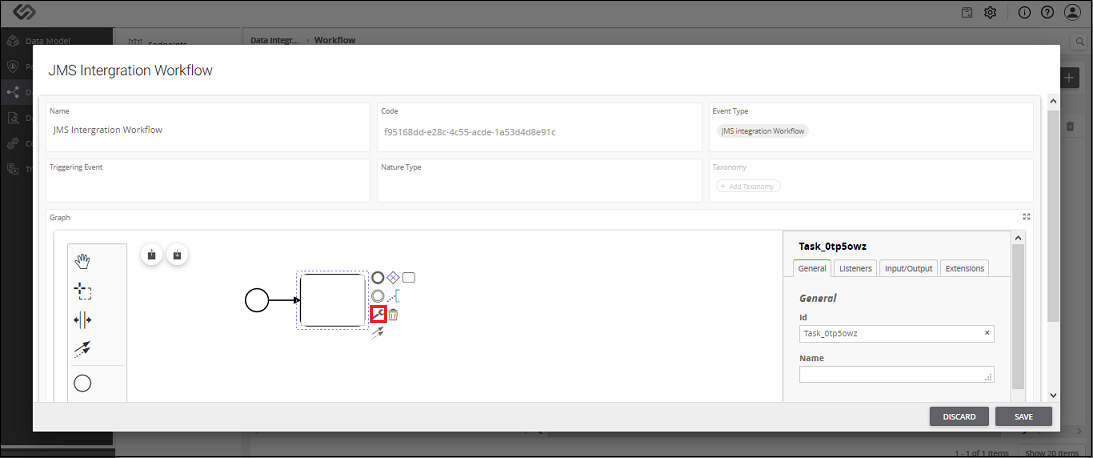
- Adding the Task notation simply defines the task. Click on the Change type icon to define what kind of a component it is.
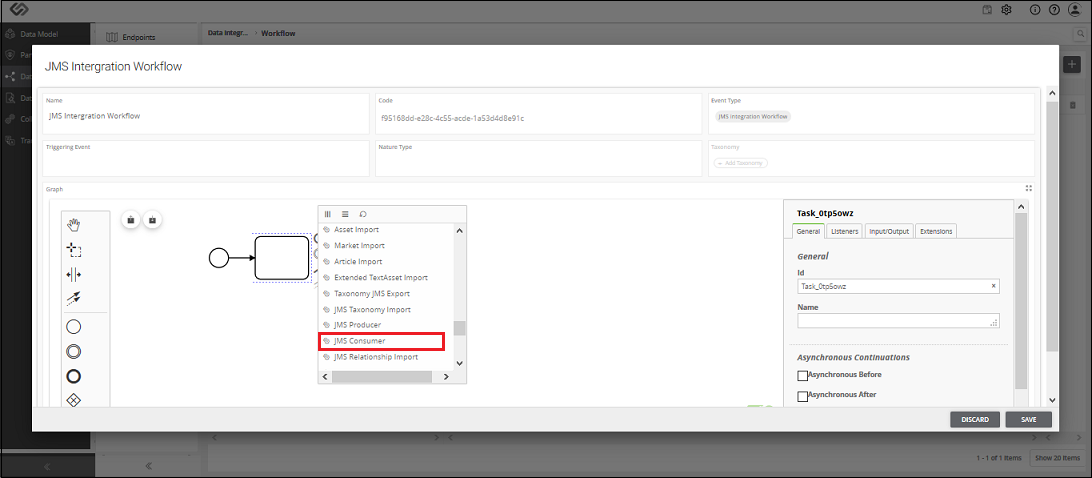
- As soon as you click on the Change type icon, a pop-up window appears containing the types of components.
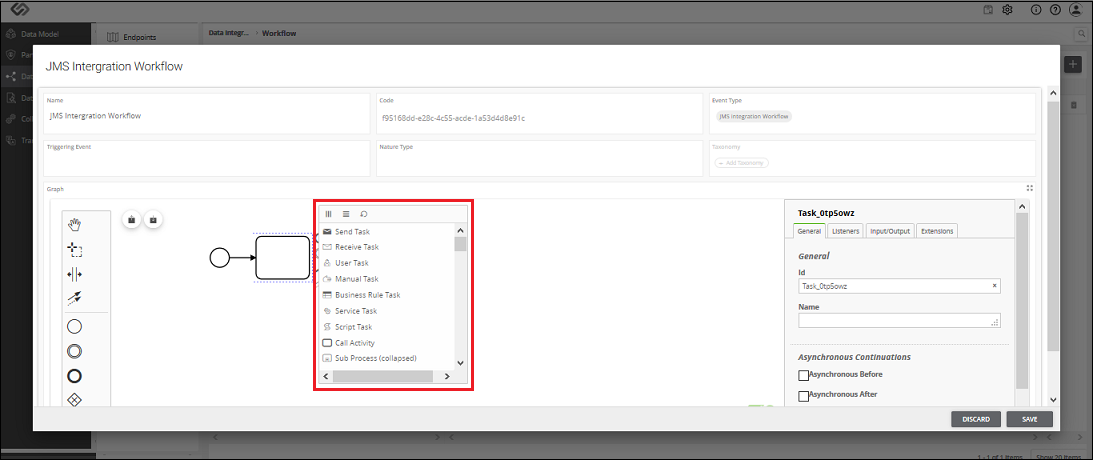
- Select the component JMS Consumer from the list.
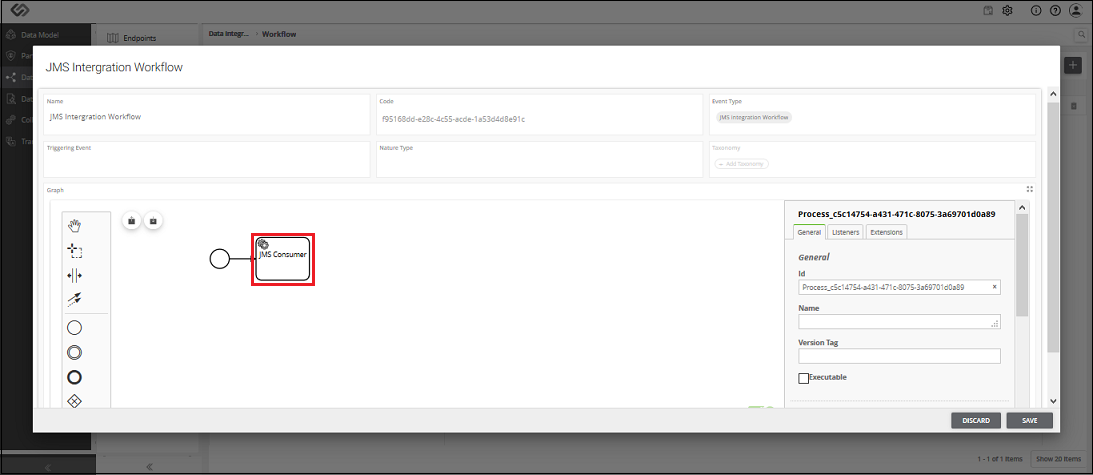
- Enter the name for the component.
- Select the JMS Consumer component and enter the details of the JMS Consumer component in the third vertical section (as described in the table below).
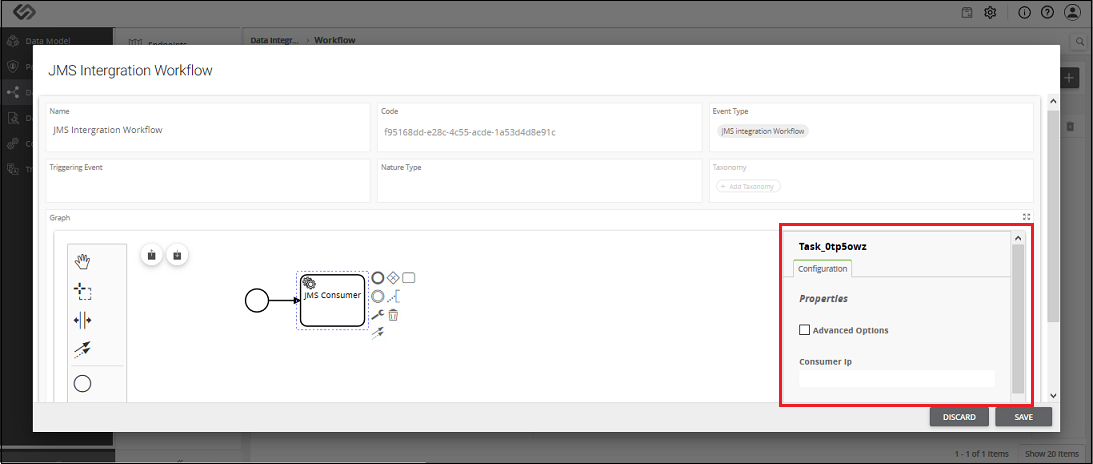
JMS Consumer Component - Configuration
| Sr. No. | Screen Element | Description |
|---|---|---|
| Consumer IP | Provide the consumer IP address from where the PXP system will receive the message, which will contain the details in form of a JSON object. You need to prepend the protocol of the respective MQ server. For example, if you are using ActiveMQ, then use the tcp protocol in the beginning. Example of Consumer IP: tcp://0.0.0.0 | |
| Consumer Port | Provide the consumer port number from where the PXP system will receive the message, which will contain the details in form of a JSON object. | |
| Consumer Queue Name | Enter the consumer queue name, from where the PXP system will receive the message, which will contain the details in form of a JSON object. | |
| Consumer Acknowledgement Queue | Once the PXP system receives the message from the consumer system, it will send the acknowledgment of the process. Consumer Acknowledgement Queue contains the queue name where the PXP system will send the acknowledgment of the completion of the process. There are following two types of acknowledgments:
|
